Troubleshooting
123
B
Printer jam or paper jam B
Located and removed the jammed paper by
following these steps.
a Unplug the machine from the electrical
socket.
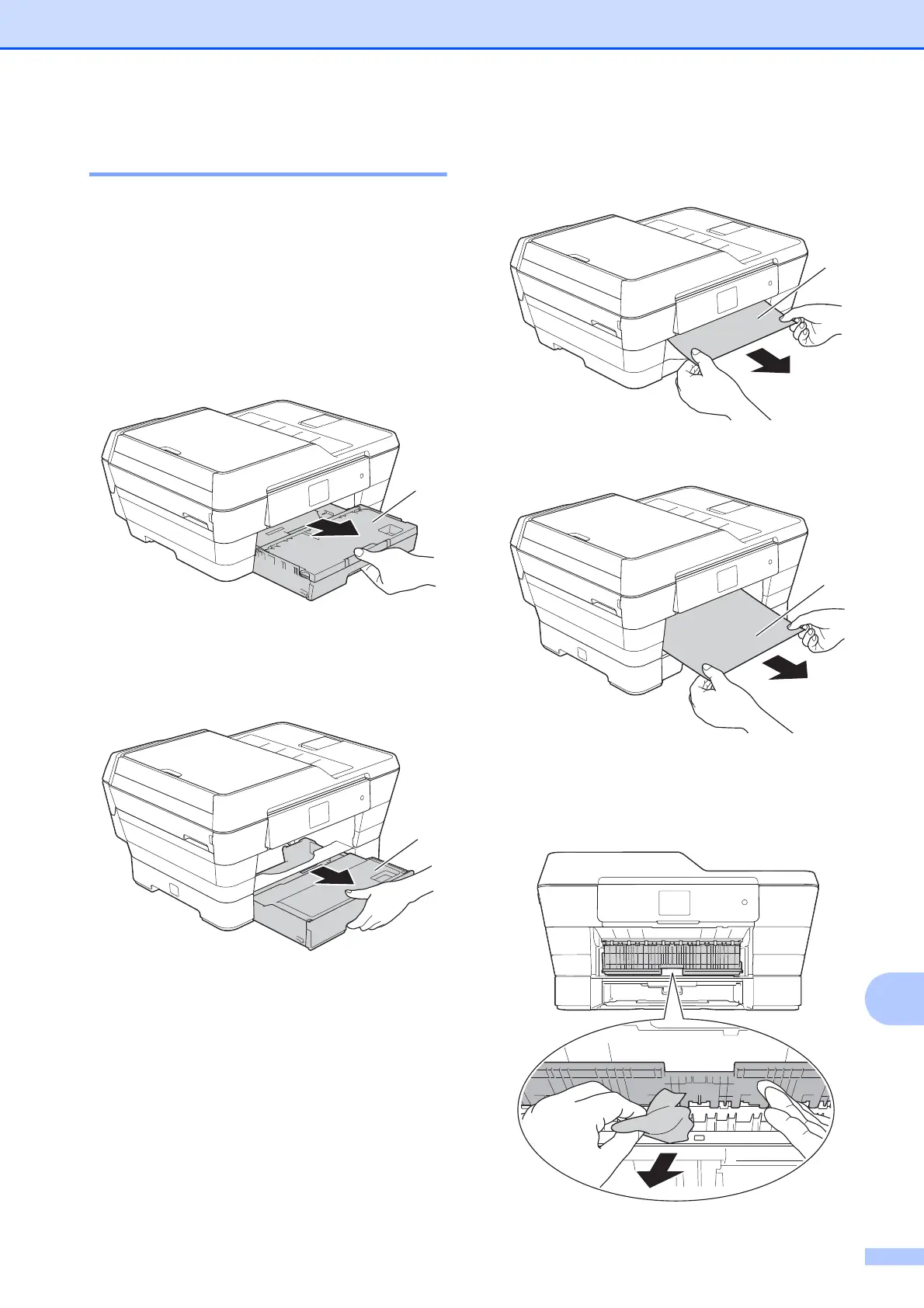
b (MFC-J3520/MFC-J6520DW)
Pull the paper tray #1 (1) completely out
of the machine.
(MFC-J3720/MFC-J6720DW)
Pull paper tray #1 and then tray #2 (2)
completely out of the machine.
If the Touchscreen shows
Paper Jam [Rear], go to step j.
c Pull out the jammed paper (1).
(MFC-J3520/MFC-J6520DW)
(MFC-J3720/MFC-J6720DW)
d Lift the green Jam Clear Flap, and
remove the jammed paper.



 To Next Page
 Loading...











