16
Programming the Thermostat
Setting the home temperature
1. Open the door.
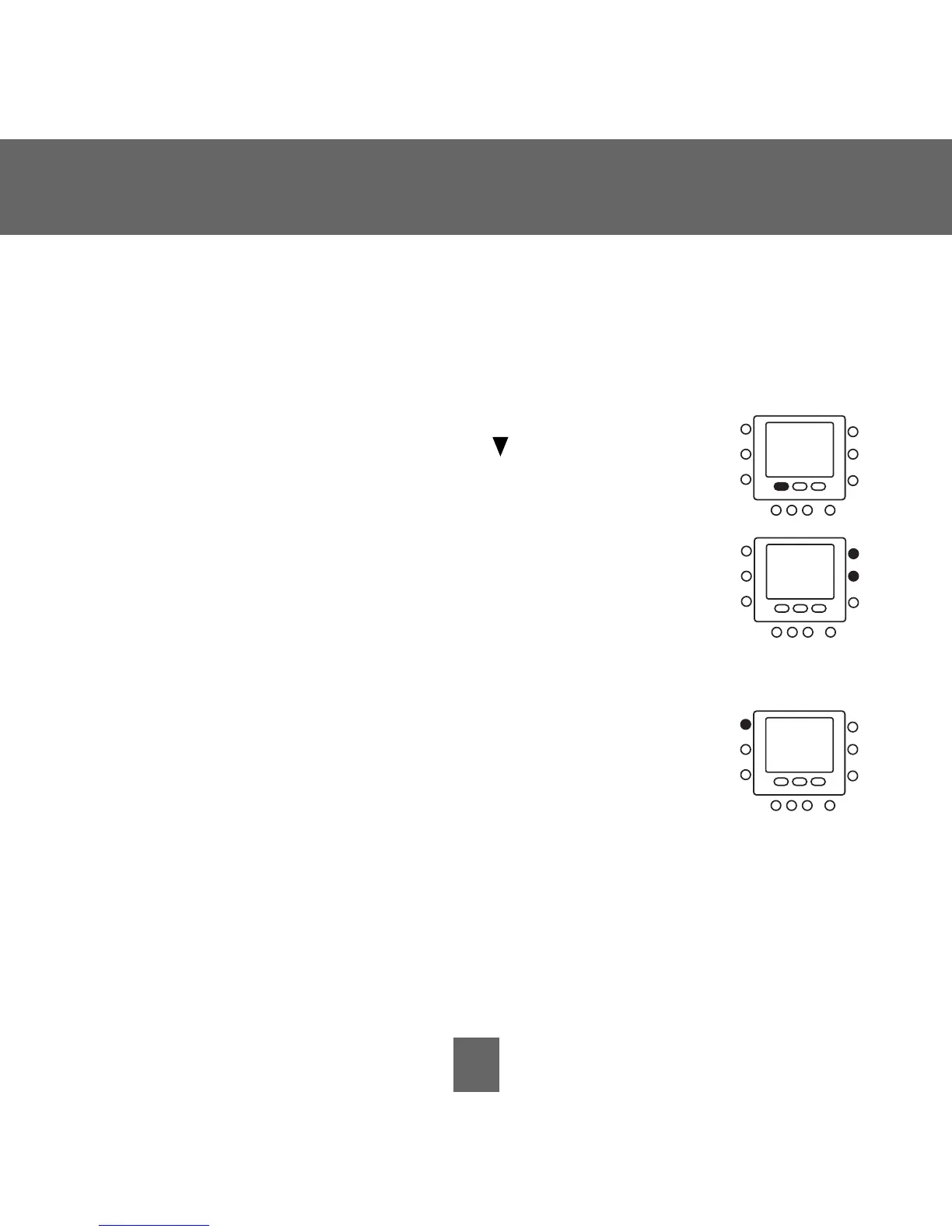
2. Press the
home button located under the display on
the left. You will see a triangle icon ( ) above the
home
button. This icon will always tell you whether you’re in
the home, away or sleep setting.
3. You will see the heating and cooling temperatures that
were set at the factory. To use these, just close the door.
4. To change the factory settings, press the
home button. You
will see the word heat flashing on the screen.
5. Press the
up or down button until you reach the desired
temperature setting.
6. Press and hold the
home button for about three seconds.
The set temperature will flash, indicating that it saved
your settings.
7. To change the cooling temperature setting, press the
mode button
repeatedly until you see the word cool flashing on the screen.
8. Press the
up or down button on the right side of the display until you
reach the desired temperature setting.
9. Press and hold the
home button for about three seconds. The set tem-
perature and home arrow will flash, indicating that it saved your settings.






 To Next Page