APPENDIX F: WEB INTERFACE GUIDE continued
SP3 Web Interface Guide Page 3 of 7
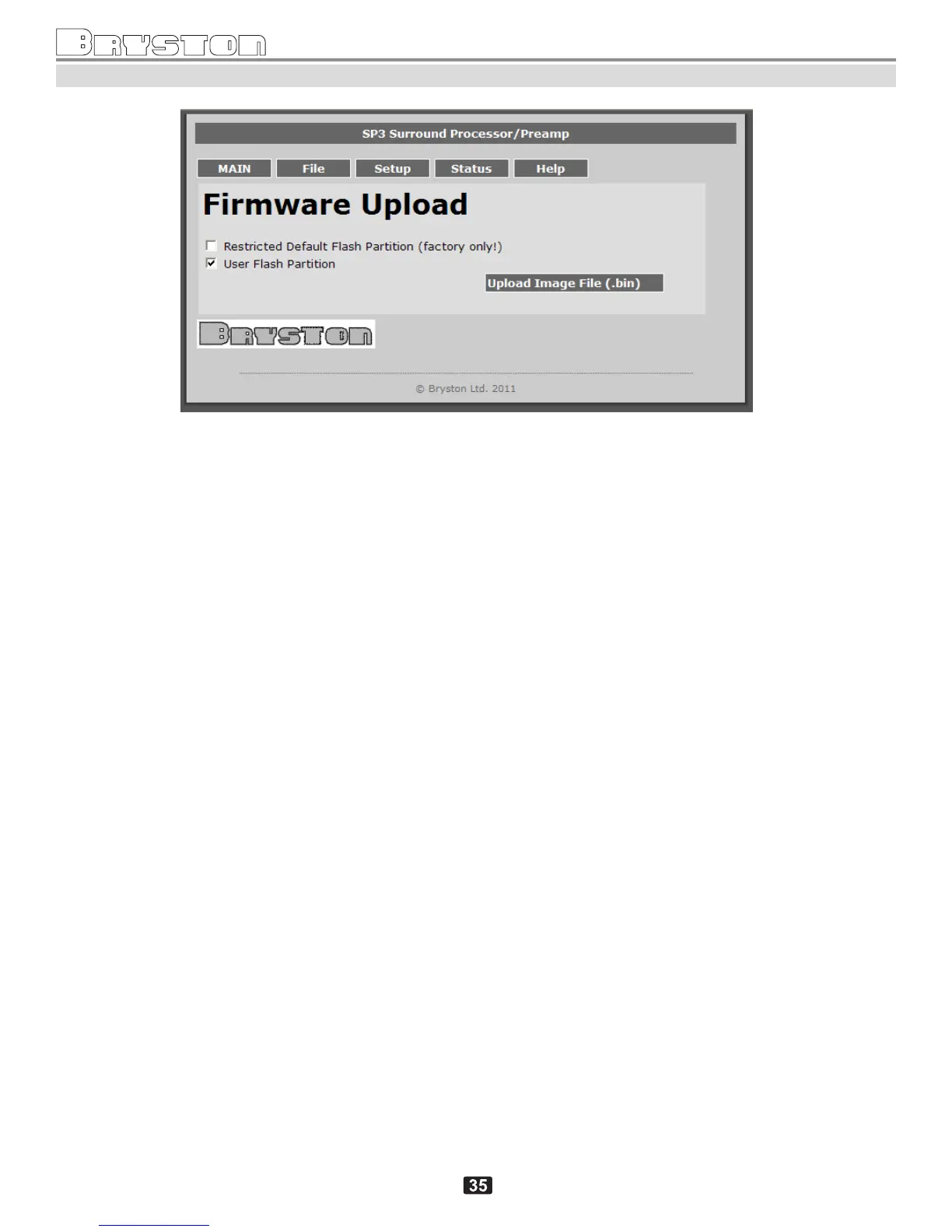
Firmware Upload screen
Clicking on the “Upload Image File (.bin) opens up a file selection subscreen which allows selecting a
compressed firmware file (of type .bin) and then starting upload and programming. This is described in more
details in the following on-line document:
ftp://bryston.com/pub/firmware/sp3/doc/SP3_Firmware_Upload_Instructions.doc
Note: selecting of “Restricted Default Flash Partition” allows overwriting of backup files in the SP3 flash. This
option is normally not enabled and a special password would be required.



 To Next Page