SP3 PREAMP / PROCESSOR
APPENDIX F: WEB INTERFACE GUIDE continued
SP3 Web Interface Guide Page 4 of 7
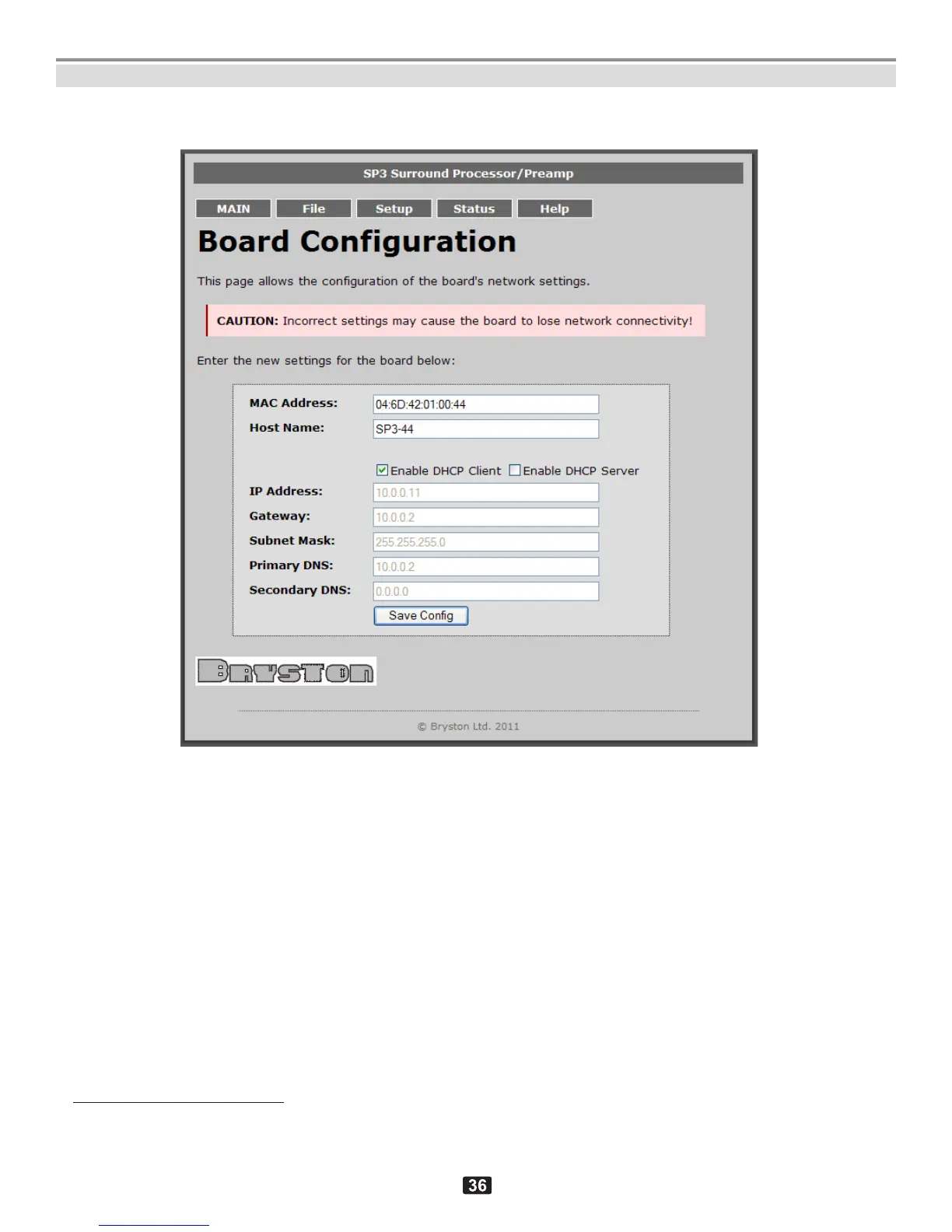
3. Setup screen
2
.
Setup screen
This screen displays network-connectivity settings and also allows modification of: DHCP mode selection, IP
address, Gateway IP address, Subnet Mask, Primary DNS and Secondary DNS.
MAC Address and Host Name
3
are hardcoded and cannot be changed and saved!
2
This page is currently obsolete and will be expanded in the future software revisions to allow complete system configuration.
3
This is the same as “Net Bios Name” referred elsewhere in the documentation.



 To Next Page