Manual EVOTOUCH v.5 84 / 104
• Warning: It means the equipment is undesirable working. The user
should take an action to solve it, but the equipment will not stop. This
state will be followed by a warning message.
• Alarm: The equipment stops because a critical failure is detected.
Access to Configuration Menu to set up clock time. Go to 4.1.4.4 epigraph for
more information.
Modbus connection is indicated with a MB at the top right corner. This MB will
pop up as soon as MB frame is received by EVOTOUCH. When the Modbus
master send a request to EVOTOUCH and it have been processed successfully,
then MB will turn blue.
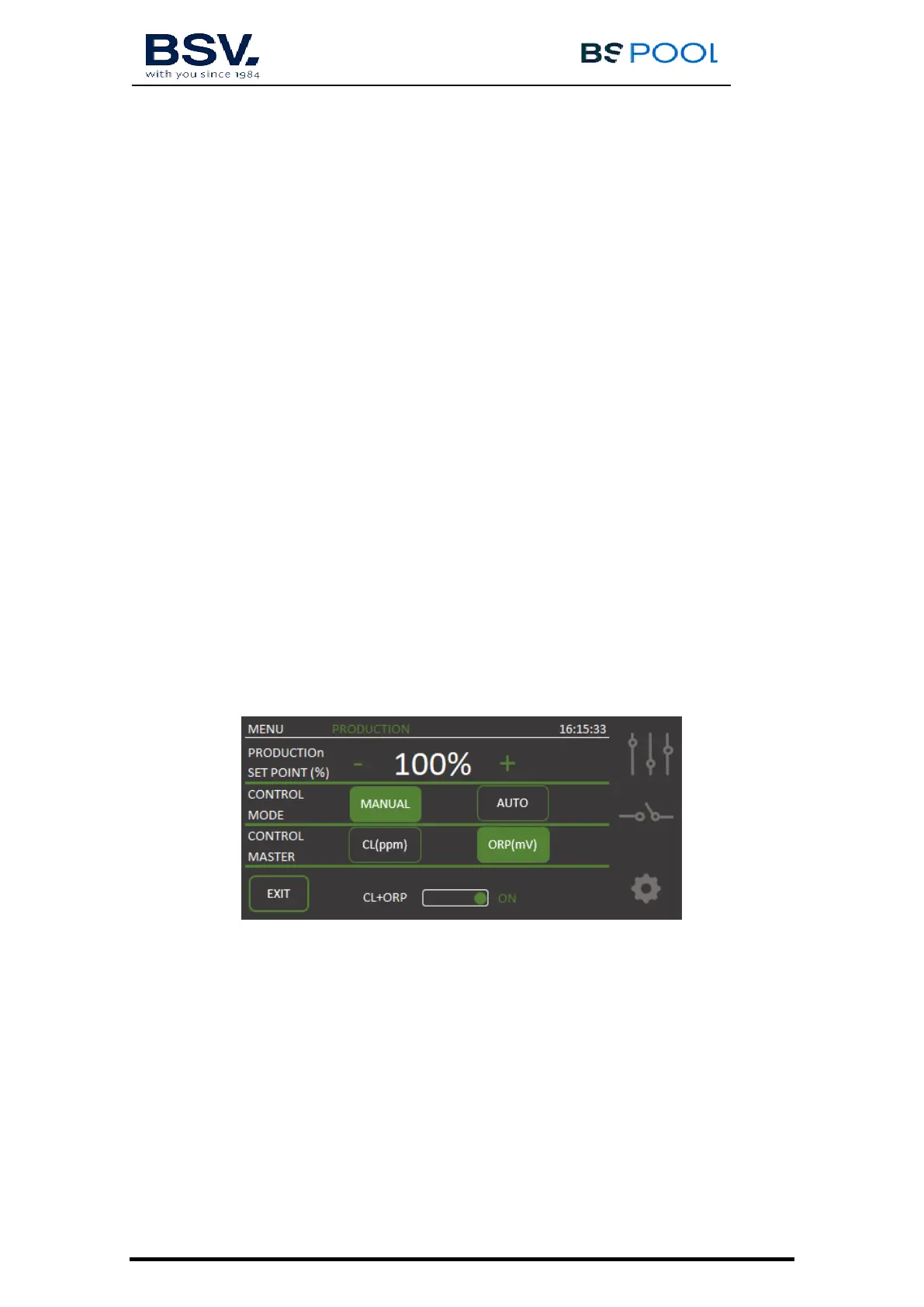
4.1.2.2- Production Menu
Production Menu is located on the second line of the Main Screen. Access this
menu by pressing on production value. Once the user is in this menu, Manual
or Automatic mode can be selected according the requirements.
Maximum chlorine production can be set it by pressing + or – button. Select
from 0% to 100% range. Click EXIT when it is finished.
Note: The user can limit chlorine production whatever mode is selected.
Manual
The equipment produces chlorine continuously, depending on the % of
production selected. If you have a fitted ADVANCED probe Kit probe, it will
ignore its value and chlorination will not stop even though the set value has
been exceeded.
Select this mode if you do not have an ADVANCED (Redox) probe Kit,
by adjusting production and hours of filtering depending on the nature of your
swimming pool, its volume number of bathers and season of the year.


 To Next Page