Manual EVOTOUCH v.5 87 / 104
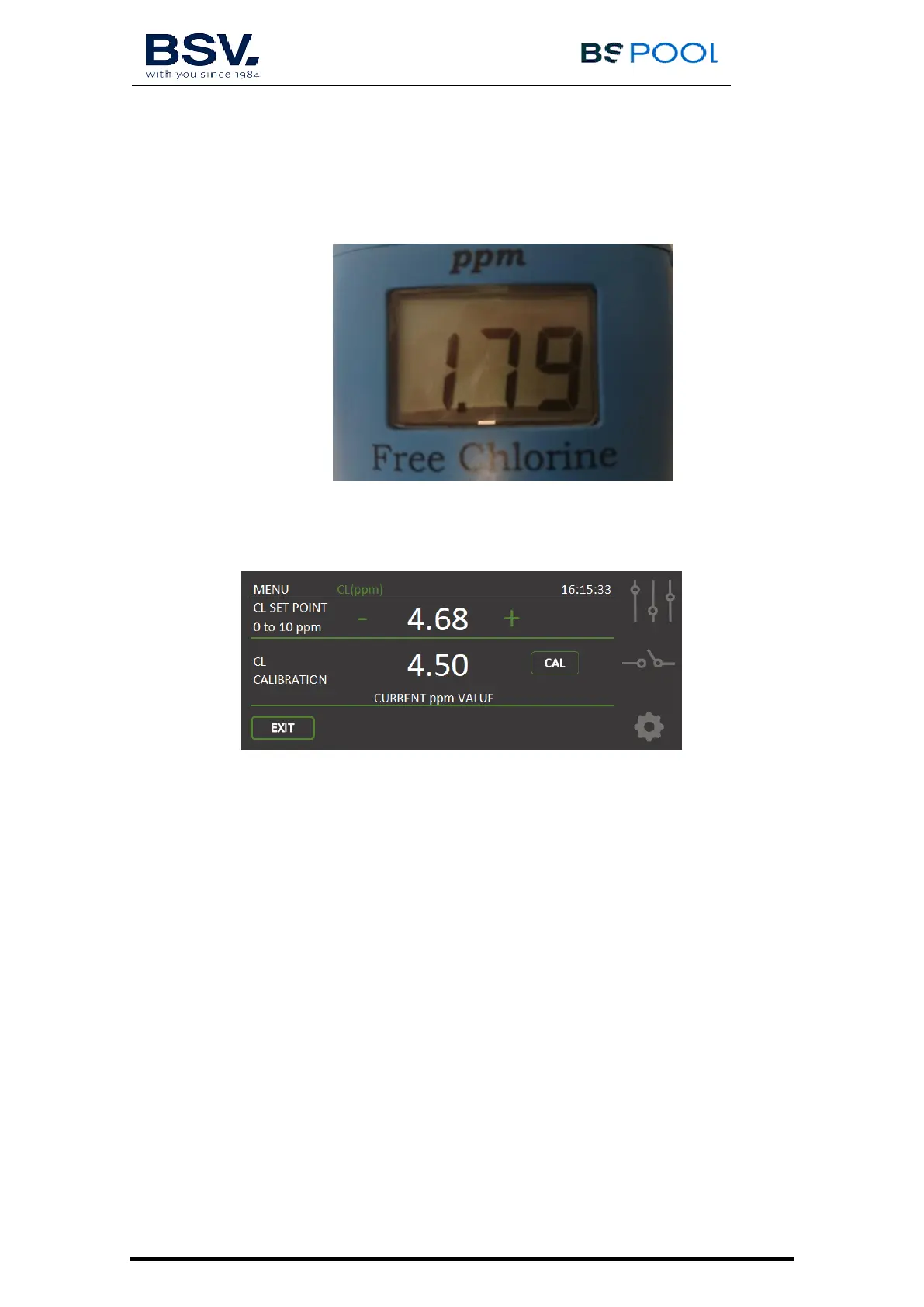
a. DPD-1 test. Take some water from the small plastic tap placed
at the bottom part of the probe holder.
b. Tap on “ Free Chlorine Menu”. On the left side of the “Main
Screen”:
c. Press on SET to start the calibration. Match the previous
measure using increasing + or decreasing - CL SET POINT.
Press OK to finish.
d. Return to the Main Screen using EXIT bottom. The current CL
value will match with the value obtained from DPD-1 tester.
4.1.2.4 ORP Menu
On the right hand site of the second line, this menu is available. ORP Menu will
display the ADVANCED Kit readings.


 To Next Page