BSWA 308/309 BSWA Technology Co., Ltd
32
4. Operation and Setting of the Menu
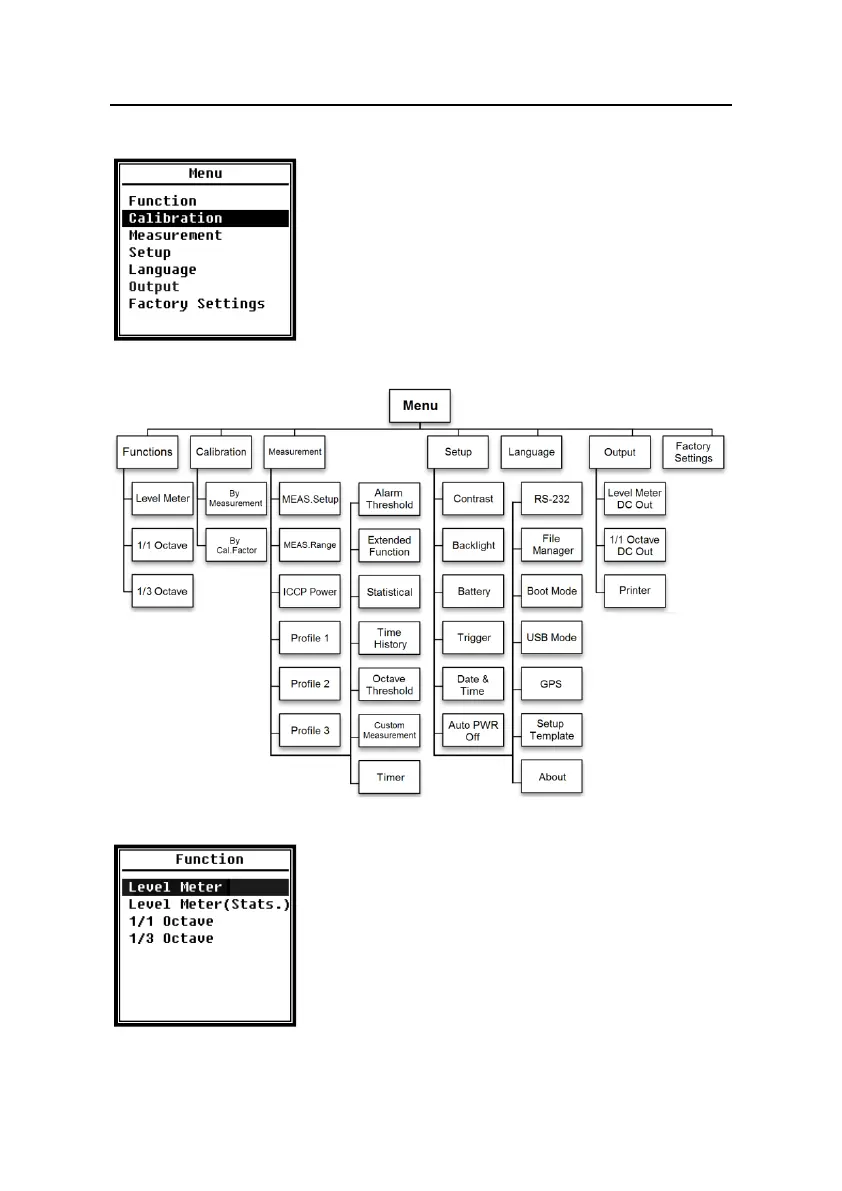
Press <Menu> to access the next level menu. All parameters
related to measurement can be set in the menu.
Menu Tree
4.1 Function
Select Function and press <Enter> to enter this menu.
Several kind of measurement functions can be select: Level
Meter, Level Meter (Stats.), 1/1 Octave and 1/3 Octave.
Press <▲>, <▼> can select mode of measurement. Press
<Enter> to save setting and return to previous menu. Press
<ESC> to return to previous menu.


 To Next Page