BSWA 308/309 BSWA Technology Co., Ltd
53
measurement. When sound level meter was integrated into other system, it will power on
and start measurement automatically from power shutdown.
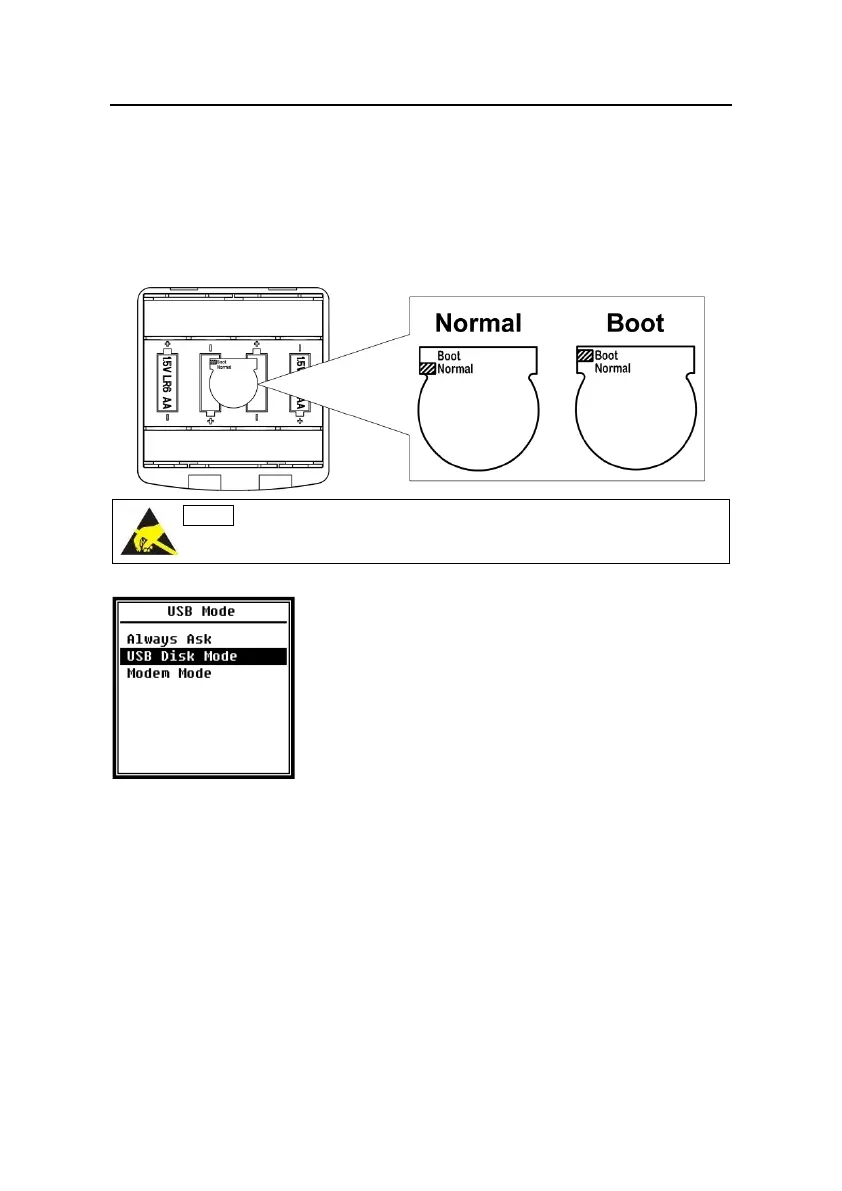
Hardware Mode Switch:
The hardware mode switch located in the battery compartment. It’s easily to be found
after remove the batteries. Please select the switch to Boot or Normal by nib or tweezers.
★Note: Static electricity sensitive area. Eliminate static electricity before
operation.
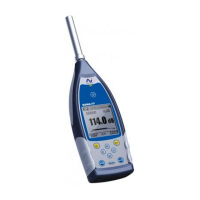
4.4.11 USB Mode
Menu of USB Mode can set the working mode when connect
sound level meter to computer by USB cable. Always Ask,
USB Disk Mode and Modem Mode can be select.
Always Ask:
It always ask which mode should apply when connect to computer by USB. Please make
choose in time, otherwise computer could not recognize the sound level meter due to
timeout.
USB Disk Mode:
It always working at USB Disk Mode without ask when connect to computer by USB.
Sound level meter can be recognized as removable USB disk by computer without driver
install, and the files stored in MicroSD card can be access by explorer directly.
Modem Mode:


 To Next Page