BSWA 308/309 BSWA Technology Co., Ltd
50
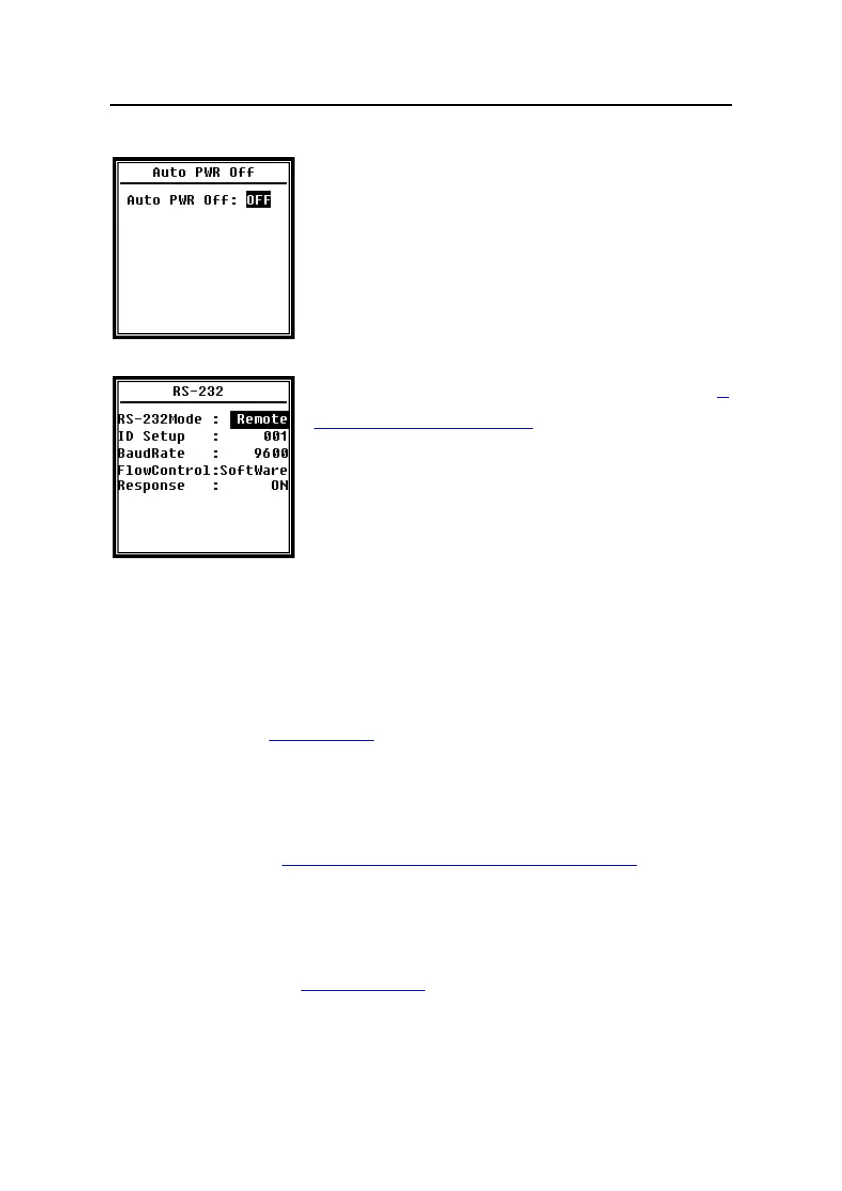
4.4.7 Auto PWR Off
Sound level meter provide the auto power off function to
reduce the power consume. When sound level meter keep
stop state and no key press for a while, it will power off base on
the setting. The Auto PWR Off option: 1min, 5min, 10min,
30min, Off. Press <◄>, <►> can choose and select, press
<Enter> to save the setting.
4.4.8 RS-232
Menu of RS-232 can set the option of serial port, refer to 5.
RS-232 Communication Protocol to earn more detail.
RS-232 Mode:
RS-232 Mode option:Remote, Printer. Press <◄>, <►> can choose. Sound level
meter can be control and send out data via RS-232 port at Remote mode. And RS-232
can be used to connect thermal printer (option) at Printer mode.
ID Setup:
ID Setup (refer to 5.2.2 Device ID to earn more detail) can set the ID number which is
used to distinguish among a network of more than one sound level meter. The ID can be
set as: 1~255. Press <◄>, <►> can choose and select.
Baud Rate:
Baud Rate (refer to 5.1 Hardware Configuration and Settings of Interface to earn more
detail) can set the communication baud rate of RS-232, the option is: 4800bps, 9600bps,
19200bps. Press <◄>, <►> can choose and select.
Flow Control:
Flow Control (refer to 5.2.7 Flow Control to earn more detail) can set the flow control
mode under remote control, the option is: Software, Hardware. Press <◄>, <►> can
choose and select.


 To Next Page