BSWA 308/309 BSWA Technology Co., Ltd
35
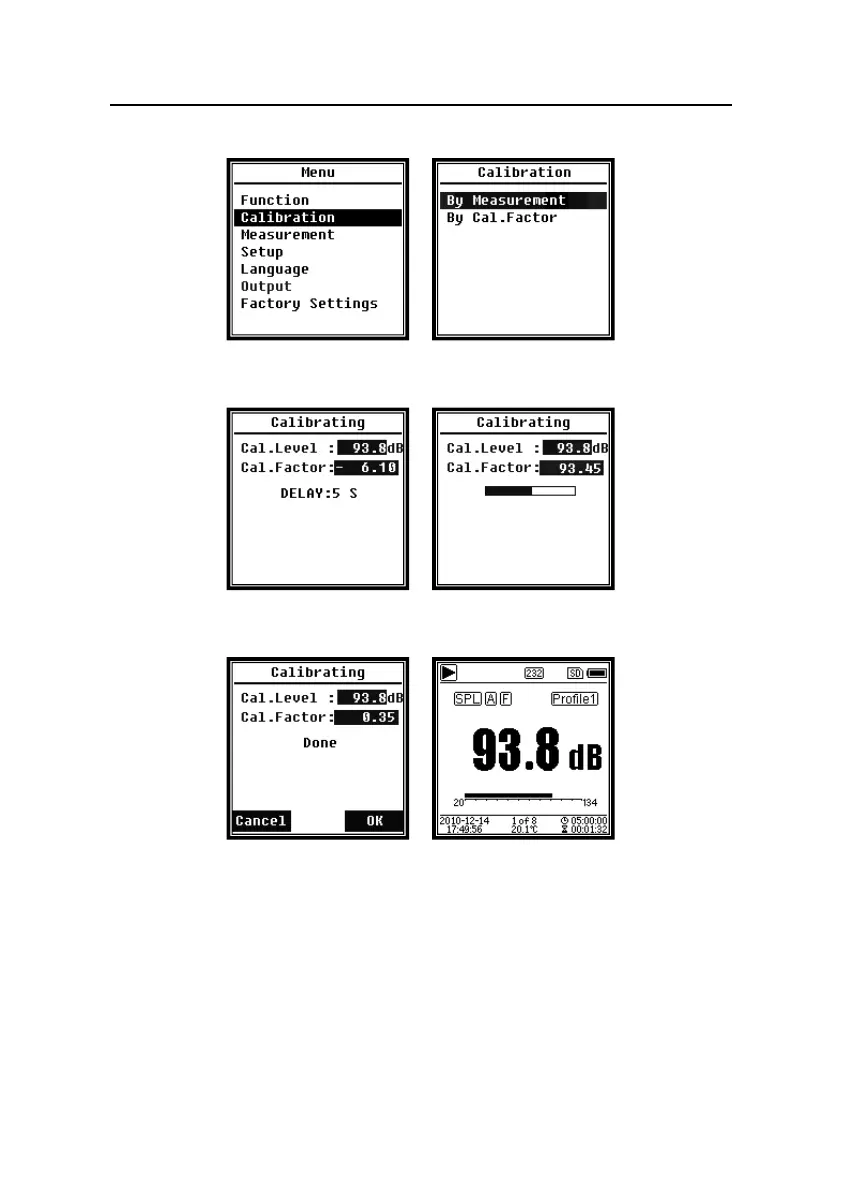
(3) Select Calibration in the menu and then press <Enter> to enter By Measurement.
(4) Adjust Cal.Level in the menu, for example adjust to 93.8dB. There is 5s delay after
press <Start> to run calibration.
(5) After the end of calibration, sound level meter will update the calibration factor. Press
<Enter> to apply the results.
(6) Return to Main screen and press <Start/Stop> to start the measurement. The current
measurement result will be 93.8dB in this example if calibrator is still working.


 To Next Page