Chapter2 Using your LinkStation
LinkStation Setup Manual
2828
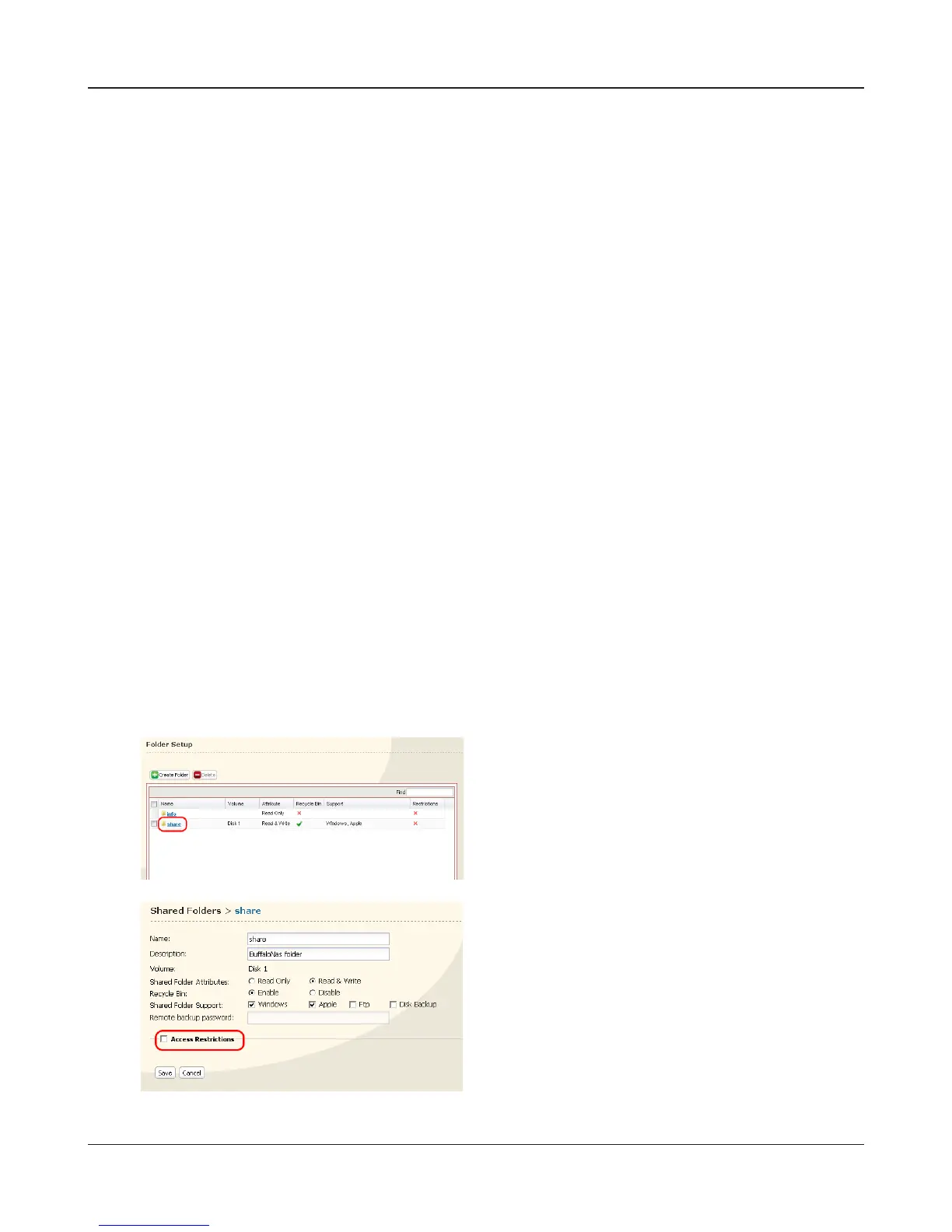
Click a shared folder you want to set access re-
strictions for.
Access restrictions for locally registered users
You can set the access restrictions for shared folders by user name and group name for locally regis-
tered users.
1
If you are using Windows, create a new Windows user account and set a password.
You can create a user account and password for Windows in the [User Accounts] within Control
Panel.
If you do not want to create a new account, write down an account and password which has
been already registered on Windows.
2
Register a user and group for the LinkStation.
1 Register a user name that will use the LinkStation.
Follow the procedures described in “Adding Users” on page 24.
2 Register a group name that will use the LinkStation.
Follow the procedures described in “Adding Groups” on page 26.
3
Set the access restrictions for shared folders.
Note: – Refer to page 20 for the procedures to display the conguration screen.
1 In the LinkStation conguration screen, click [Shared Folders] - [Folder Setup].
2
3
Click the checkbox for [Access Restrictions].















 To Next Page