Chapter2 Using your LinkStation
LinkStation Setup Manual
2929
4
5
6
7
Click [Save].
Now you have completed the settings for access restrictions.
If you log on from a Microsoft Network Domain, you can set the access restrictions with the user
names/group names which are registered on the domain.
If the read-only and writable privileges are both given to a specic user, that user will have read-
only access.
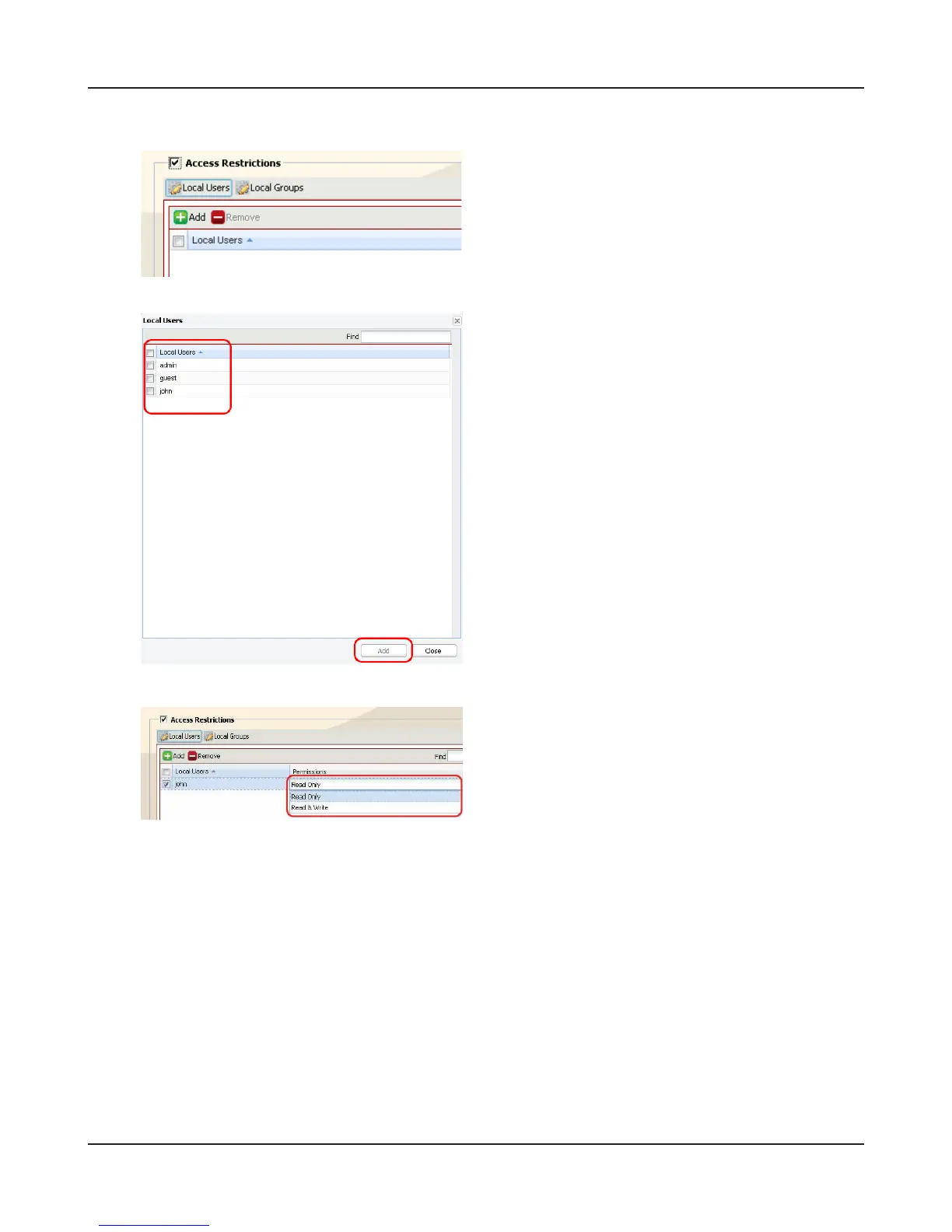
Click [Add].
Note: – The procedure described here shows an
example of how to set the access restric-
tions for local users. To set the access
restrictions for local group, click [Local
Groups]-[Add].
1 Click a user you want to permit to access, and
insert a checkmark.
Note: – If you have selected [Local Groups] in
Step 4, click the group you want to per-
mit to access.
2 Click [Add].
Select privilege of the user or group you added.















 To Next Page