Chapter2 Using your LinkStation
LinkStation Setup Manual
3030
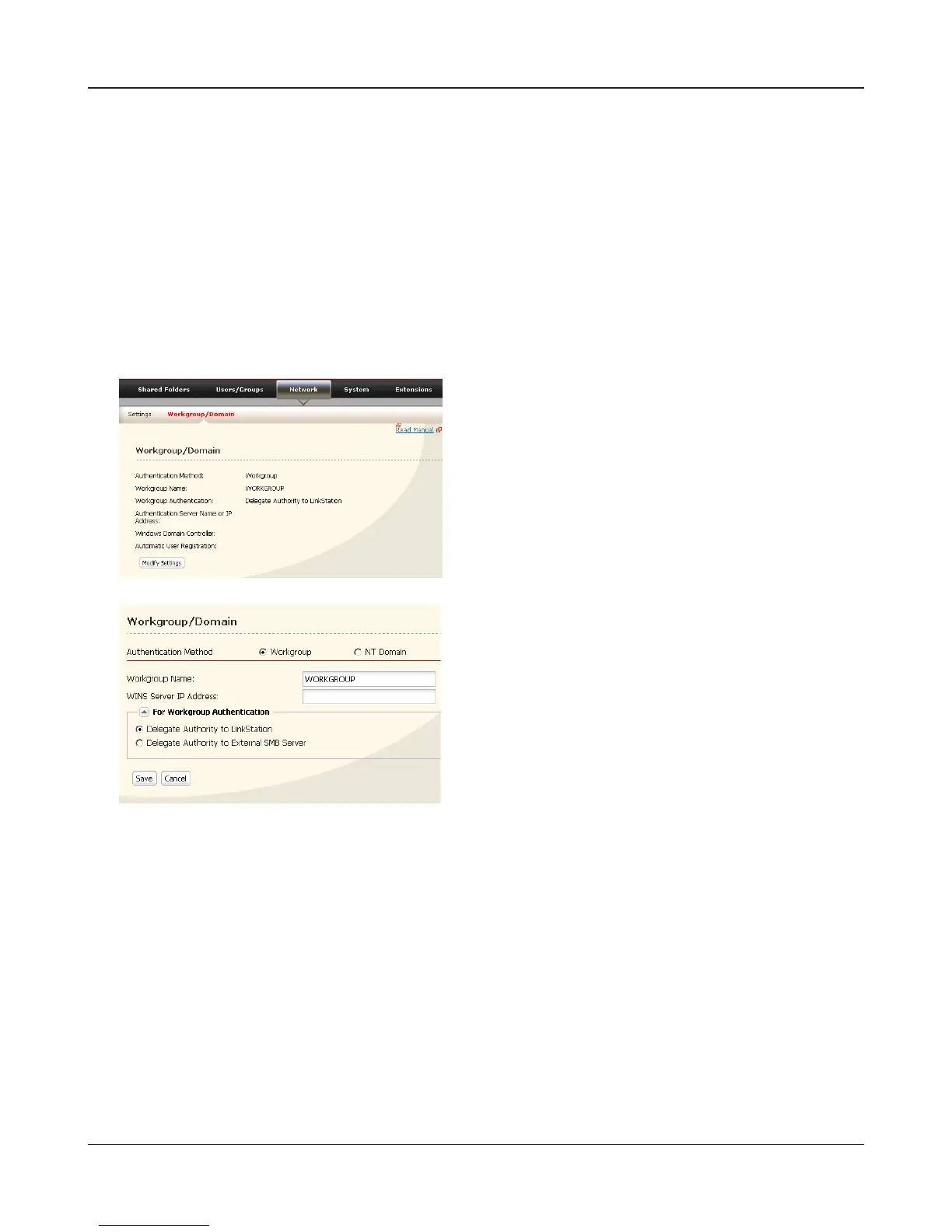
Click [Network] - [Workgroup/Domain] - [Modify
Settings] in the Web Admin tool
Access Restrictions on NT Domain
The LinkStation can download users, groups, and passwords from an NT Domain server. This proce-
dure is recommended for system administrators only.
1
Create an account on the Domain Controller for the LinkStation.
Note: – If there is an option to “Accept accounts for computers with Windows 2000 or earlier”,
then select it.
2
3
4
Follow the instructions on page 28 to add Access Restrictions to Domain Users/Domain Groups.
Note: – Domain names can contain up to 15 alpha-numeric letters. Hyphens, underscores, and
periods may be used.
– Don’t use a number or symbol as the rst letter of a domain name.
– Domain controller names can contain up to 12 alpha-numeric letters. Hyphens, under-
scores, and periods may be used. Don’t use a number or symbol as the rst letter of a
domain name.
1 Select [NT Domain].
2 Select [NT Domain Name].
3 Select [NT Domain Controller Name].
4 Enter an Administrator password.
5 Enter an Administrator password.
6 Enter WINS Server IP Address
7 Click [Save].















 To Next Page