Chapter 3 Useful Functions
LinkStation Setup Manual
5353
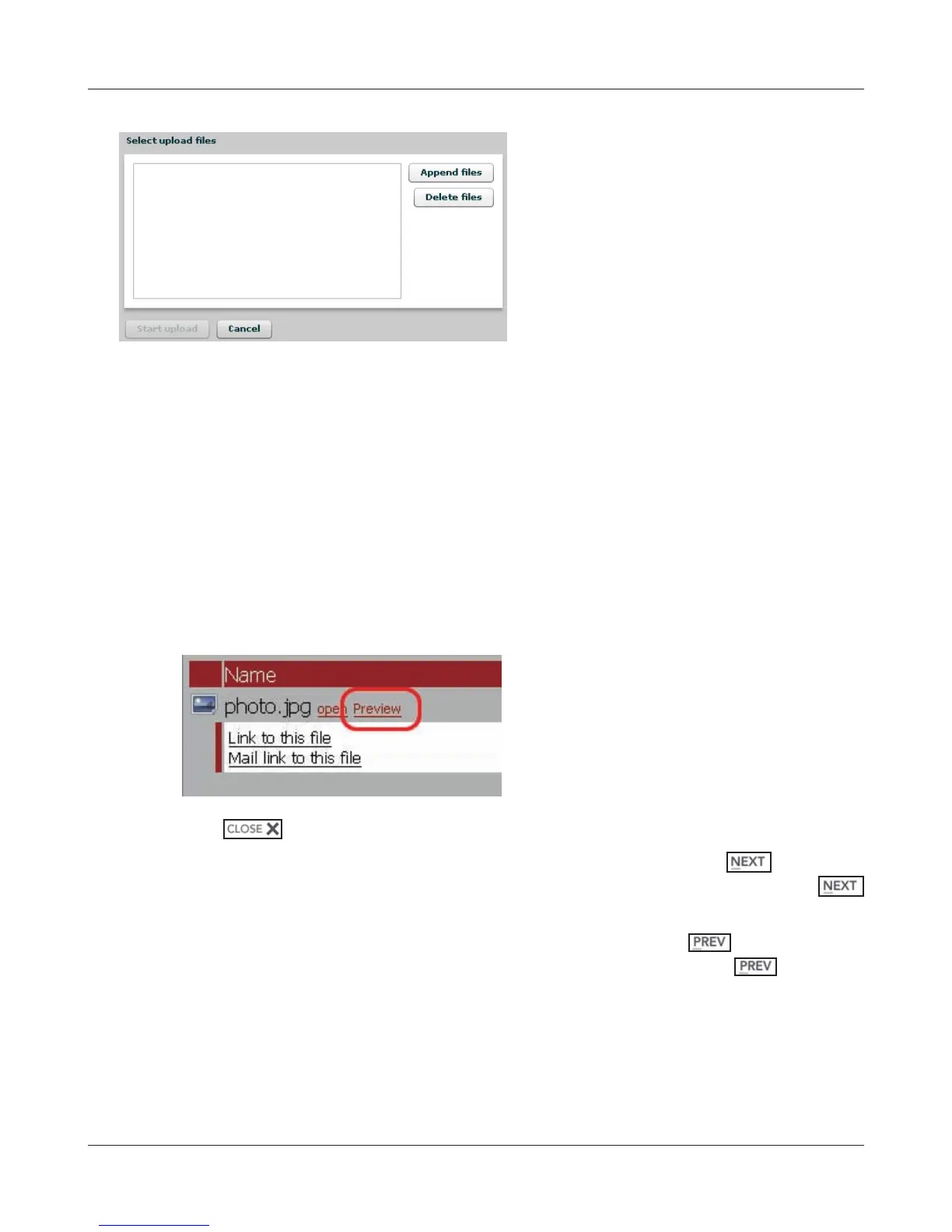
Select les you want to upload in [Append les], and click [Start upload].
Note: – The following conditions applies to upload.
• Up to 2GB in le size
• Up to 100 les per upload
You cannot upload a le if the same le name already exists on the destination.
Delete the le with the identical name in the destination before uploading the new le.
Note: – About the Preview feature
If a graphic data type file is selected, the word [Preview] is displayed next to the file
name. Clicking [Preview] will display the preview of the selected le on the browser.
Click at the bottom of the image to nish displaying the preview.
Move the mouse cursor on the right top of the preview image, and
will be dis-
played (this will not be displayed if there is no additional graphic les). Clicking
will display the next graphic data for a preview.
Move the mouse cursor on the left top of the preview image, and
will be displayed
(this will not be displayed if there is no previous graphic le). Clicking
will display
the previous graphic data for a preview.


 To Next Page
 Loading...











