Chapter 3 Useful Functions
LinkStation Setup Manual
5757
How to download Torrent Information by adding it from a le
1
2
Note: – Torrent Information can be download from BitTorrent Inc.’s website or personal websites.
Follow the terms of use and copyright rules for Torrent Information described for each
website.
3
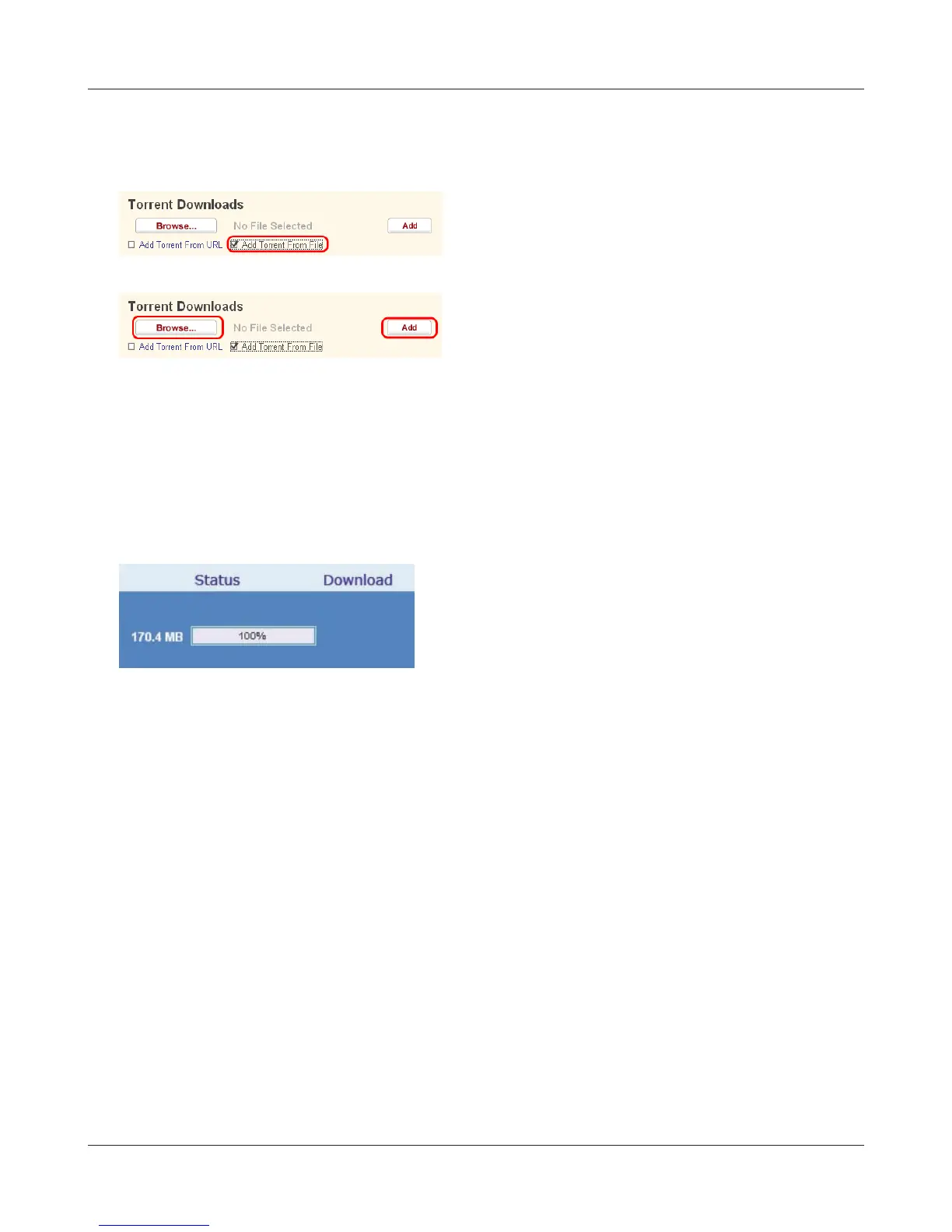
Downloading to the destination folder will begin.
4
Now you have downloaded Torrent Information by adding from a le.
Click [Add Torrent From File].
When progress reaches 100%, the download is
completed.
1 Click [Browse...] and select Torrent le saved on
the LinkStation or your computer.
2 Click [Add].















 To Next Page