Chapter 3 Useful Functions
LinkStation Setup Manual
5959
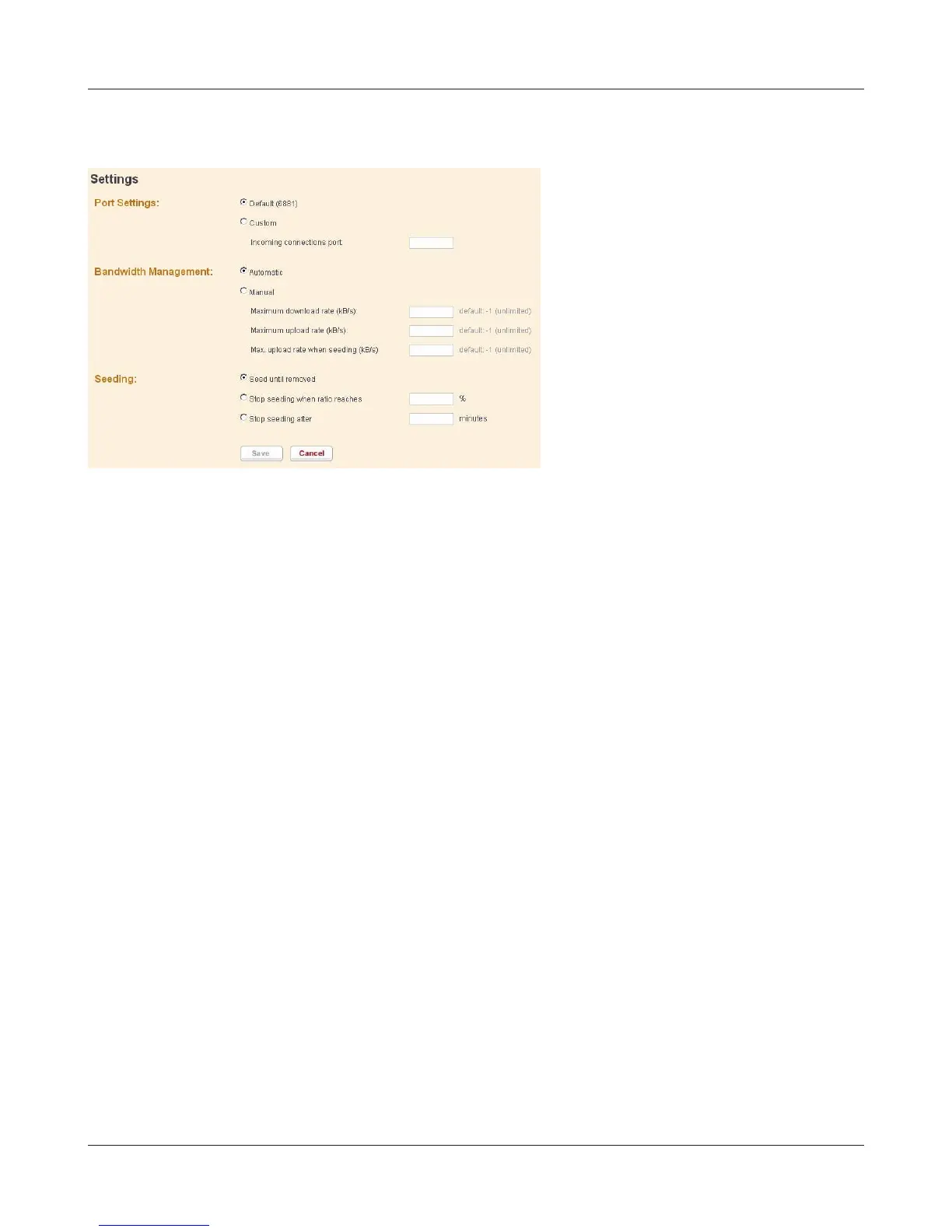
What you can do in the conguration screen
1 Port Settings
Changes a port to use for BitTorrent communication. When the LinkStation is connected to a
router, the port of the router will be automatically set by using UPnP.
To set the port manually without using UPnP, enter the port number (the default setting is "De-
fault (6881)) on any port number on the LinkStation side.
2 Bandwidth Management
If this is set to [Automatic], Transmission bandwidth of BitTorrent will be automatically set. If
this is set to [Manual], you can specify a maximum bandwidth for download, upload, and seeds.
The default setting is [Automatic].
3 Seeding setting
Set the seed period for a le which is nished downloading.
Note: – Seeds are dened as a part of the downloading le that is published on other comput-
ers.
[Seed until removed] will continue to seed until Torrent information is deleted.
[Stop seeding when ratio reaches] will stop seeding when the upload percentage (a percentage
of the number of byte downloaded against the number of byte uploaded) is achieved to the
pre-dened value (%).
[Stop seeding after] stop seeding automatically after the pre-dened time (in minute) has been
reached.
The default setting is [Seed until removed].















 To Next Page