119
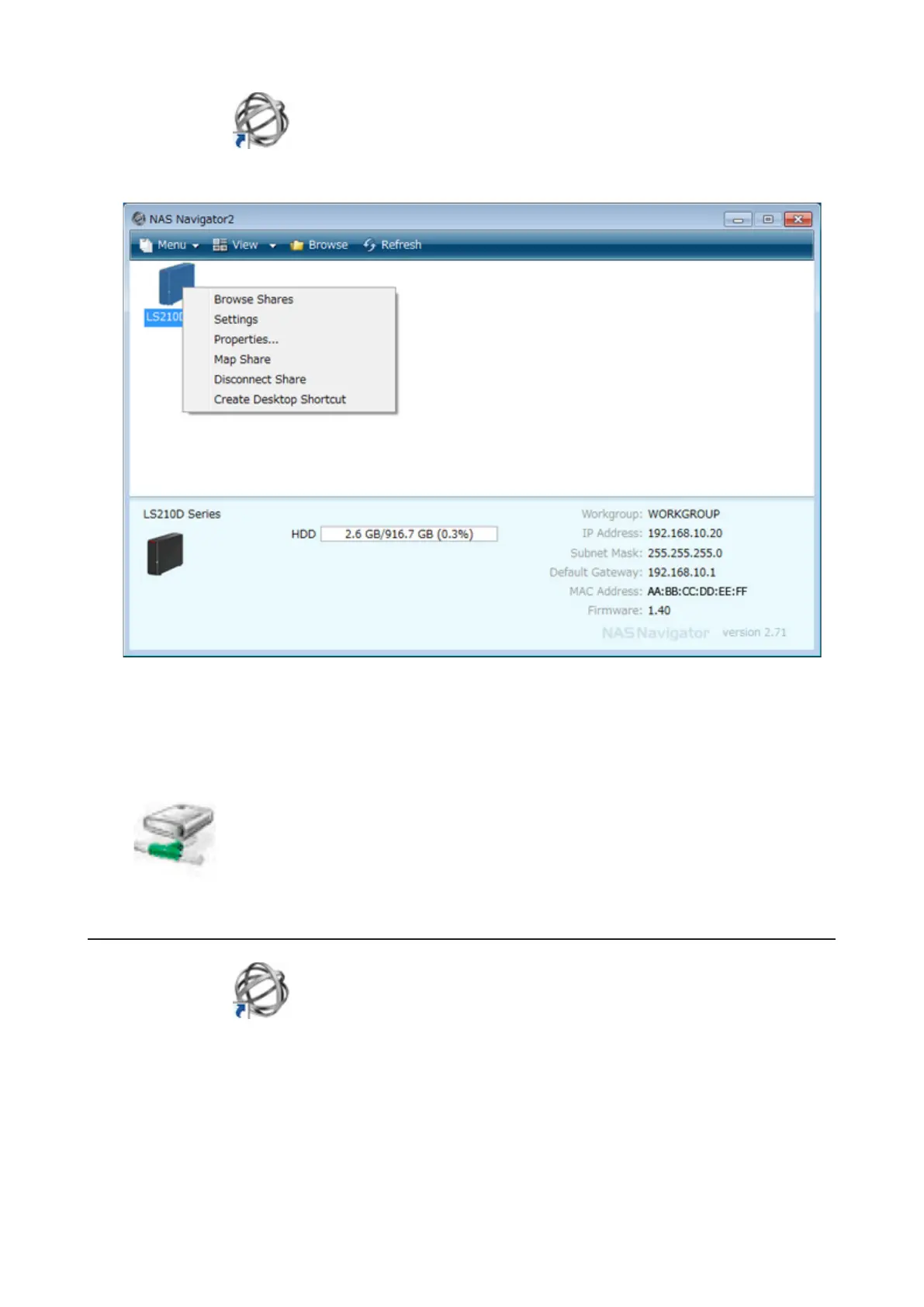
1 Double-click the icon to start NAS Navigator2.
2 Right-click on the LinkStation's icon and choose Map Share.
Note: The following shared folders can be mounted as network drives from NAS Navigator2: share, share2,
share3, share4, usbdisk1, usbdisk2, usbdisk3, usbdisk4, usbdisk5
3 An icon for the mapped share will appear in Computer or My Computer. You can use this network drive just like
any other hard drive.
Changing the IP Address
1 Double-click the icon to start NAS Navigator2.
2 Right-click on your LinkStation's icon and choose Properties - IP Address.



 To Next Page