54
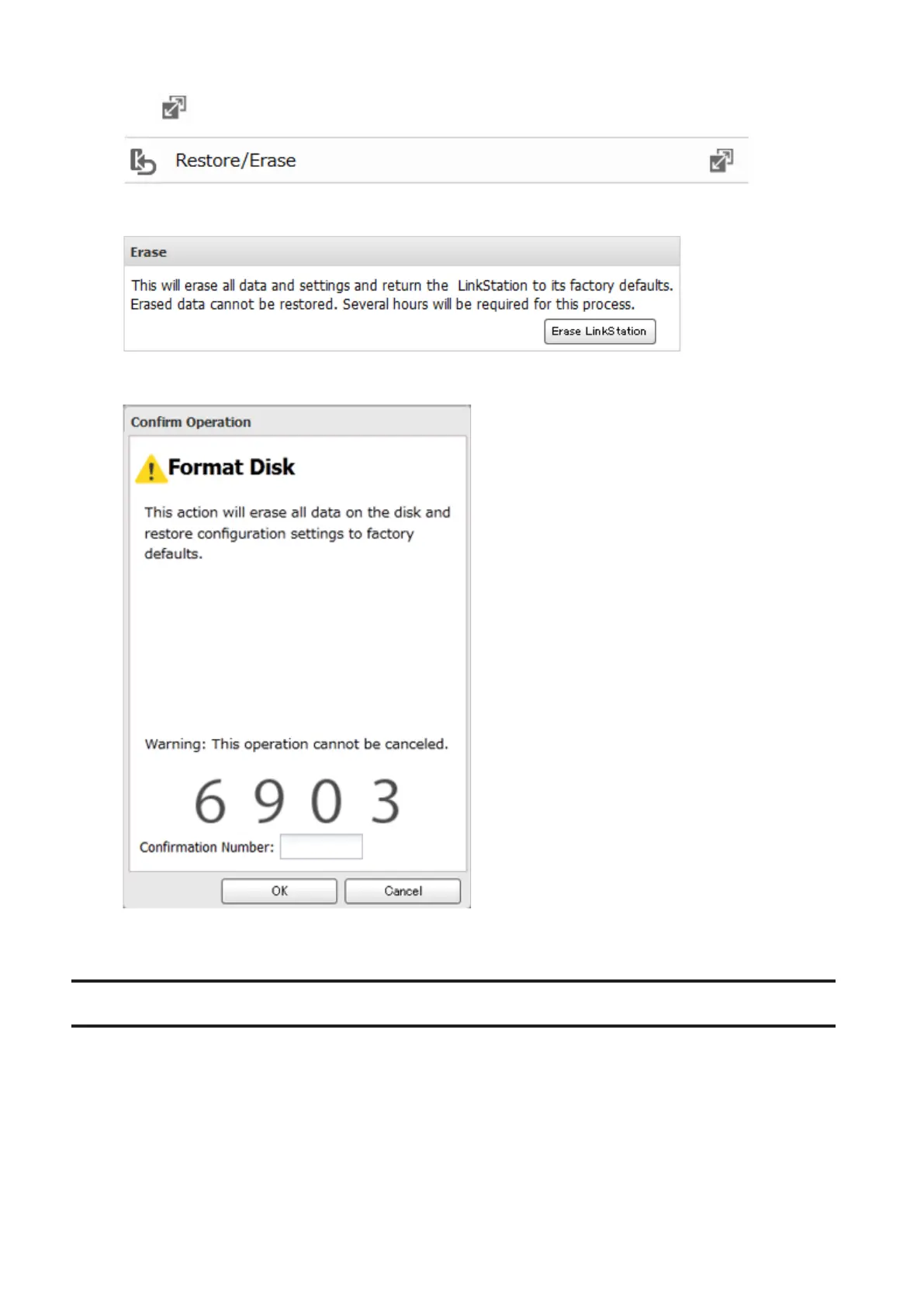
2 Click to the right of "Restore/Erase".
3 Click Erase LinkStation.
4 The "Confirm Operation" screen will open. Enter the confirmation number, then click OK.
5 All data on the LinkStation will be permanently erased.
Disk Quotas
Disk quota will limit drive space for each user or group. You can also configure alert space which will send a
notification email when the drive space exceeded the alert space. To spend a notification, configure email
notification referring to chapter 8, "Email Notification" section.
Notes:
• When using quotas, disable the recycle bin or empty the trash folder often. The limited space includes the
space used for trash.
• Quotas apply per drive or per array. If a quota is set to 1 GB, each array or drive can use a maximum of 1 GB.
• Quotas cannot be set for external drives connected to the LinkStation.













 To Next Page