122
Name Description
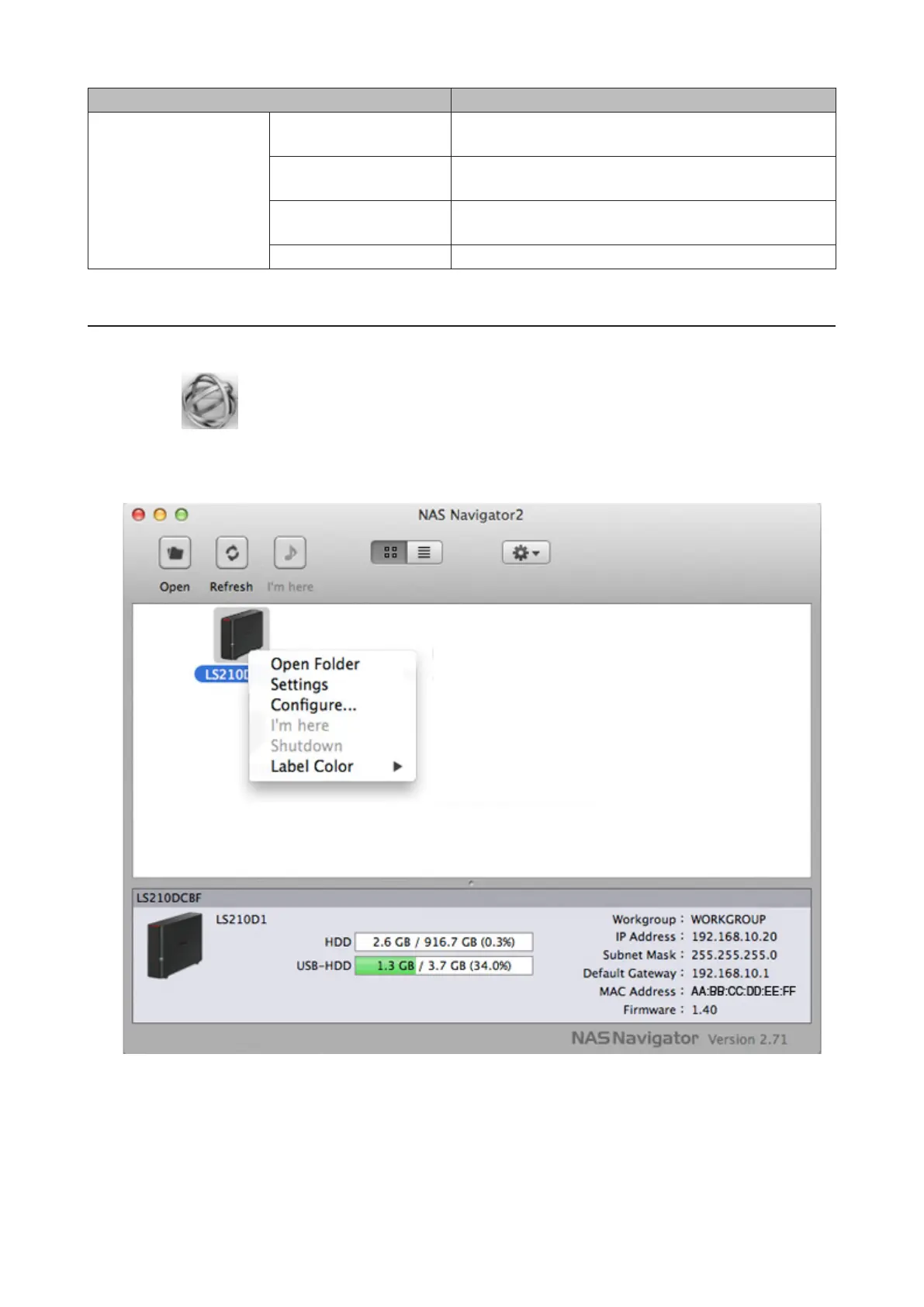
To display these options,
hold down the control
key and click a device's
icon.
Open Folder
Opens the selected LinkStation's or TeraStation's shared
folder.
Settings
Opens Settings for the selected LinkStation or
TeraStation.
Configure
Opens a window that lets you configure the NAS's IP
address or open Settings.
Label Color Selects the color of the name displayed below the icon.
Mounting as a Network Drive
You can map a shared folder as a network drive from NAS Navigator2.
1 Click the icon in the Dock to start NAS Navigator2.
2 Double-click the LinkStation icon or click the LinkStation icon while holding down the control key, then select
Open Folder. Enter a username and password with the rights to access the shared folder.
3 Select the shared folder to mount and click OK.
4 The shared folder is now mounted as a network drive.



 To Next Page