121
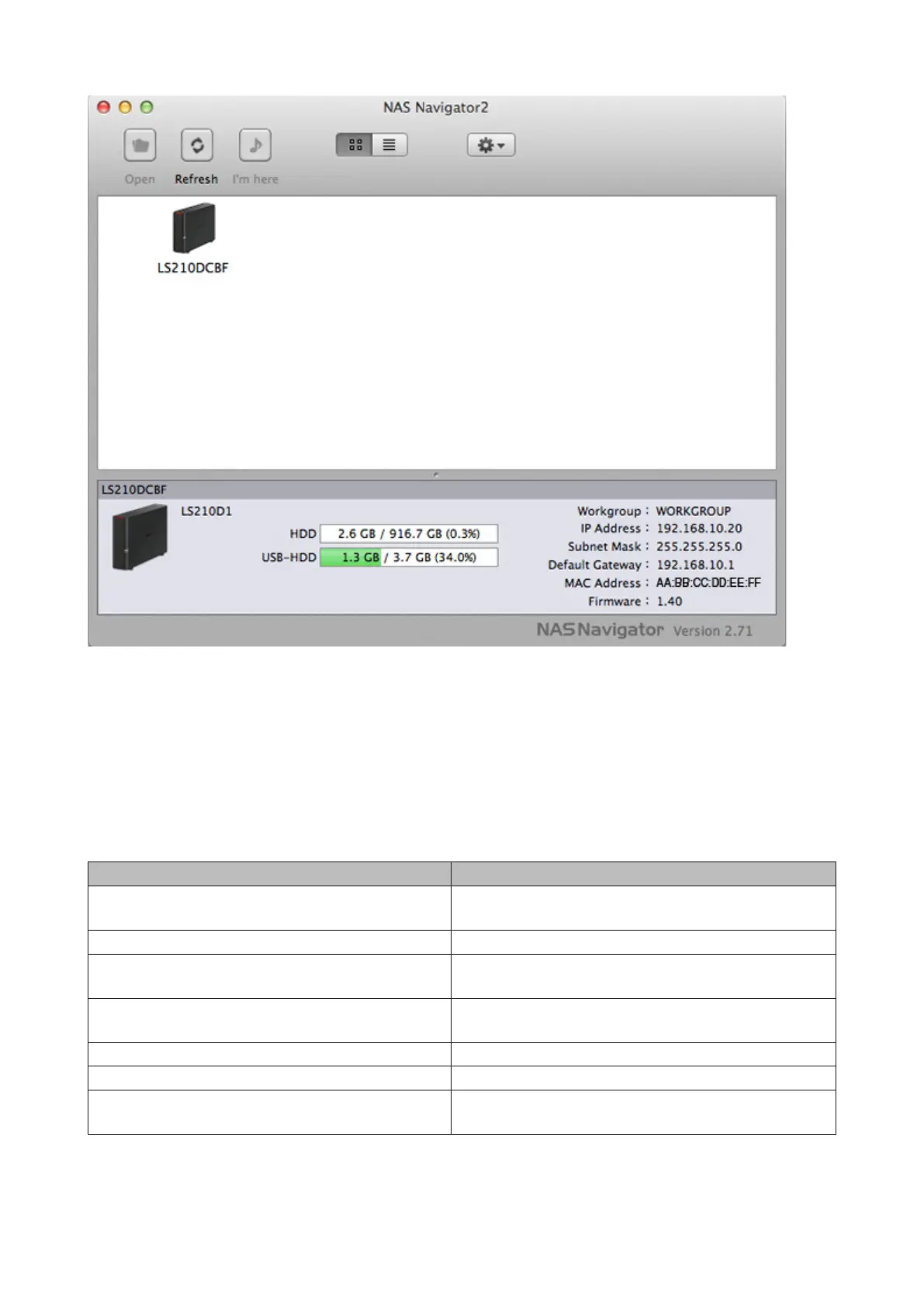
Click your LinkStation's icon to open a share on the LinkStation and display:
• Total capacity
• Capacity in use
• IP address
• Workgroup
• Subnet mask
• Default gateway
• MAC address
• Firmware version
Name Description
Open
Opens the default shared folder for a selected
LinkStation or TeraStation.
Refresh Searches for NAS devices on the network again.
Settings
Opens Settings for the selected LinkStation or
TeraStation.
Configure
Opens a window that lets you configure the NAS's IP
address or open Settings.
Label Color Selects the color of the name displayed below the icon.
View Options Lets you choose icon size, position, and view mode.
Auto Power Mode
Auto power mode can turn supported TeraStations and
LinkStations on the network on and off automatically.













 To Next Page