79
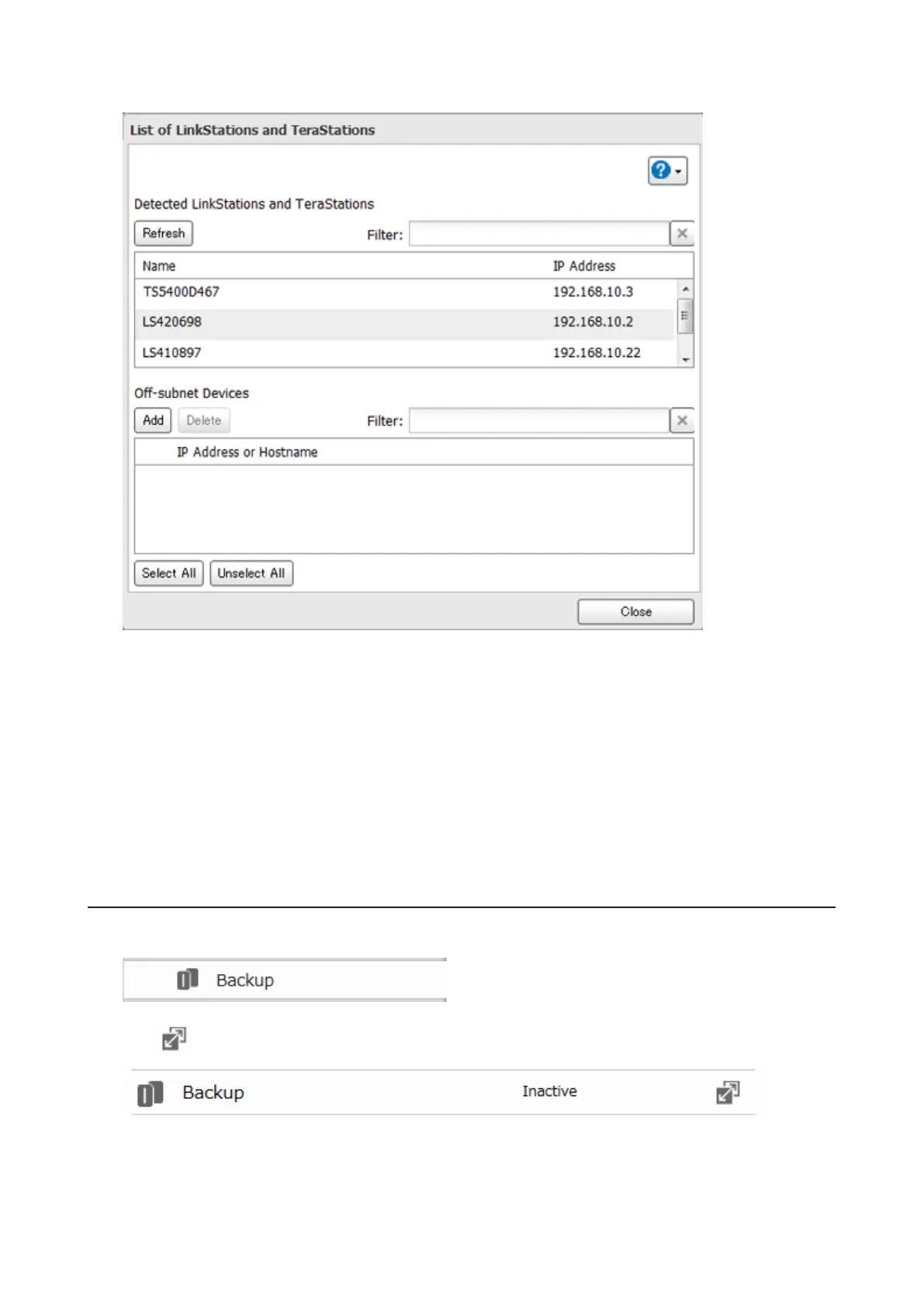
4 Click Add, enter the IP address of the target LinkStation or TeraStation, and click Close.
If your setup meets the requirements below, you don't have to configure these settings.
• The source and target LinkStations are on the same network.
• No backup password is set for the target LinkStation.
• No LinkStation from outside the subnet, or connected by a VPN, is used.
Notes:
• To back up data between LinkStations or TeraStations on a network using jumbo frames, make sure that
both devices are configured to use identical (or similar) Ethernet frame sizes. If Ethernet frame sizes are
significantly different, the backup job may not be properly performed. In such a case, select the default frame
size (1500 bytes).
• You can also specify hostname by a fully qualified domain name (FQDN).
Configuring a Backup Job
1 In Advanced Settings, click Backup.
2 Click to the right of "Backup".
3 If you configured a backup password, click Set to the right of "Backup Password". If not, skip to step 5.













 To Next Page