44
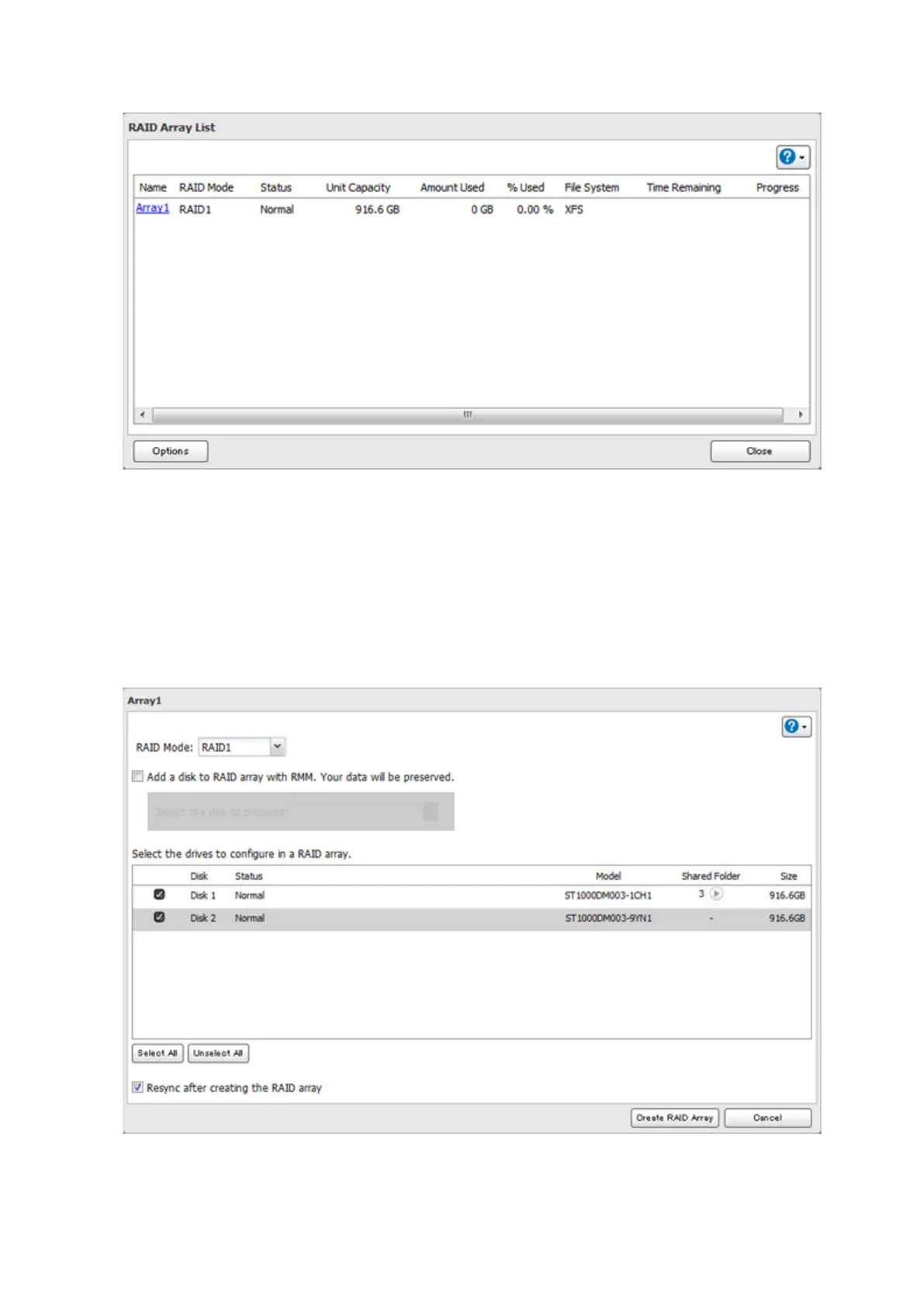
3 Click the array to delete. If the "RAID Mode" is blank, the array is already in JBOD. Proceed to step 7.
4 Click Delete RAID Array.
5 The "Confirm Operation" screen will open. Enter the confirmation number, then click OK.
6 Click OK.
7 Choose a RAID array.
8 Select a RAID mode and the drives to be used, then click Create RAID Array.
Note: Normally, after a RAID array is created, it is "resynced", which optimizes the array, making it more stable.
The resyncing process takes about 1 hour per terabyte of space in the array. File transfers will be slower during













 To Next Page