Bunn-O-Matic Corporation
15
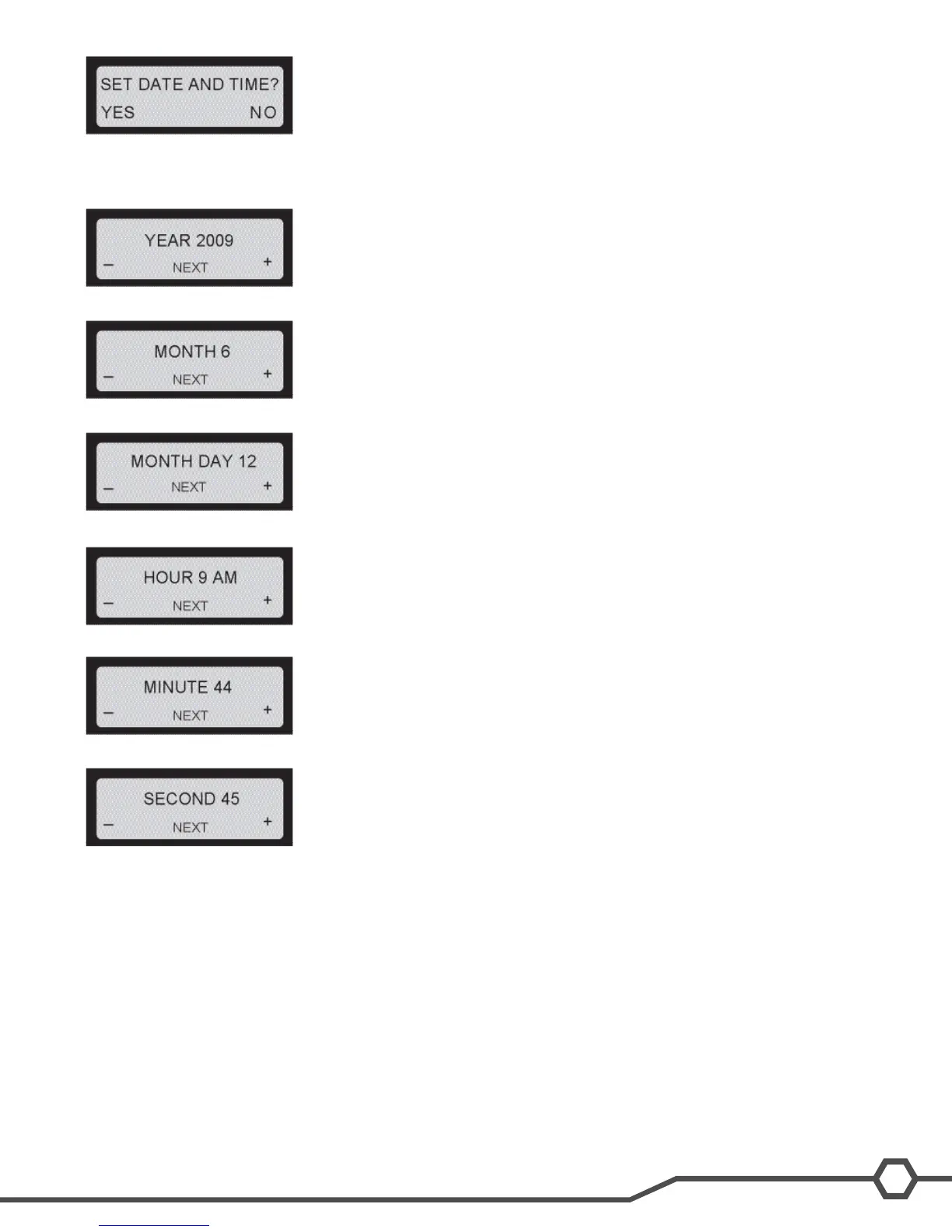
Step 3: Select Yes (Ice) to access the set Date/Time option.
Step 4: Use Min (-) and Max (+) to adjust the setting to the appropriate year. Select Next (Gourmet) to continue.
Step 5: Use Min (-) and Max (+) to adjust the setting to the appropriate month. Select Next to continue
Step 6: Use Min (-) and Max (+) to adjust the setting to the appropriate day. Select Next to continue.
Step 7: Use Min (-) and Max (+) to adjust the setting to the appropriate hour. Select Next to continue.
Step 8: Use Min (-) and Max (+) to adjust the setting to the appropriate minute. Select Next to continue.
Step 9: Use Min (-) and Max (+) to adjust the setting to the appropriate second. Select Next to continue.
Step 10: If you are satised with the changes, keep pressing Next (Gourmet) until you exit programming and return
to the Home Screen.
Set Language
The setting of the Set Language mode allows the operator to scroll thru a list of languages stored in the software and
select one for the display messages.
Set Night Time
The setting of the Day/Night mode allows the dispenser to “power down” during off hours. The bottom corners dis-
playing “ICE” will change to “CHILL” during the night mode. During the night mode, the product will be kept chilled to
below 35°F. “ICE” reading will return after night mode elapses. With “OFF” representing 12:00 AM, the operator can
scroll to the times desired for the night time mode to begin and end.


 To Next Page