26
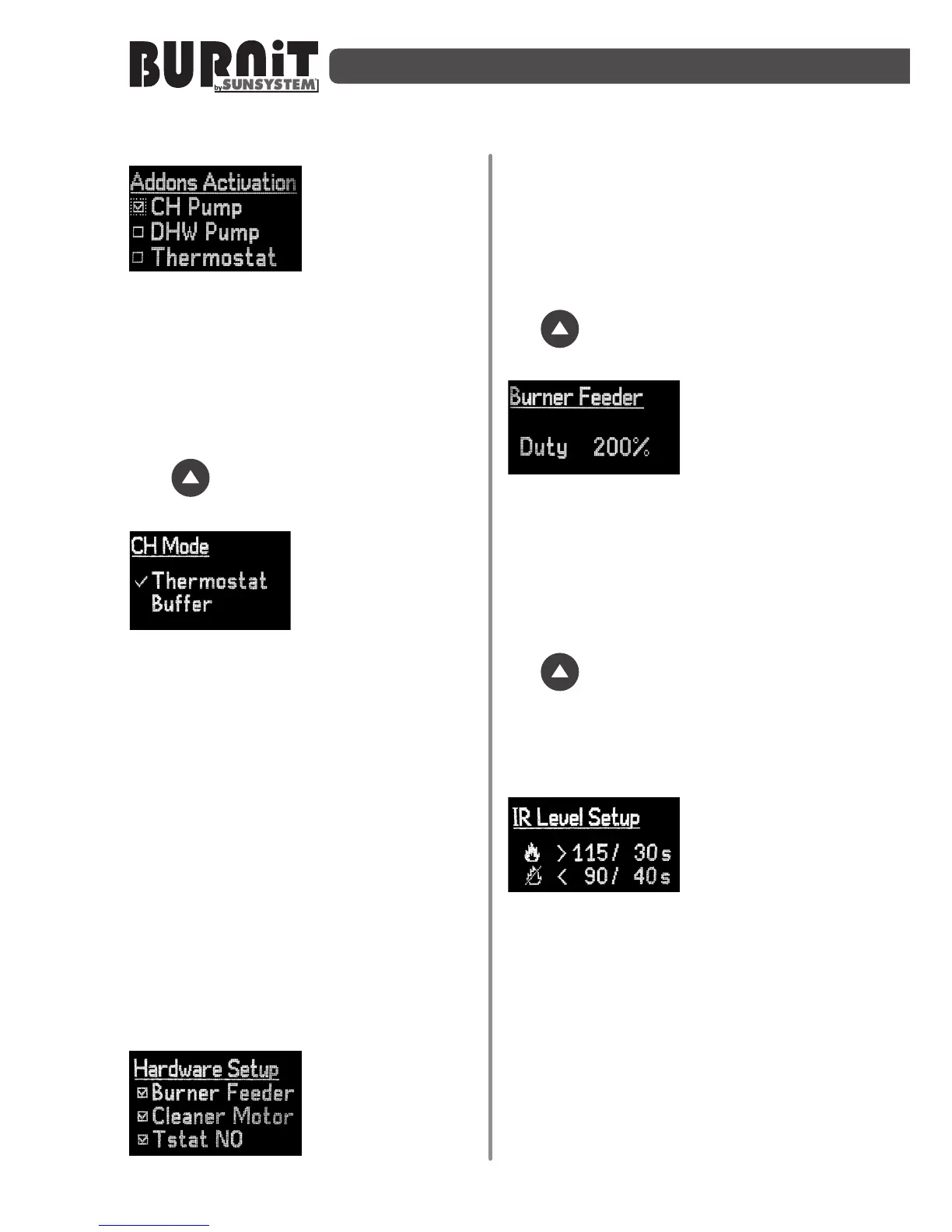
9.5HardwareSetup
Use this submenu
to acvate (with
check mark) or
deactivate
additional
peripherals.
CH PUMP – central heang pump
DHW PUMP – domesc hot water pump
Thermostat .
Select the desired opon using the
navigaon arrows. Use the „Enter”
buon to open the next parameter. Use
the buon to open the next page
of the menu.
From this screen
menu you can
choose the boiler
operation
management
mode. This menu is valid only in the
event of "CH only" opon selected. By
selecng the checkmark "Buer" the
boiler will be controlled according to
temperature inside the buer tank
connected to the boiler. The seng of
the temperature of the buer tank
circulaon pump start and stop
temperatures is done as described above.
When selecng the boiler management
via thermostat opon the boiler will be
controlled by the signal input from the
thermostat, whereas the opons are:
thermostat normally open or thermostat
normally closed. Its type is introduced at
a later step on the controller menu.
Burner Feeder -
internal burner
auger /feeder/
CleanerMotor
Tstat NO -
Thermostat, normally open.
There must be a checkmark on the
internal pellet auger of the burner
(Burner Feeder)
Select the desired opon using the
navigaon arrows. Use the „Enter”
buon to open the next parameter. Use
the buon to open the next page of
the menu.
Example: If the
external pellet
auger runs for 10
seconds and feeds
fuel in the burner, the internal auger will
run for 20 seconds, if the seng is (Duty
200% - see picture) Duty parameter can
be changed from 0% up to 300%.
Select the desired opon using the
navigaon arrows. Use the „Enter”
buon to open the next parameter. Use
the buon to open the next page of
the menu.
Use this submenu to acvate or
deacvate the addional peripheral
components.
This submenu
allows you to adjust
the condions
under which the
photosensor detects the presence of
stable or unstable ame and signals the
burner to shi to operang mode or be
exnguished.
Example:(see picture) If the light intensity
in the burner is above 100 units over a
period of more than 20 sec, the burner
will detect that there is a stable burning
process going on and will shi from
ignion to burning. If the light intensity
in the burner is under 40 units over a


 To Next Page