the buon to open the next page of
the menu.
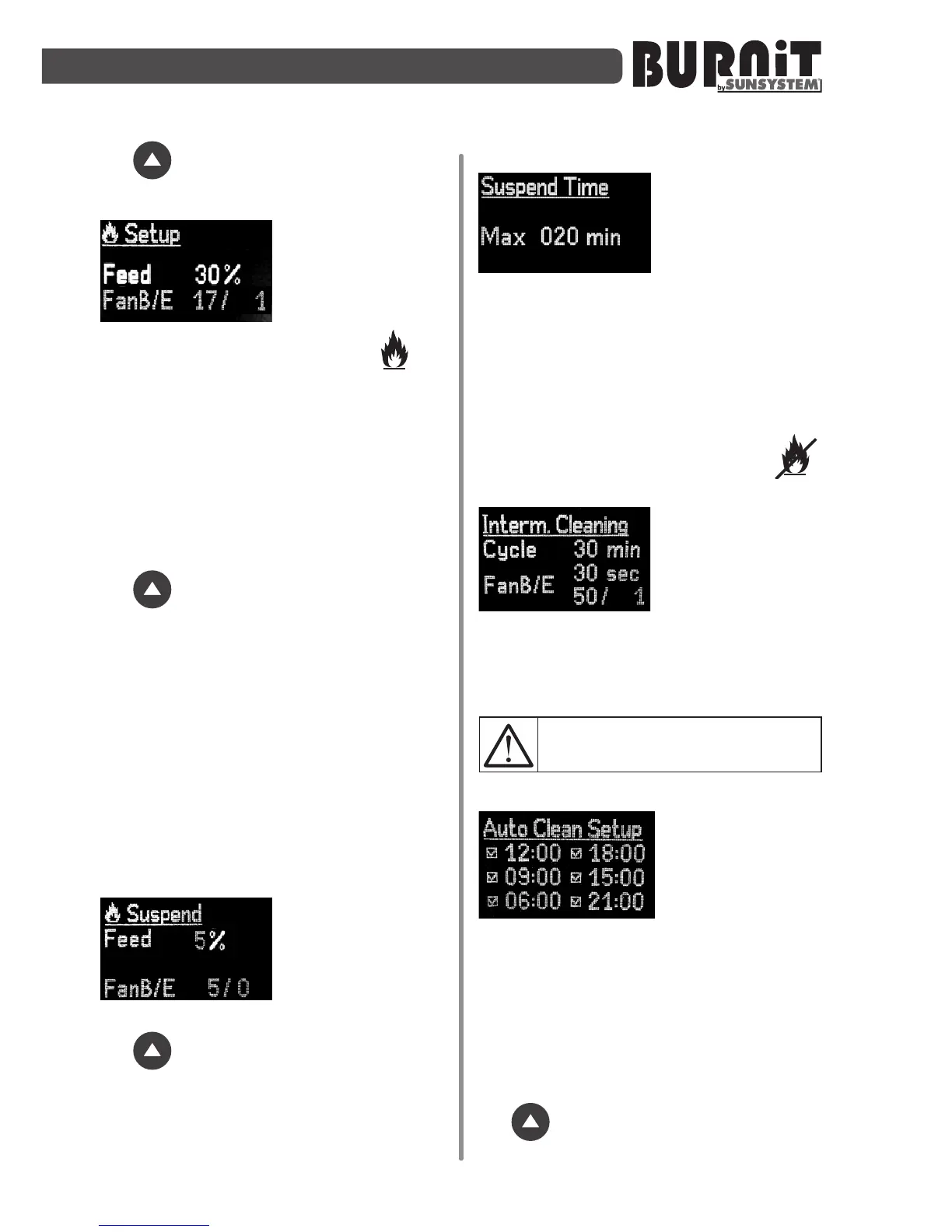
In this submenu you
can adjust the
parameters of the
lowestoutputmode
of operaon of the
burner. It is indicated by one ame .
We recommend to set at 10÷35% of the
main mode.
You can modify the pellet quanty (Feed)
and fan output as a percentage value
(FAN).
Select the desired opon using the
navigaon arrows. Use the „Enter”
buon to open the next parameter. Use
the buon to open the next page of
the menu.
Complete descripon of the output
modes is provided in secon 10 of this
manual.
9.3.7. Suspend
This submenu allows you to adjust the
parameters of the suspended mode of
operaon of the burner. You can modify
the pellet quanty (Feed) and fan output
as a percentage value (FAN).
Select the desired
opon using the
navigaon arrows.
Use the „Enter”
buon to open the next parameter. Use
the buon to open the next page of
the menu.
9.3.8.SuspendTime
In this menu you
can adjust the me
period for which
the burner will
suspended mode and the me can be set
in minutes with a maximum duraon of
180 minutes.
If within a set me (20 minutes)
the temperature in the boiler does
not decrease, the burner enters into
Exnguishmode – crossed-out ame .
9.3.9.Cleaningsetupinworkingmode
In menu Interm.
Cleaing self-
cleaning for the
burner can be set.
The main burner's
fan turns on during certain cycle on
higher power level for certain period of
me. All parameters can be changed.
NOTE!Thismenuisvalidonlyfor
pelletburnerswithmodel“ECO”
9.4.AutoCleanSetup
You can set time
and number of
engagements of
the burner self-
cleaning system.
It is mandatory to have at least one self-
cleaning session in 24hours.
Maximum number of self-cleaning
sessionsin24hours–six.
Select the desired opon using the
navigaon arrows. Use the „Enter”
buon to open the next parameter. Use
the buon to open the next page of
the menu.


 To Next Page