BR320DABC
10
Setup Wizard
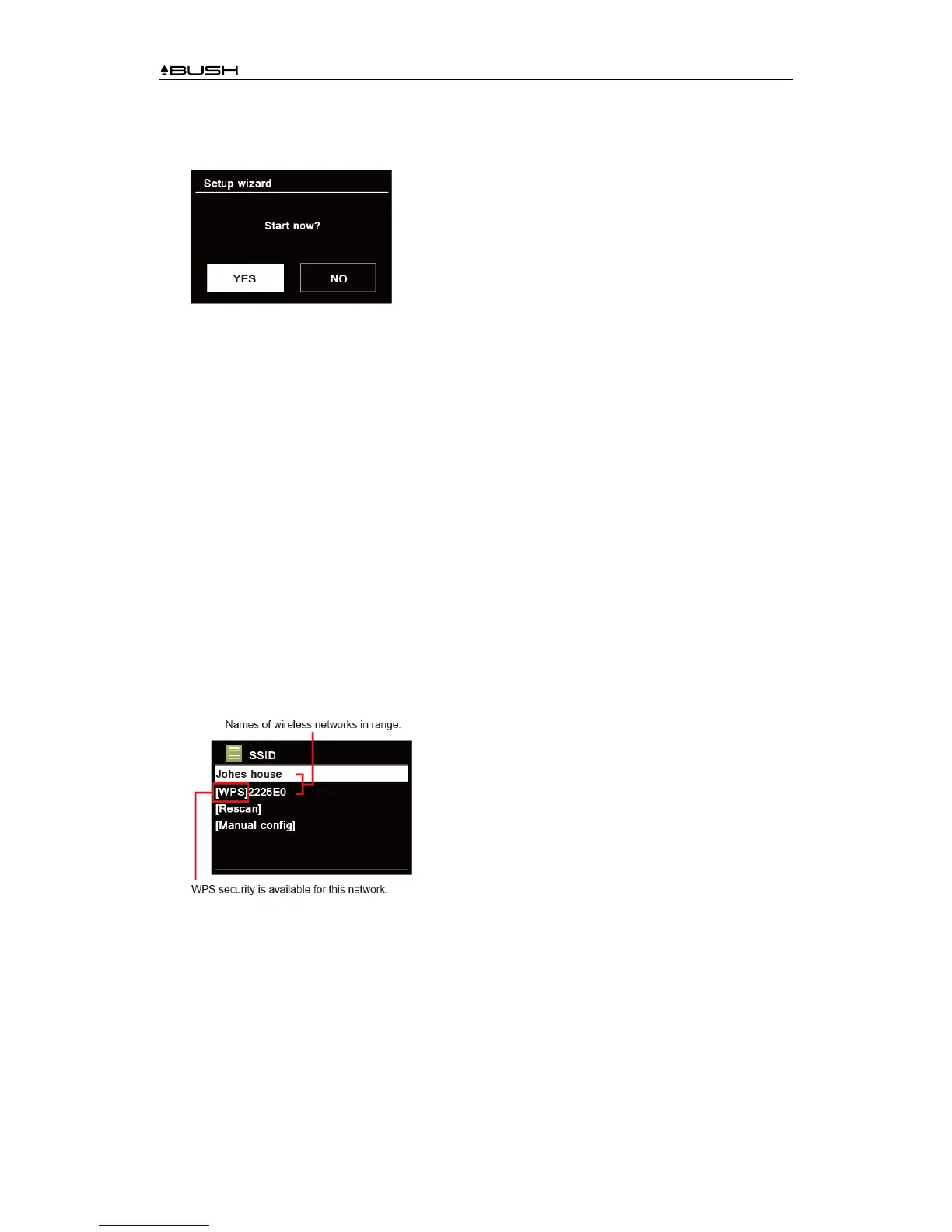
1. For initial use, the display will show “Setup wizard” screen.
2. Press SCROLL/SELECT knob to confirm “YES” to start setup. Options in the setup wizard
include the following:
Date/Time
Set 12 or 24 hour format
Auto update
Synchronously update clock from the playing program you selected or set by yourself.
z Update from DAB
z Update from FM
z Update from Network
Select your time zone and daylight savings is needed.
z No update
Set the date and time is needed.
Keep network connected
Keeps network connected especially in non-internet mode (i.e. DAB, FM, Bluetooth or Aux in
mode) to enable you can use Spotify and Multi-room features all the time.
Select YES or NO
3. The Wizard will now scan your location for accessible wireless networks. When the scan has
finished, a list of networks will be displayed.
Devices that support connection via WPS (Wi-Fi Protected Setup) are identified in the list as
[WPS].
4. Turn SCROLL/SELECT knob and then press it to select a wireless network you wanted.
1) If a WEP/WPA key (password) is required, radio will ask you to input the WEP/WPA code
and display the password entry screen as follows:



 To Next Page