BR320DABC
12
Internet Radio Mode
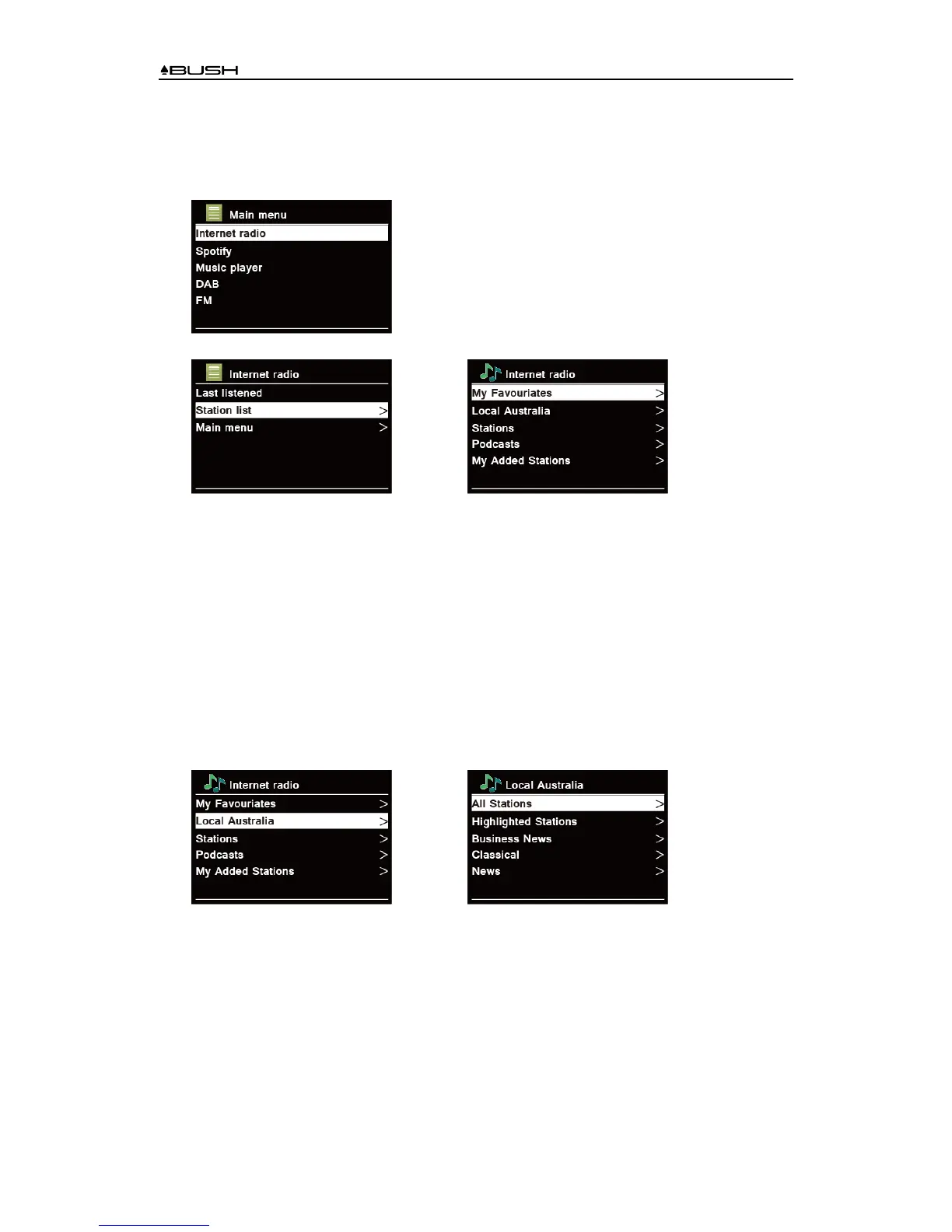
1. The display will show “Main menu” after “Setup wizard” completed. Press SCROLL/SELECT
knob to select Internet radio mode.
2. While “Station list” is highlighted, press SCROLL/SELECT knob to confirm.
→
3. Then refer following section to choice stations. Or if failed to connect to network, please
follow:
a. Check your Router, see it working normally or not;
b. Relocate your radio to a stronger signal position is necessary!
c. Make sure your password is correct input.
Local “Country”
Local "Country" will change according to your current location (e.g. Local Australia). It displays
local stations of your current location.
1. To enter local stations, press MENU button - Station list - Local "Country", press
SCROLL/SELECT knob to confirm.
→
2. Station genres are listed. Turn SCROLL/SELECT knob to select the genre you wanted, and
then press SCROLL/SELECT knob to confirm.
3. Turn SCROLL/SELECT knob to select you desired station, and then press
SCROLL/SELECT knob to confirm broadcasting.



 To Next Page