23
4. Place your rolled-up cables, Tablet, and Control Panel Bracket in the center area of the net on top
of the balls (you do not need to remove the balls).
5. Finish folding the net all the way together until the Velcro tabs on the Net Corner Brackets adhere
to one another. You may need to help the Net Uprights fold down as they tend to catch on other
parts of the net as they are folded. One upright folds to the inside and the other folds to the outside.
Stand your robot upright on the floor off to the side of your table or in a nearby closet. When you’re
ready to train again, it’s quick and easy to set your robot back up on your table.
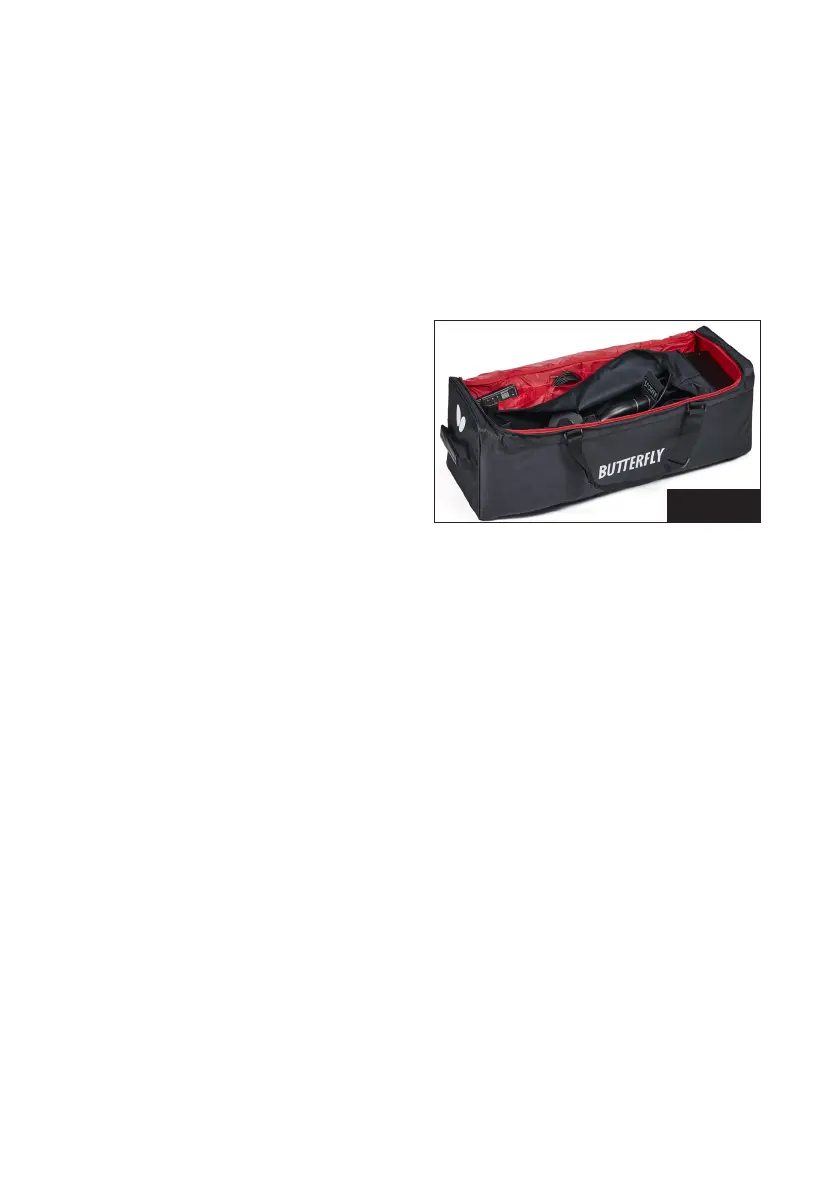
If you’re removing the robot for transport or long-term storage, we recommend placing your robot
into the included Carry Bag (see Photo 33) with these additional steps:
6. Partially unfold the net to remove the cables,
tablet, bracket, and balls and place them in
the storage pockets of the Carry Bag. Placing
the balls in a plastic bag makes it easier to
manage them. The Carry Bag is also handy for
storing this manual, spare parts, tools, and
other items that came with your robot.
7. Loosen the Black Knob on the rear of the Ball
Tube, turn the head around 180° so it faces
into the net, and lower the head to 1 ring.
Then re-tighten the knob. Also rotate the 2 Support Legs backward so they point back into the net.
8. Finish folding up the net until the Velcro pieces on the Net Corner Brackets touch and adhere to
one another. You may need to help the Net Uprights fold down as they tend to catch on other parts
of the net as they are folded. One upright folds to the inside and the other folds to the outside. You
can also stuff parts of the net that are sticking out into the central part of the net.
9. Lay the robot, net side down, into the Carry Bag and secure in place with its 2 straps.
5. Maintenance & Repair
Cautions
1. Before performing any maintenance or repairs, unplug your robot from power.
2. Be sure no objects like dented balls, hair, string, etc. fall into the net and then work their way into
the machine where they can cause ball jams or interfere with correct operation.
3. Table tennis robots work best with clean, worn balls. When adding new balls, please wash the gritty
manufacturing powder off them first with warm, soapy water, then rinse and dry before using.
(Butterfly brand balls are pre-washed at the factory so this step is unnecessary with new Butterfly
balls.) Keep your playing area clean to prevent balls that have rolled on the floor from picking up dirt
and introducing that dirt into the machine.
4. The wheels have a special coating to prolong their lifetime. Do not clean the wheels with any chemi-
cal or cleaner, as those substances are detrimental to the coating.
Photo 33


 To Next Page