Control and display elements
Butzbach GmbH Industrietore Original operating manual sliding doors_V1 13/01/2021 26
6.1.2 Operator panel standard
For simplified operation of the sliding door system, a operator panel is attached to each door leaf, which is
equipped with the following control elements and functions.
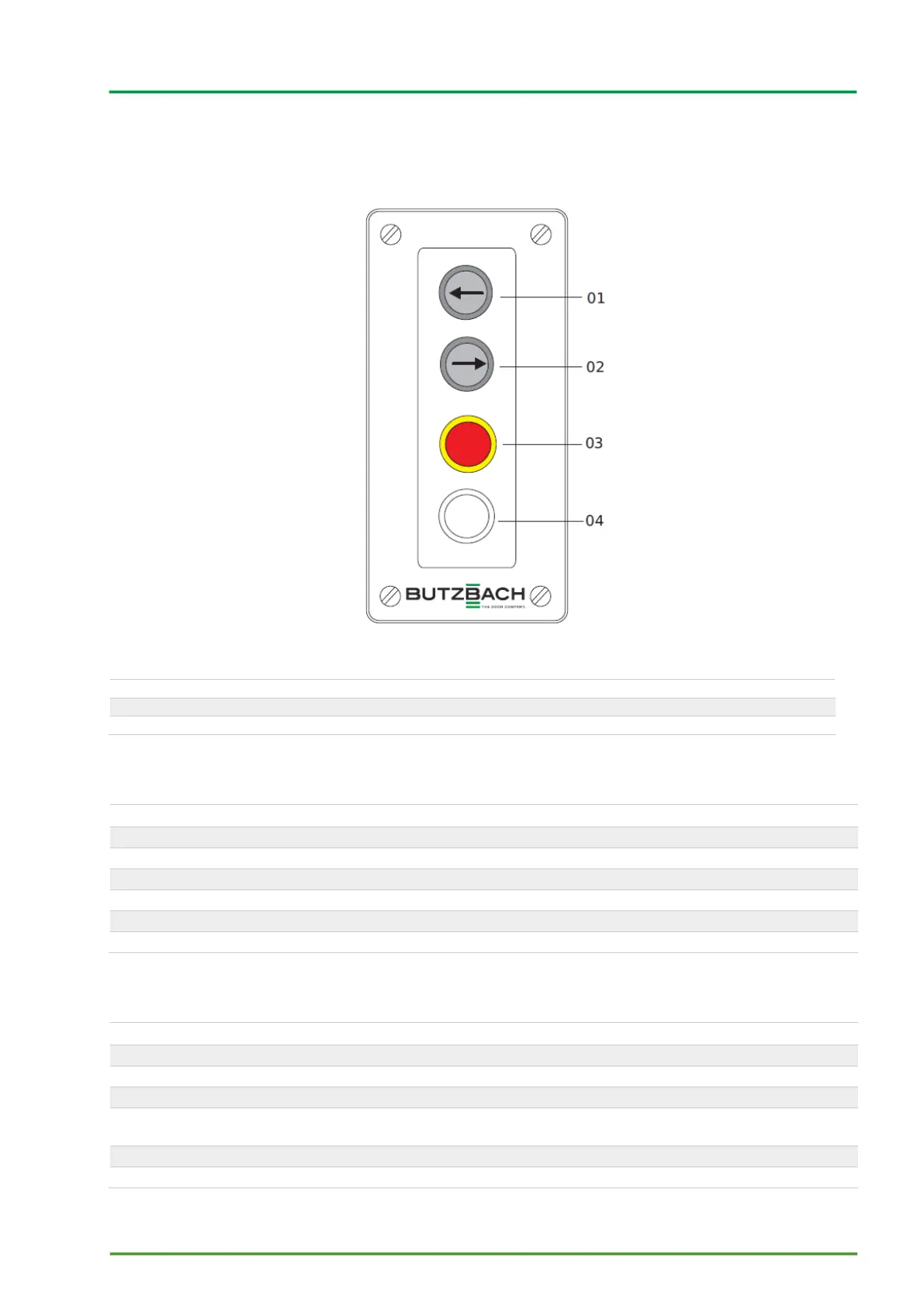
Figure 7 Operator panel with creep mode
01 Move to the side (left)
02 Move to the side (right)
04 Not used (optional dial for creep mode)
6.1.2.1 Push button (standard speed)
Push button with directional arrows, which indicate the direction of door movement
Press the button and keep it depressed (dead man's switch)
The door moves as long as the button remains depressed.
The door stops immediately after releasing it.
6.1.2.2 EMERGENCY STOP button
Red push button with a yellow background
Press: EMERGENCY STOP is activated
Turn: EMERGENCY STOP is deactivated, i.e. disengaged
For stopping the door movement in emergency situations
The door movement is stopped.



 To Next Page