Control and display elements
Butzbach GmbH Industrietore Original operating manual sliding doors_V1 13/01/2021 27
6.1.3 Operator panel with creep mode (optional)
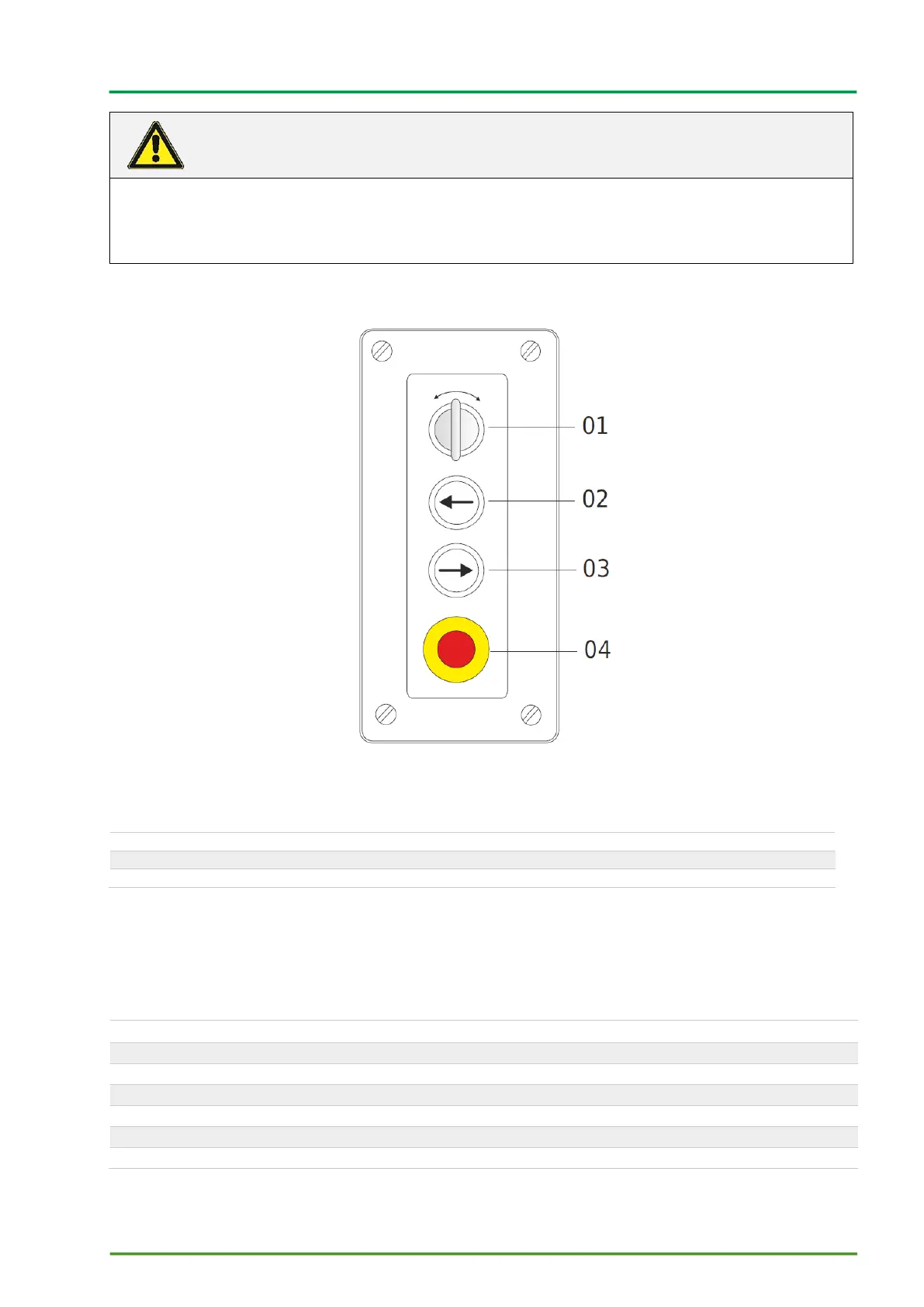
Figure 8 Operator panel with creep mode (optional)
01 Dial for creep mode (optional)
03 Move to the side (right)
02 Move to the side (left)
The description of functions 02 - 04 is the same as the descriptions in chapter 6.1.2 Operator panel
standard.
6.1.3.1 Dial for creep mode (optional)
Dial that moves in both directions, left or right
Turn the dial to the left or right and hold
For positioning of the door leaf toward its closed position.
Creep mode in the direction of the arrow with a dead man's switch
Warning! Line voltage is present even though EMERGENCY STOP is
activated!
An EMERGENCY STOP only stops the door movement.
Universal disconnection of the supply voltage: Set the main switch to 0(= off).



 To Next Page