EN
28
8.7 Databus connection (optional)
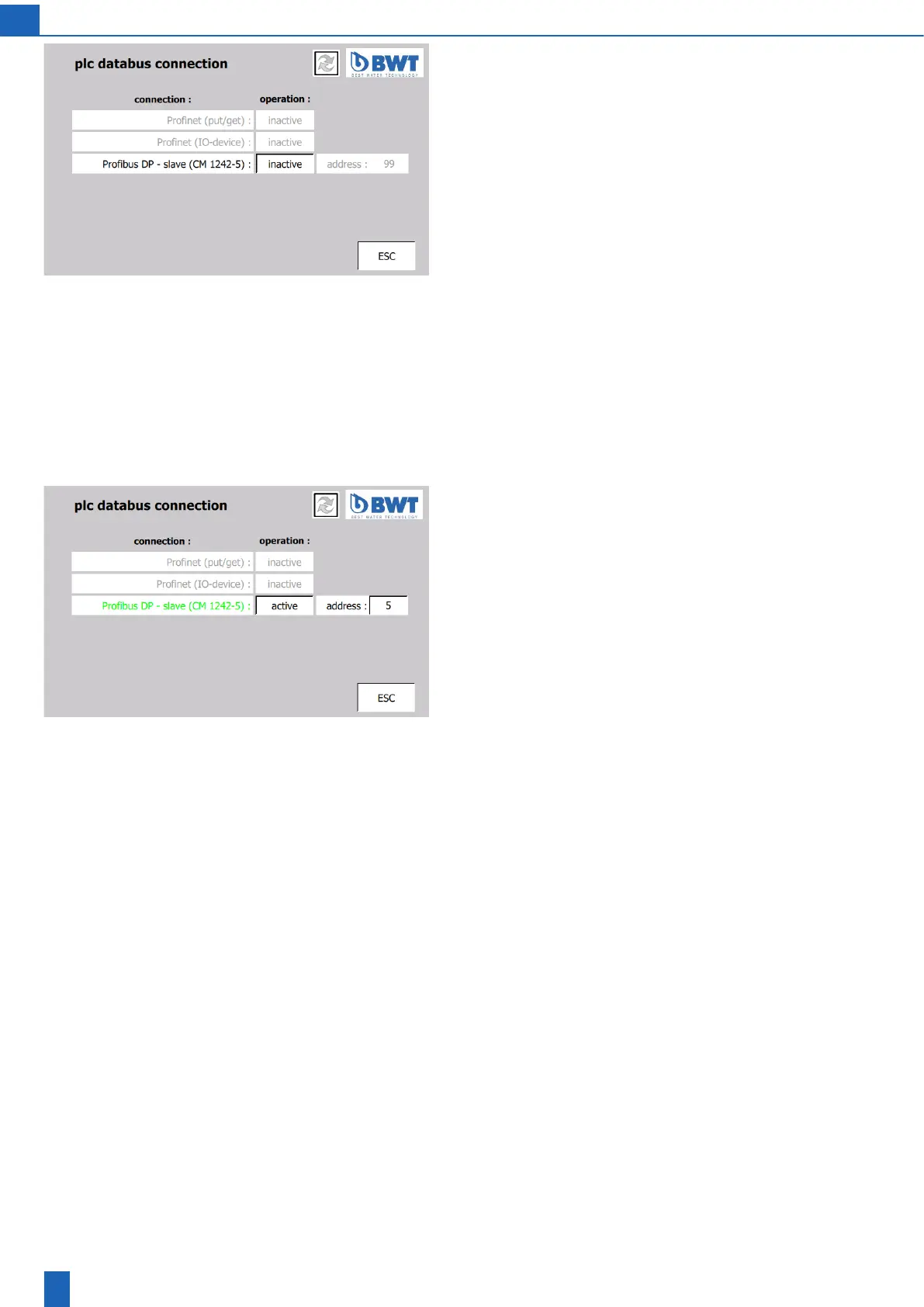
PLC databus connection
The controller can use one of three available databus connections to
connect to the building automation system (optional). The available
data bus connections are:
a)Pronetwithdataexchangeusing“Put/Get”commands
b)Pronetwiththeintegrationoftheozonedeviceintothecustomer
controlsystemusinga“GSD”le
c)ProbusDPwiththeintegrationoftheozonedeviceintothecustomer
controlsystemusinga“GSD”le
The building automation system PLC can use the databus connection
to control and monitor the whole plant:
a) Controlling the ozone generation
–Switchingozonegenerationon/o
– Presetting the ozone level
b) Device monitoring supplies:
– Operating values for the ozone generation
–Operatingvaluesfordryers1+2
– Operating state messages
– Fault messages
PLC databus connection
The connection is highlighted in colour:
Green = active, red = faulty, black = inactive, grey = not available
To activate it, the user IT (2222) password or service password is
required.
Caution: When activating a Pronet connection between the PLC
andbuildingautomationsystem,thePronetconnectionbetweenthe
PLC and touch panel (TP) may fail because the higher-level building
automation system PLC (= controller) assigns a new IP address to the
ozone device PLC (= device). This new IP address for the PLC must
beconguredintheTPtoconnecttheTPtothePLC.Theconnection
oftheozonedevicetoanexternalPronetmustbeperformedonlyby
a network administrator of the operator (user IT).
Address:ToconnectthedevicetoaProbusDPnetwork,thenetwork
administrator of the operator can enter its specied Probus slave
addressspeciedhere.



 To Next Page