EN
17
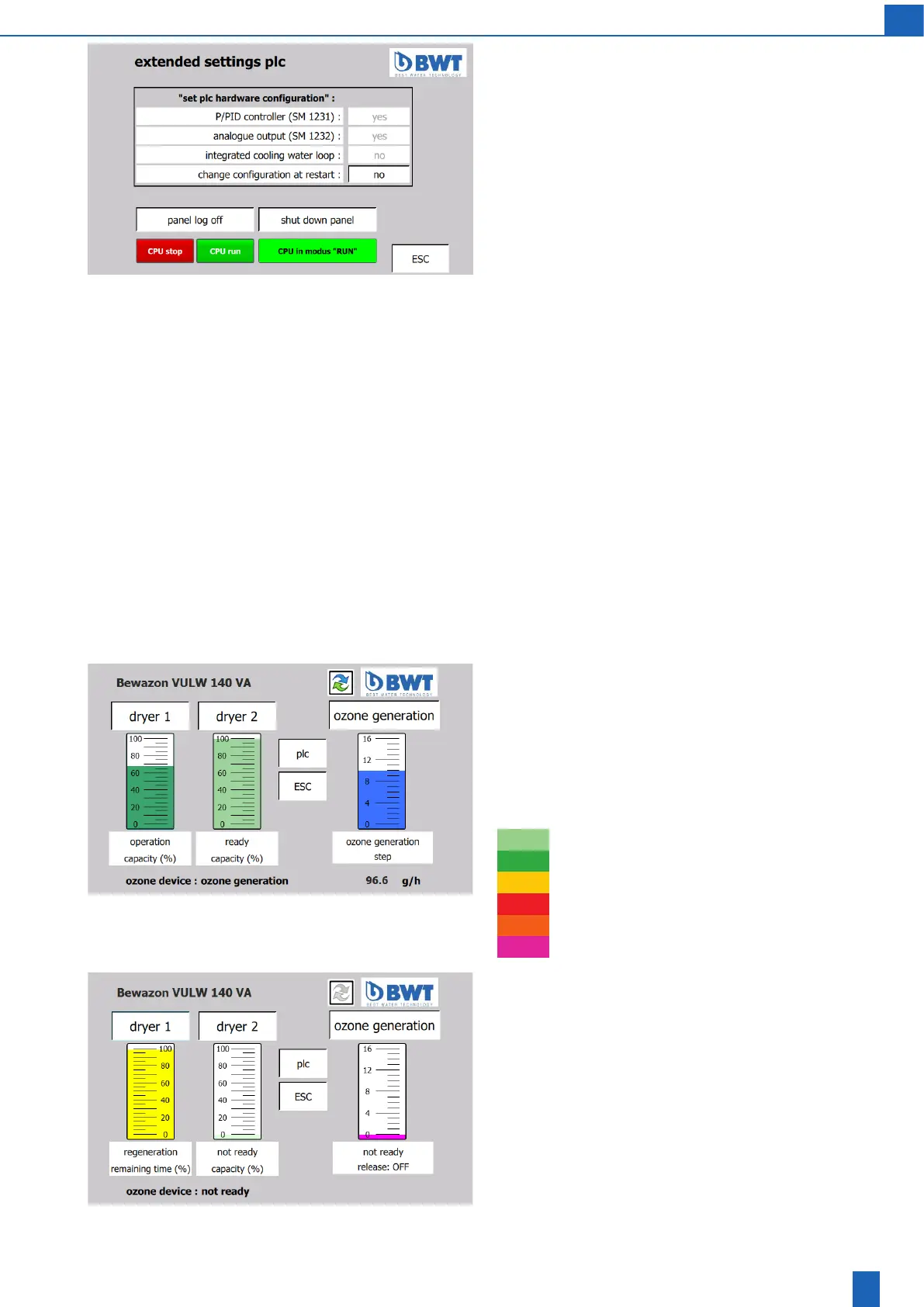
Extended settings PLC
(only with the service password)
When ozone generation is switched o, you can change the PLC
hardwarecongurationsettingsfor:
● Installing/un-installing the P/PID controller option (SM 1231)
● Installing/un-installing the analogue output option (SM 1232)
● Installing/un-installing the integrated cooling water loop option
(SM1223+circuitdevice)
Performing the installation:
● Switchothepowersupply
● Install the new module (SM) on the PLC
● Switch on the power supply
● Changethecongurationonscreenaccordingly.Donotleavethe
screen
● Switchothepowersupply
● Wait for 30 seconds
● Switch on the power supply. It takes several minutes to perform the
hardwarereconguration
Uninstalling:
● Changethecongurationonscreenaccordingly.Donotleavethe
screen
● Switchothepowersupply
● Uninstall the module (SM) on the PLC
● Switch on the power supply. It takes several minutes to perform the
hardwarereconguration
Panellogo:Passwordlogout
Shut down panel: Switch to the panel operating system
CPU run/stop
8.3 Ozone generation
Start screen
Both dryers and the ozone generation are displayed:
The operating states of dryer 1 and dryer 2 are displayed as columns.
When the unit is in operation/ready, the size of the column shows the
capacity still available. During regeneration, it shows the time remaining
for the regeneration. The colour of the column indicates the operating
state itself:
Standby
Operation
Heating up during regeneration
Maintaining temperature during regeneration
Cooling
Not ready, fault
Iftheunitpowersupplyremainsswitchedoformorethan24days,
both dryers are regenerated when the power supply returns. The unit
is not ready for ozone generation until the regeneration of the rst
dryer is complete.



 To Next Page