EN
16
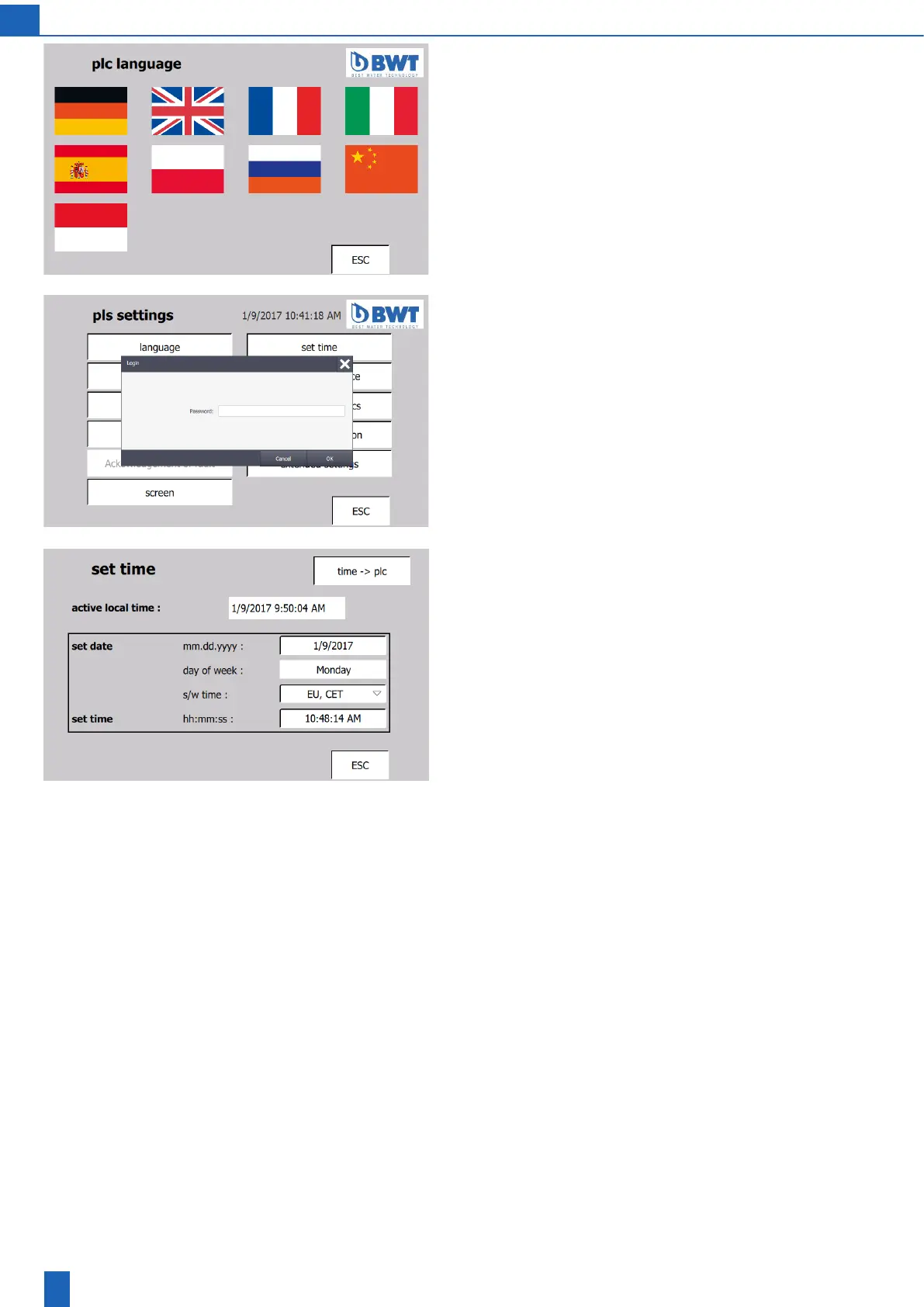
PLC language screen:
The following languages are available for selection:
– German
– English
– French
– Italian
– Spanish
– Polish
– Russian
– Chinese
– Indonesian
Set time, password
Manyoftheinputeldsarepassword-protected.Tochangesettings,
you require the operator password of the customer (1111) or the service
password.
If you do not make any entries for 10 minutes while you are logged in,
youareautomaticallyloggedoagainandhavetologinagainlater
if required.
Set time
The date and time are required to display messages and fault mes-
sages correctly.
The date and time must be set during start-up and reset if the power
supplyhasbeenswitchedoformorethan24days.
After you enter the date and time, you apply the values by touching
the“Time->PLC”eld.



 To Next Page