EN
15
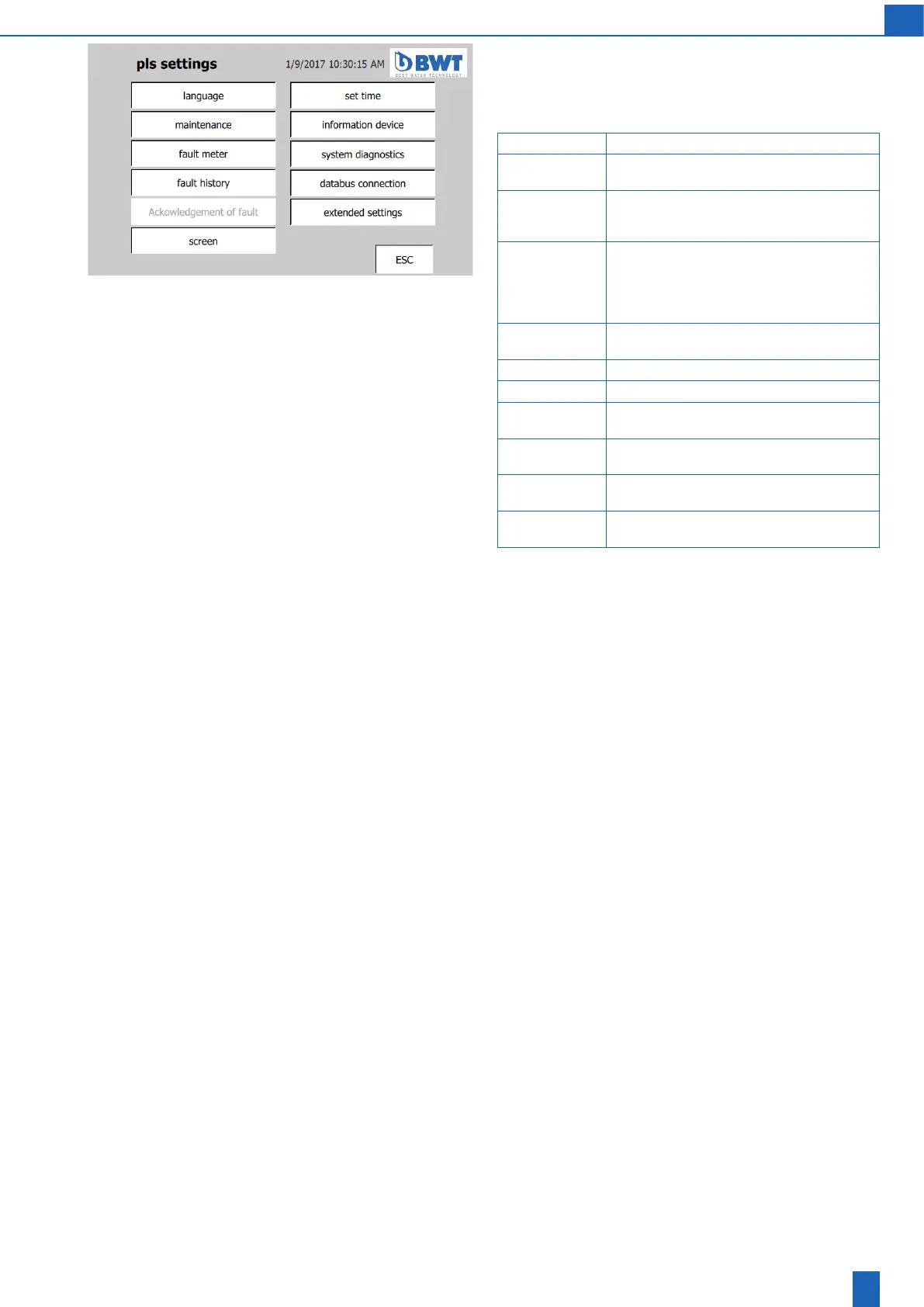
PLC settings:
Note: To change settings, you require the operator password of the
customer (1111) or service password. You can set the language without
the passwords.
Language Set the user language
Maintenance Maintenancedatesandconrmationthatmain-
tenance was performed by service
Fault message
meter
Faults that occur are numbered and displayed
separately for all fault numbers to assess the
operating stability of the unit
Fault history Fault messages that occur can also be viewed
here at a later stage together with the relevant
date and time for the status A (= Appear),
D (= Disappear) and A (= Acknowledge) for the
fault message
Acknowledge-
ment of fault
Groupacknowledgementiftheeldisactive
Screen Screen brightness and cleaning setting
Set time PLC date and time setting
Information
device
Information about the software and hardware
for the PLC and device
System
diagnostics
Information about the PLC operating state
Databus
connection
Connection of the PLC to the building automa-
tion system PLC via databus connection
Extended
settings
SettingsandcongurationofthePLChard-
ware
Next screens: Language, set time, extended PLC settings



 To Next Page