EN
31
10 Troubleshooting
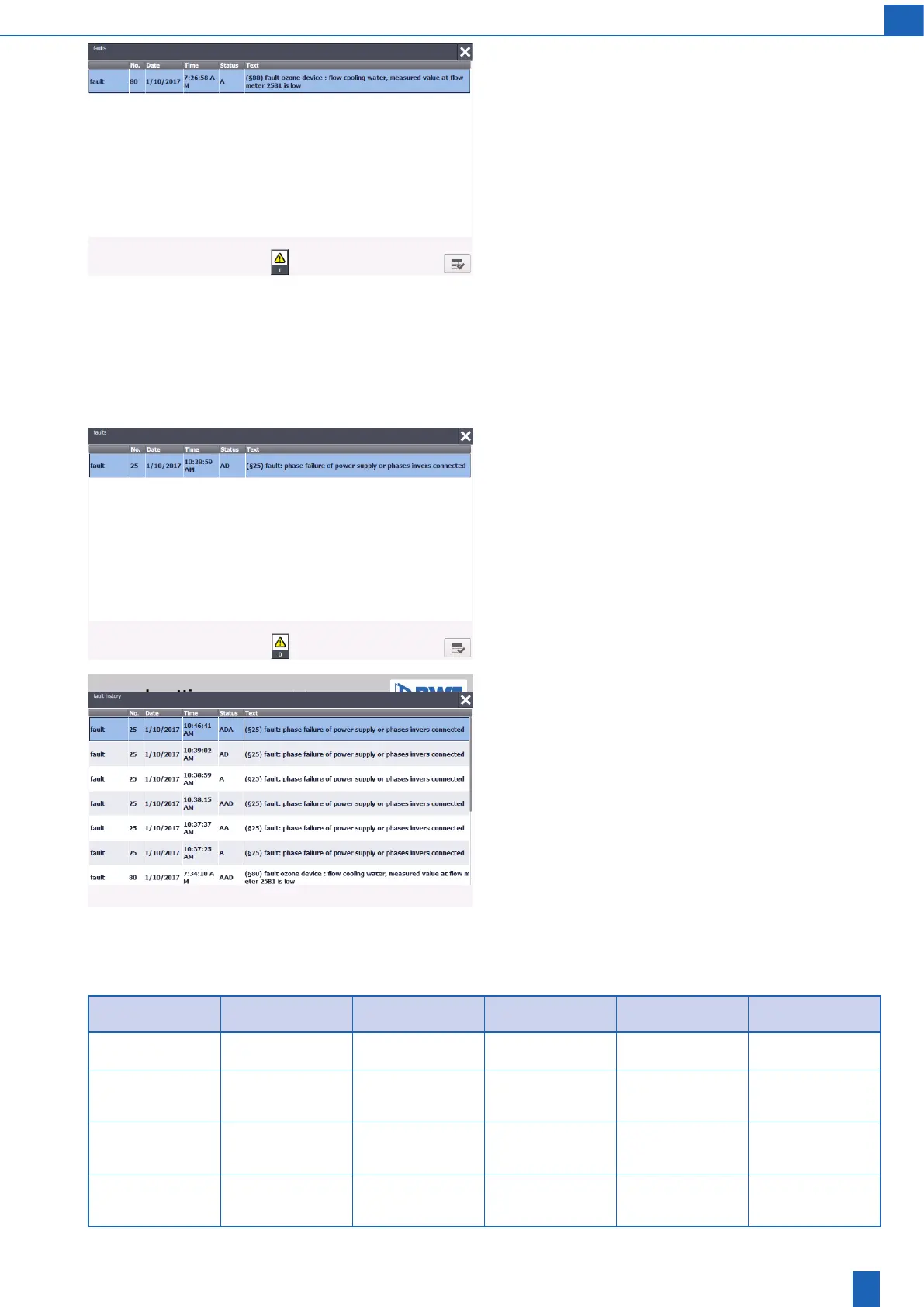
Fault signal
The fault signal lamp (12) illuminates.
The time must be set correctly for the display to be correct.
The display shows the date, time, fault indicator code § .. as well as
the full text of the fault messages.
Status: Date and time for the fault message status:
A: Appear
D: Disappear
A: Acknowledge
You acknowledge the message by tapping the acknowledge icon in the
bottom right corner of the message window.
Closing the message window: Once the message is acknowledged and
read, the window closes automatically. However, you can also close
the window using the close icon (cross) in the top right corner. The fault
message indicator (!) remains. When you tap the fault message indi-
cator, the window opens again.
Fault signal
Status:AD(arrival+departure)
The message is gone but is still pending because it is not acknowledged.
Fault history
You can view the messages again after they are acknowledged/read in
the message history. See the “PLC settings -> Message history” screen.
10.1 Warning messages
Warning no. Monitored operating
condition
Delayed actuation Ozone device reaction Possible cause Remedy
(§1)
Reserved
- - - - -
(§2)
Warning: Ozone cabi-
net door switch open
Air purging, ozone
device ready/not ready
- Operating state
unchanged
Ozone cabinet door
open
Close the ozone cabi-
net door
(§3)
Warning: Emergency
stop pressed
Air purging, ozone
device ready/not ready
- Operating state
unchanged
Emergency stop
pressed
Reset the emergency
stop
(§4)
Warning: Ozone gas
warning
Air purging, ozone
device ready/not ready
- Operating state
unchanged
Ozone gas warning Check ozone gas
warning device



 To Next Page