EN
18
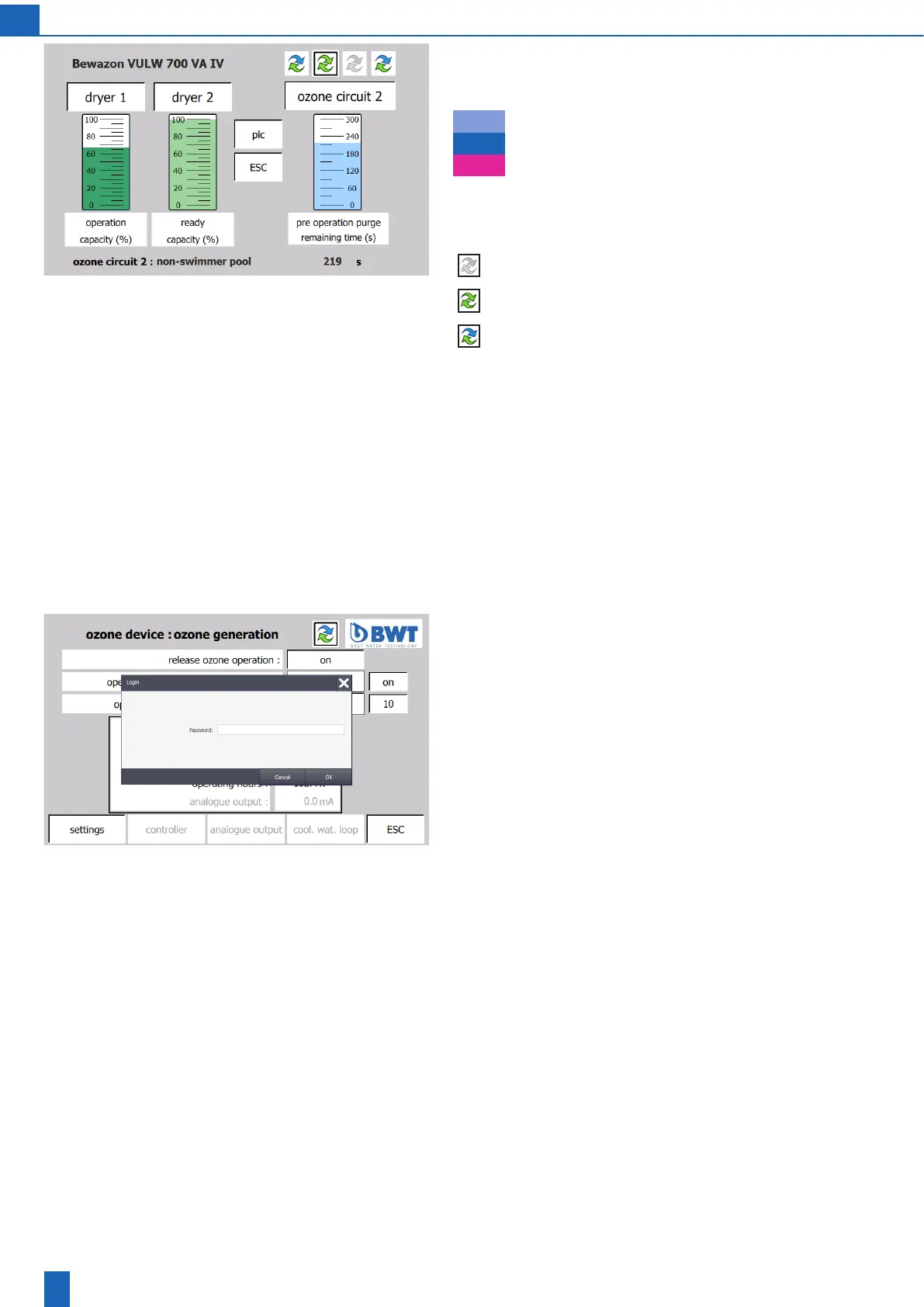
The ozone generation operating state is displayed as a column. Du-
ring the pre-operation purge and post-operation purge, the size of the
column indicates the remaining purge time. The colour indicates the
operating state itself:
Pre-, post-operation purge
Ozone generation
Not ready, fault
Operation indicator: the double arrow icon appears in many of the
follow-on screens; the colour of the arrow indicates the ozone gene-
ration operating state:
Ready/not ready
Pre-, post-operation purge
Ozone generation
Switching the display with multi-circuit units:
With multi-circuit units, a double arrow icon appears for each ozone
circuit. The double arrow icon for the ozone circuit currently displayed
hasaredframe.Thisframeasheswhentheozonecircuitisbeing
operated.Youmanuallyswitchthedisplaytoadierentozonecircuit
by tapping the relevant double arrow icon.
When an ozone circuit fault message is issued, the display switches to
this circuit automatically.
Next screen: When you tap “Ozone generation” or “Ozone circuit”, the
ozone device screen opens
Ozone device: Ready/operation
Manyoftheinputeldsarepassword-protected.Tochangesettings,
you require the operator password of the customer (1111) or service
password.
If you do not make any entries for 10 minutes while you are logged in,
youareautomaticallyloggedoandhavetologinagainlaterifrequired.



 To Next Page