2021/03 - Indice de révision : B Code : 29740 TRAITEMENT DE L'EAU
46/88
belowthesetpoint.Thedefaultsetpointis7.2.TheidealpHforapoolttedwithaBWTChlorine
generatorisbetween7.2and7.4.
Forsafetyreasons,thepumpinjectingtheacidcannotrunformorethan60minutescontinuously,toavoid
excessiveacidicationofthewater.Ifthistimeperiodisreached,checkthatthesensorisnotfaulty,and
thatacidisbeingcorrectlyinjectedintothepool'shydrauliccircuit.Failuretoinjectacidcouldbedue
to:thepHreducertankis(almost)empty,theendofthesuctiontubeisabovetheleveloftheliquid,the
suctionand/orinjectiontubeisblockedorpierced,theendoftheinjectiontubehascomeoutofitshousing.
Redoxregulation:TheRedoxpotentialisameasureoftheeelectricalpotentialofthewater,this
valueisproportionaltotheconcentrationoffreeChlorineinthewater.TheRedoxpotentialset
pointistheminimumvaluedesired.
TodeterminetheoptimalRedoxvalue,proceedasfollows:
1. Switchthepoolltrationsystemon,andsetitto'circulation'mode(bypassthelter).
2. Afteronehour,measurethewaterbalanceparameters(seeparagraph4),andadjusttheseifnecessary
usingtheappropriatechemicals.
3. Allowchemicalstodissolvecompletely,thenmixthewaterforatleastonehour.
4. With ltration still running, measure the concentration of free Chlorine in the water (calibrated
photometer),and,ifnecessary,addnon-stabilisedliquidChlorinebypouringitinslowlyinfrontof
thereturnttingsuntilavalueofbetween1.2and1.4ppminthecaseofPROAmodelsorbetween
0.6and0.8ppmoffreeChlorineisachieved.AddtheliquidChlorineinsuccessivesmallamounts,
allowingtimeformixingbetweenadditionstoavoidovershootingthedesiredconcentration.
5. ReadthevaluedisplayedontheRedoxscreenandsavethisvalueastheRedoxsetpoint.
6. The next day, check the concentration of free Chlorine (DPD1 test kit) and the Redox value. If
necessary;raise/lowerthesetpoint.
DonotforgettochecktheRedoxsetpointevery2to3monthsand/oreverytimethatyoumodifythewater
managementparameters,notablythepHsetpointandtheheatingtemperature.
AslongasthevaluemeasuredbytheRedoxsensorisgreaterthanorequaltothesetpointvalue,the
devicewillnotproduceChlorine.Assoonasthisvaluedropsbelowthesetpoint,thedevicewillproduce
Chlorineandwillstoponcethevaluerisesabovethesetpoint.ThedefaultRedoxsetpointis700mV.
7.3.2 Sensorcalibration
PropercontroloffthepHandRedoxvalueswithrespecttothesetpointsdependsontheprecisionofthe
sensors.Thesensorsshouldbecalibratedatregularintervals.
Werecommendthatthesensorsbecalibratedatthebeginningofthepoolseason,thenoncea
month throughout the season.
CalibratingthepHsensorusingbuffersolutions:
SubmergethesensorsuccessivelyintwoliquidswithknownpHvalues(buffersolutions)andcheckthat
thesensordisplaysthecorrectvalue.ThepHkitincludesasensorrinsingsolution("neutralbuffer"),apH7
buffersolutionandapH10buffersolution.
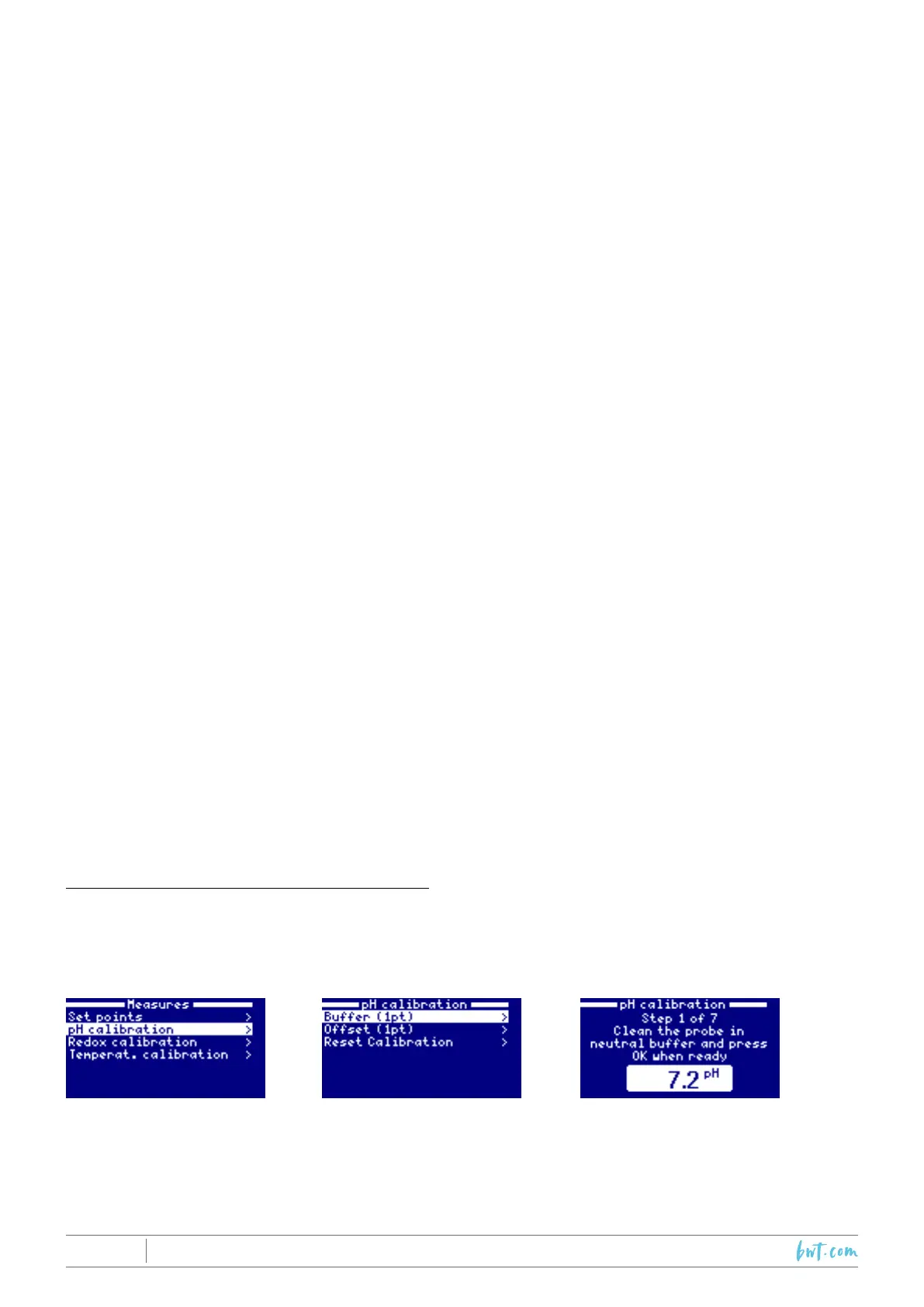
Followthestepsdisplayedonscreen:
Foreachofthebuffersolutions,adjustthetargetvaluetothebuffervalueandpressOKtocalibratethe
sensor.



 To Next Page