2021/03 - Indice de révision : B Code : 29740TRAITEMENT DE L'EAU
51/88
7.6 Conguration of the Wi-Fi module
ThisparagraphisrelevanttodevicesttedwiththeoptionalWi-Fikitoption.
Network:OncetheWIFImoduleisconnected,restartyourunit.The
NetworkoptionwillappearintheSettingsmenu.
WIFI:Select WIFI to scan foravailablenetworks that the module
canaccess.Thesearchwillbecarriedoutautomatically.
Selectthedesired network.Enterthepasswordusing thepop-up
keyboard.Navigateupanddownusingtheup/downkeysandleftto
rightusingtheplus/minuskeys.ToselectaletterpressOK.
Selectingtheaccesspoint:Enterthenameandthepasswordofthe
networkselected.
Systemsettings: For a more detailed conguration enter intothis
menu or contact your installer.
Status:Checkthestatusofyourconnection.
OncetheWIFImodulehasbeenconnectedtothenetworkandboth
lightsareON,gotowww.poolwatch.hayward.fr.AccesstheRegister
optionandenter allthedatarequested.TheunitID nodecanbe
foundonyourdevice(seeparagraph7.1,CongurationoftheUser
interface,screen13and14).Uponcompletionoftheprocess,you
willhavetotalcontroloveryourpoolandyouwillbeabletochange
parameterssuchassetpointsandltrationwindows.
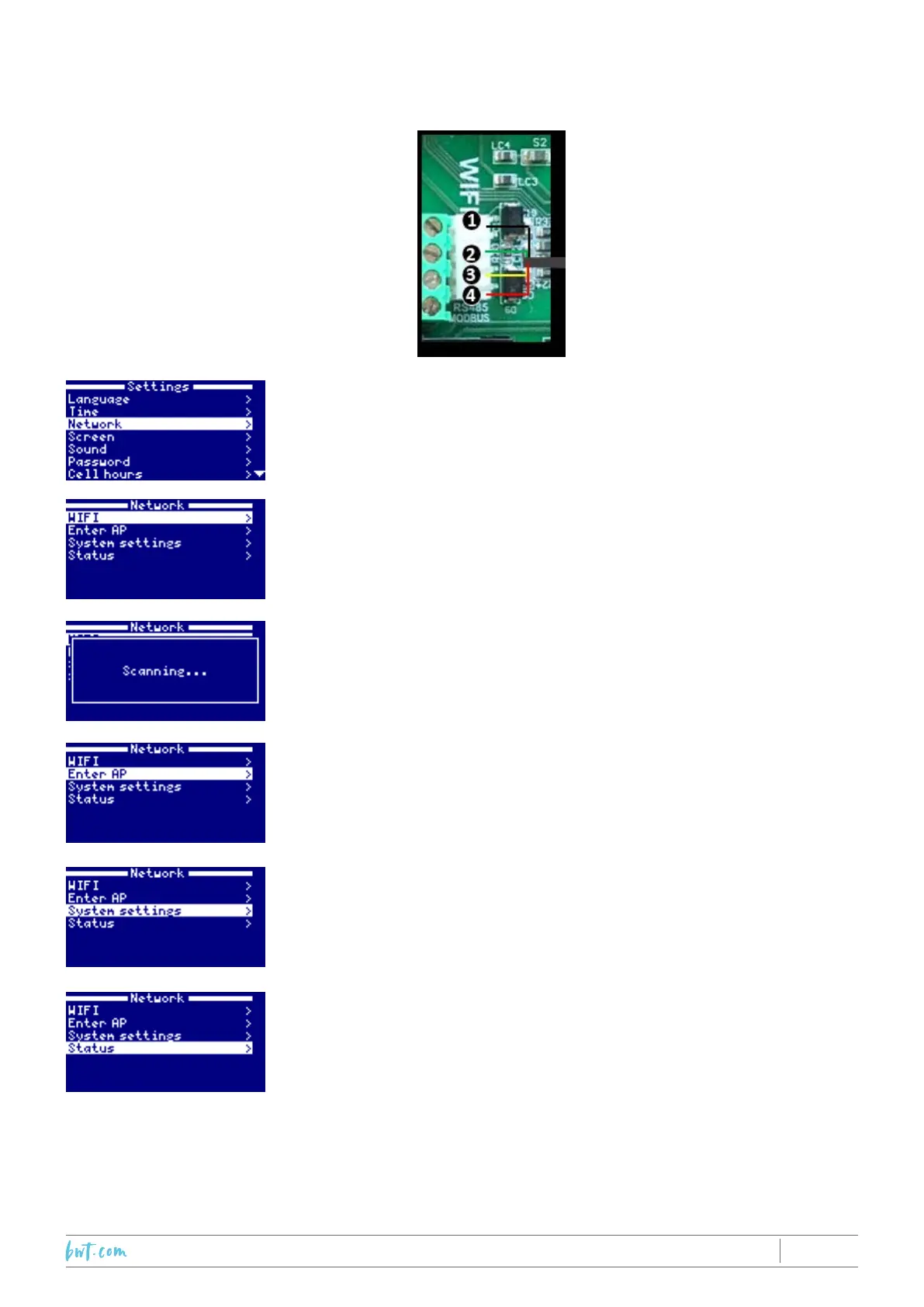
WIFI MODULE
1.Black
2. Green
3.Yellow
4. Red
CONNECTION



 To Next Page