■ Lighting for leaving home:
The driver can set the time for follow me home (lighting for
leaving home) in the multimedia interface and the default
time is 10s. When the light handle of the multi-function
switch is turned to " ", " " or " " and the driver
unlocks the vehicle and intends to get close to the vehicle,
the corresponding lights will continuously turn on for 10s
(or the set time) for lighting.
The set time for light-up and go-out of corresponding lights
can be changed through→ “Vehicle Settings” → “Light and
Atmosphere” interface of the multimedia system.
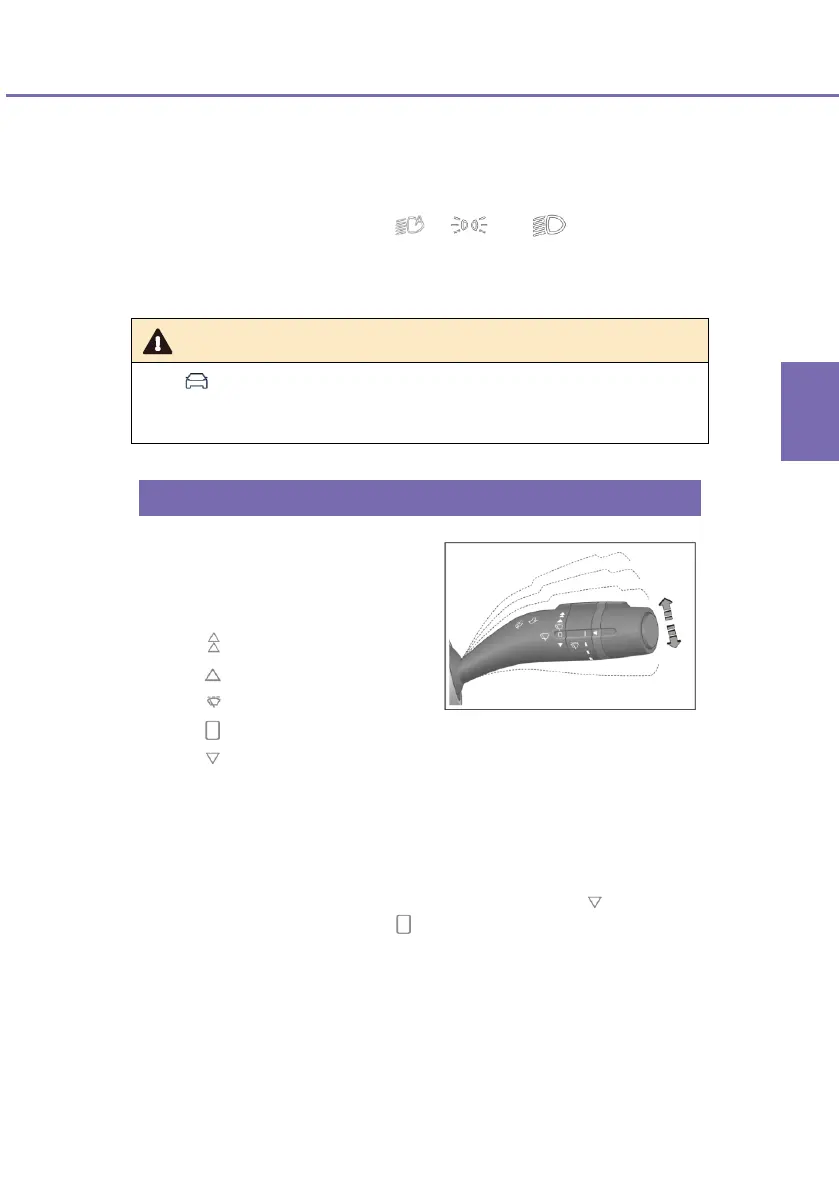
■ This lever is used to control
the wiper and washer for
windscreen. The control level
has five control modes:
: HI: high-speed wiping
: LO: low-speed wiping
: INT: intermittent wiping
: OFF: stop wiping
: MIST: point wiping
■ To select a mode, raise or lower the control lever to a desired
mode.
■ In the LO or HI mode, the wiper will wipe continuously.
■ To enable the wiper to operate in the MIST mode " ", pull down
the control lever from the " " mode. The wiper will wipe at a low
speed until you release the control lever.












 To Next Page