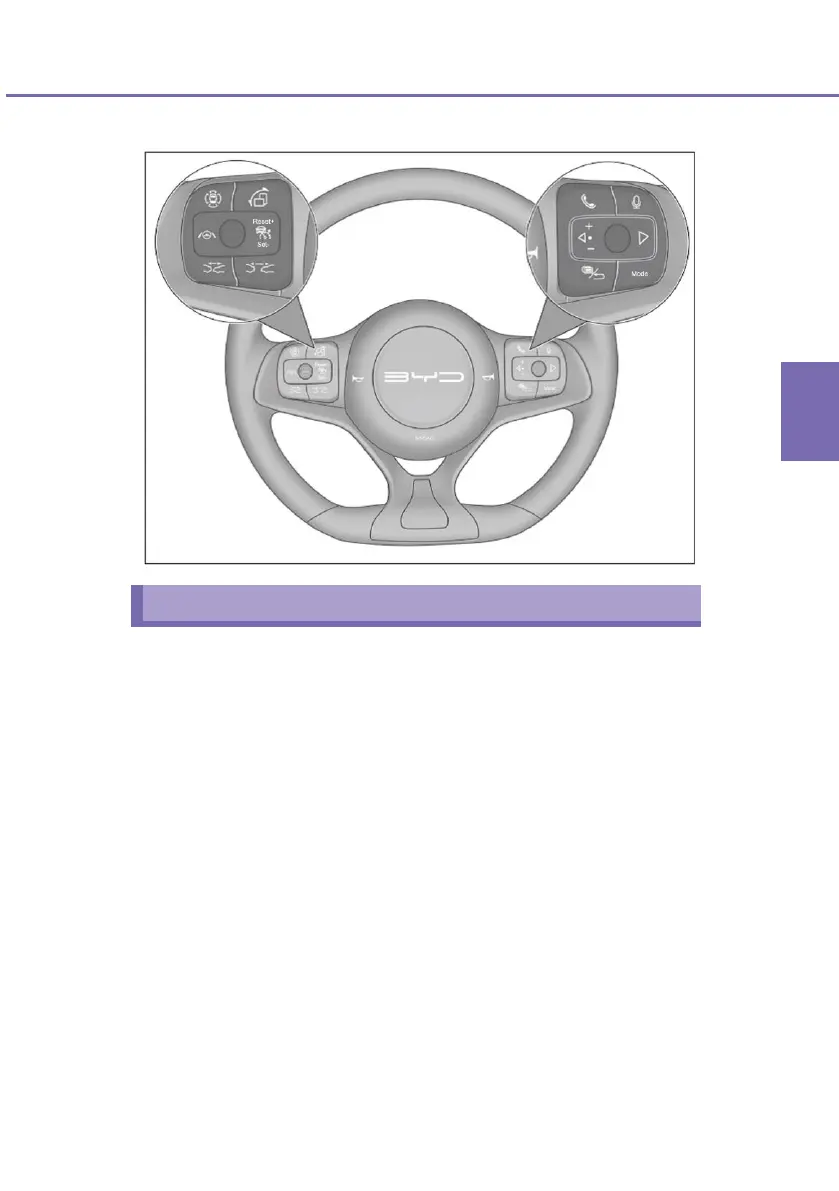
Configuration 2
Buttons on the left side
All-around View Monitor System (If Any)
■ Press the all-around view monitor system button to make the
multimedia system enters the all-around view mode.
In all-around view mode, press this button to turn off the
all-around view monitor. In a mode other than all-around
view mode, press this button to turn on the all-around view
monitor.
Customize button (if any)
■ If the customize button is not set, press it to activate the factory
default function: multimedia screen rotation. Press and hold it to
enter the Customize interface. Customizable functions include
multimedia screen rotation, taking photos with the vehicle
traveling data recorder (if vehicle traveling data recorder is
installed), and locking functions (if any).
■ With the Customize button having a customized function, press
it to activate the function; press and hold it to enter the
Customize interface to re-customize a function or cancel
customization.


 To Next Page