OPERATING THE FORKLIFT
OPERATOR MANUAL 52
Selecting Travel Direction
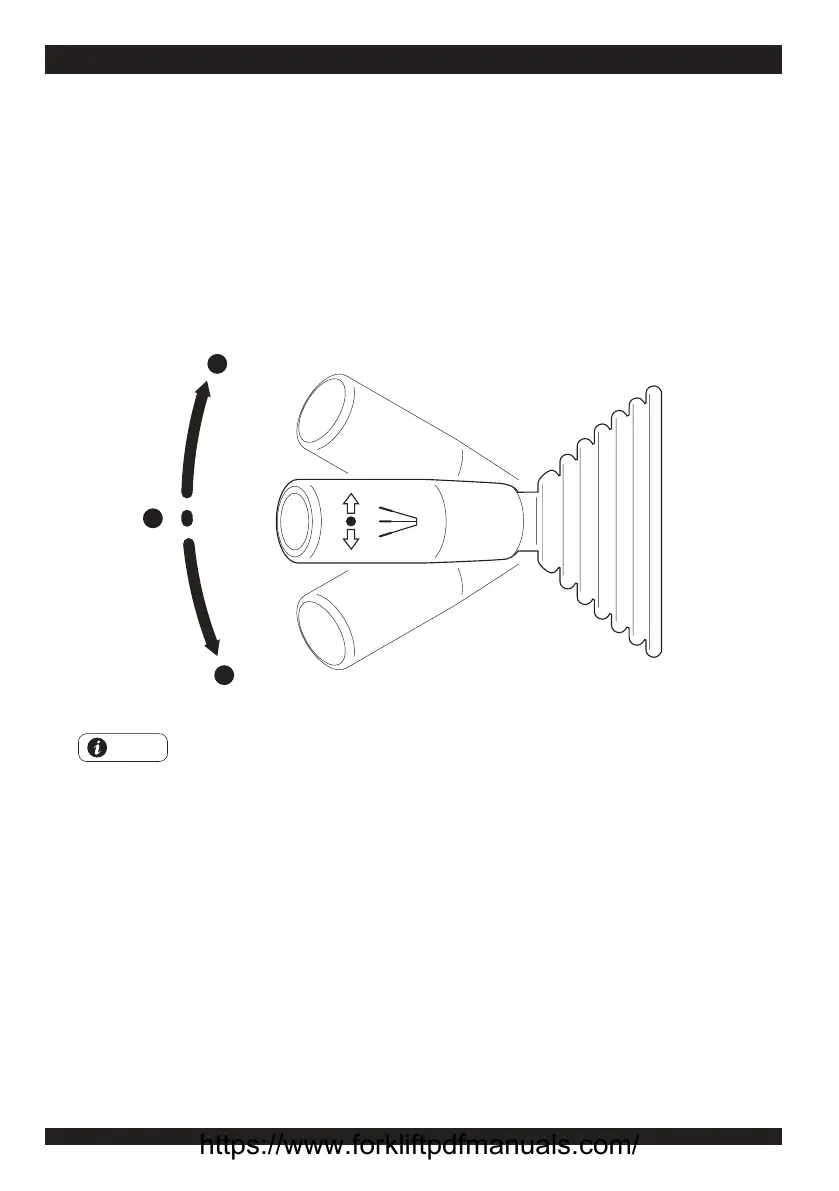
To drive the forklift forward or in reverse, select the travel direction by setting the lever on the
left side of steering wheel and depress the accelerator pedal.
1. Forward: pushing the lever forward.
2. Stop.
3. Reverse: pull the lever backward (after pulling it backward, the reversing lights will be lit
and the beeper will be sound).
F
N
R
1
2
3
Note
1. The display unit in the instrument panel will show the sign of travel direction
corresponding to the direction the operator has chosen.
2. The "COMFORT" forklift doesn't have the
travel direction control switch. It's travel
direction control button is on the
fingertip control
.
https://www.forkliftpdfmanuals.com/



 To Next Page