iNetVu New Gen Troubleshooting Guide
C-COM Satellite Systems Inc.
Step 2:
a. The TRIA must be beeping while searching for satellite. If it is not, please see the RF SIGNAL
LOSS section of this guide (Tooway & SurfBeam 2 only).
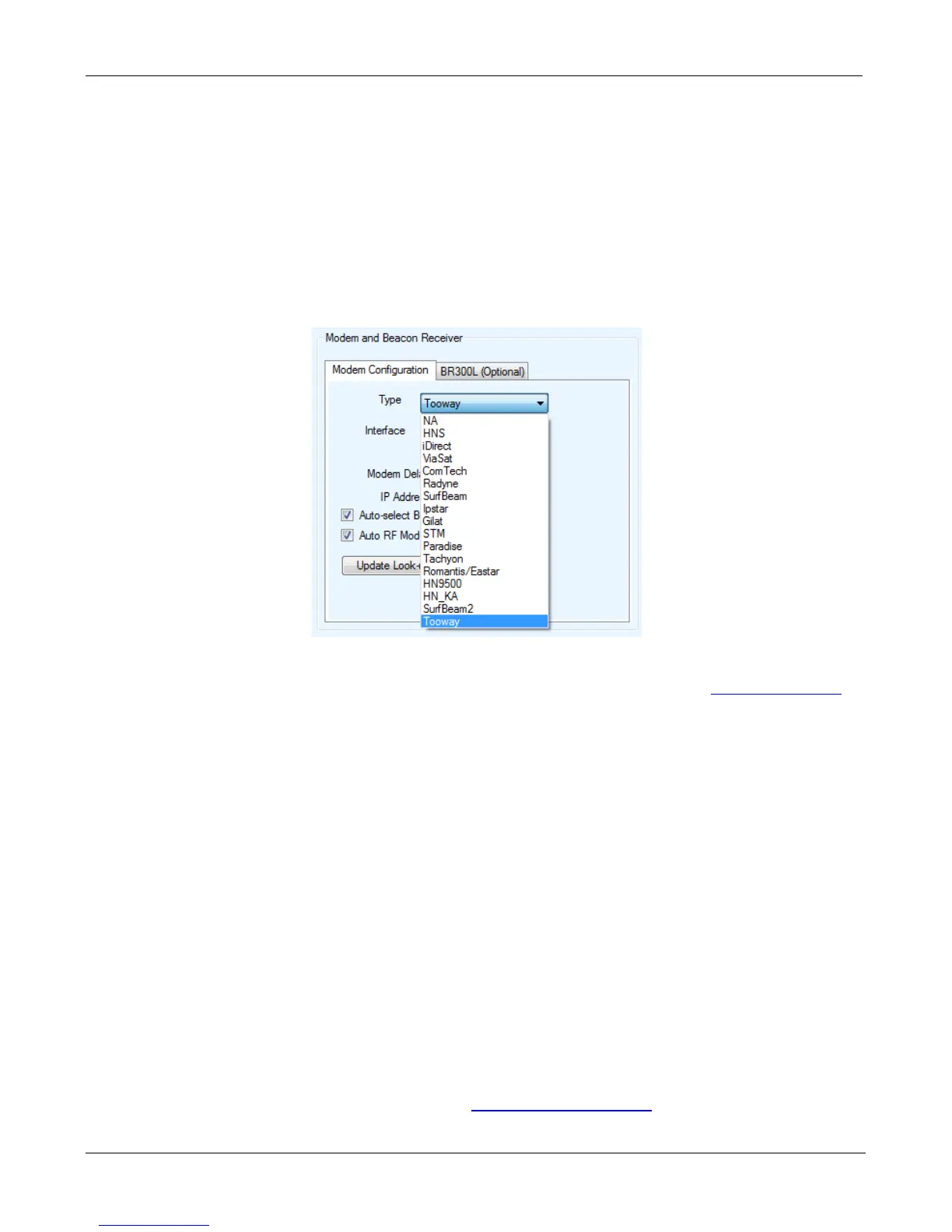
b. The correct Modem Type must be used. There are three (3) Ka Modem Selections.
• Tooway
• SurfBeam 2
• HN Ka
c. Please refer the Quick Start Guide for your specific service type and for proper configuration.
These Quick Start Guides can be found on the software USB drive or from
ftp.c-comsat.com
d. For DVB or RF Search Method, the Satellite Configuration must be exact as provided by your
NOC or service provider.
• For Tooway Service this is preconfigured so no changes are necessary. Please
see the Quick Start Guide for proper configuration.
• For HN Ka Service please see the Quick Start Guide for proper configuration.
• For SurfBeam 2 Auto Acquire Service please see the Quick Start Guide for proper
configuration.
e. If your configuration is correct then you may have a line of sight or coverage issue.
f. If you wish to use Full Search (Recommended for DVB search only). The “Override
Compass” and “Full Search” options must be checked with the “AZ Window” size at 180. For
Tooway Service this must be completed for all BEAMS manually. Please refer to the Quick
Start Guide for instructions.
C-COM Technical Support can be contact at
support@c-comsat.com for further assistance.


 To Next Page