Operator manual
Page 9 - 29
Initial version : 11/08
Lastest revision : -
5. SCREEN FUNCTIONS IN DETAIL
5.1 U.I. screen options
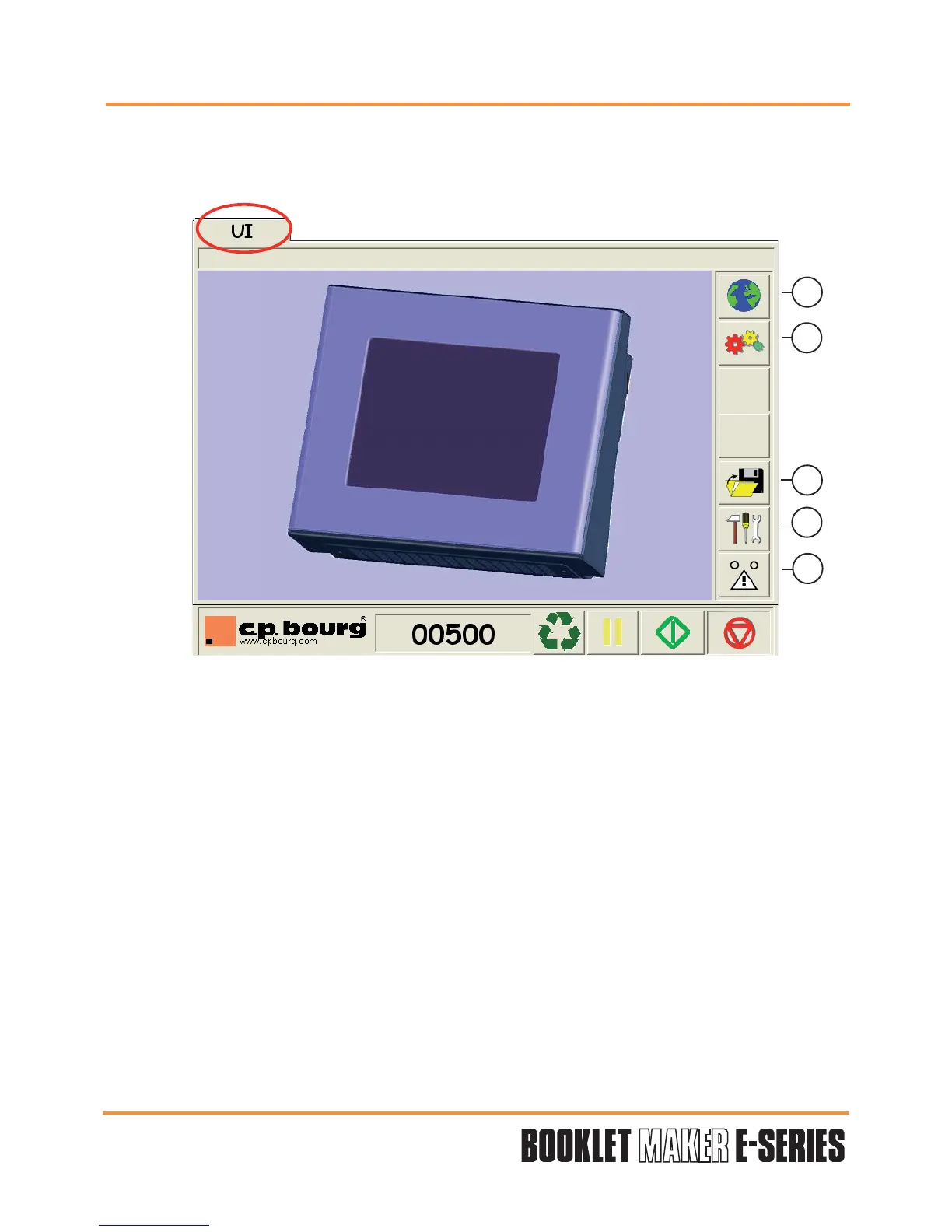
At power ON of the machine, the U.I. screen appears by default.
1 - OPERATOR'S PARAMETERS:
Press button to the right of the screen to enter your own parameters.
2 - MACHINE LINE CONFIGURATION:
3 - FILE MENU:
Allows to open/delete an existing job or create/save a new job. Available if the step two has
been validated.
4 - TECHNICIAN MENU:
Autorised to be used by a qualified technician.
5 - INFORMATION AND ERROR MESSAGES
1
2
3
4
5


 To Next Page