Operator manual
Page 9 - 46
Initial version : 11/08
Lastest revision : -
5.3.6 File menu parameter
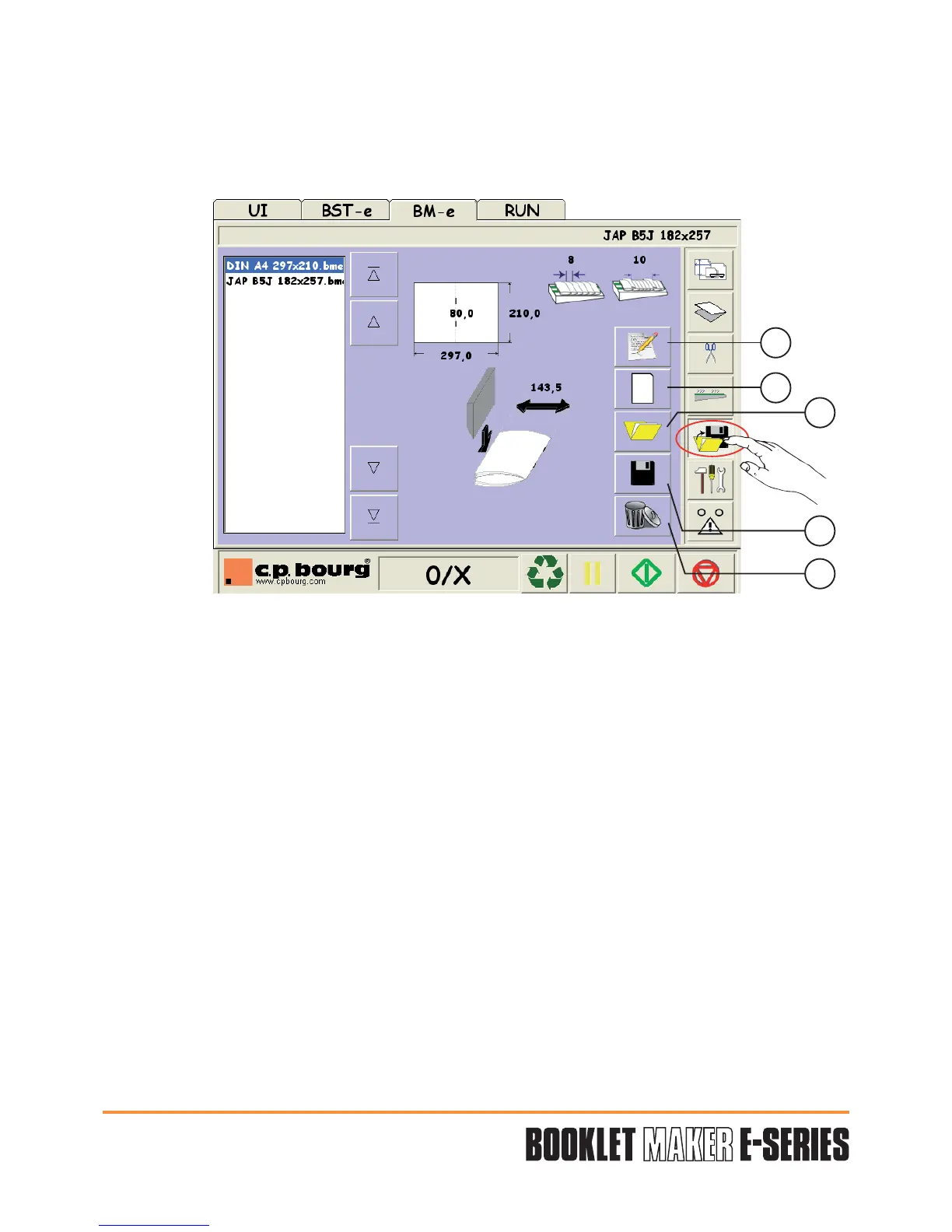
The BME graphical interface allows an easy and performing jobs management.
Press the button "FILE MENU" to have access to the file parameters.
Five adjustments are available:
1 - Make a comment on the saved jobs.
2 - Open an existing model in the EU, US, JA formats which could be used as beginning for a
new job.
3 - Open a job saved by the operator.
4 - Save a new program with his name and characteristics.
5 - Erase an existing program no longer used.
1
2
3
4
5


 To Next Page