Operator manual
Page 9 - 31
Initial version : 11/08
Lastest revision : 02/10
5.1.2 Machines line configuration
After installation of all machines, enter the line of machines in the U.I.
The following configurations are availables:
- Tower BST-d
+
Î BM-e AGR/PA Î BM-e TR
- Tower BST-d
+
Î BM-e AGR/PA
- Tower BST-e left Î Tour BST-e right Î BM-e AGR/PA Î BM-e TR
- Tower BST-e left Î Tour BST-e right Î BM-e AGR/PA
- Tower BST-e right Î BM-e AGR/PA Î BM-e TR
- Tower BST-e right Î BM-e AGR/PA
- Tower BST-e right Î BM-e AGR/PA Î BM-e TR ÎSpine Master
-
...
a) Train configuration BST-e Right (or BSTd+) + BM-e AGR-PA + BM-e TR configuration.
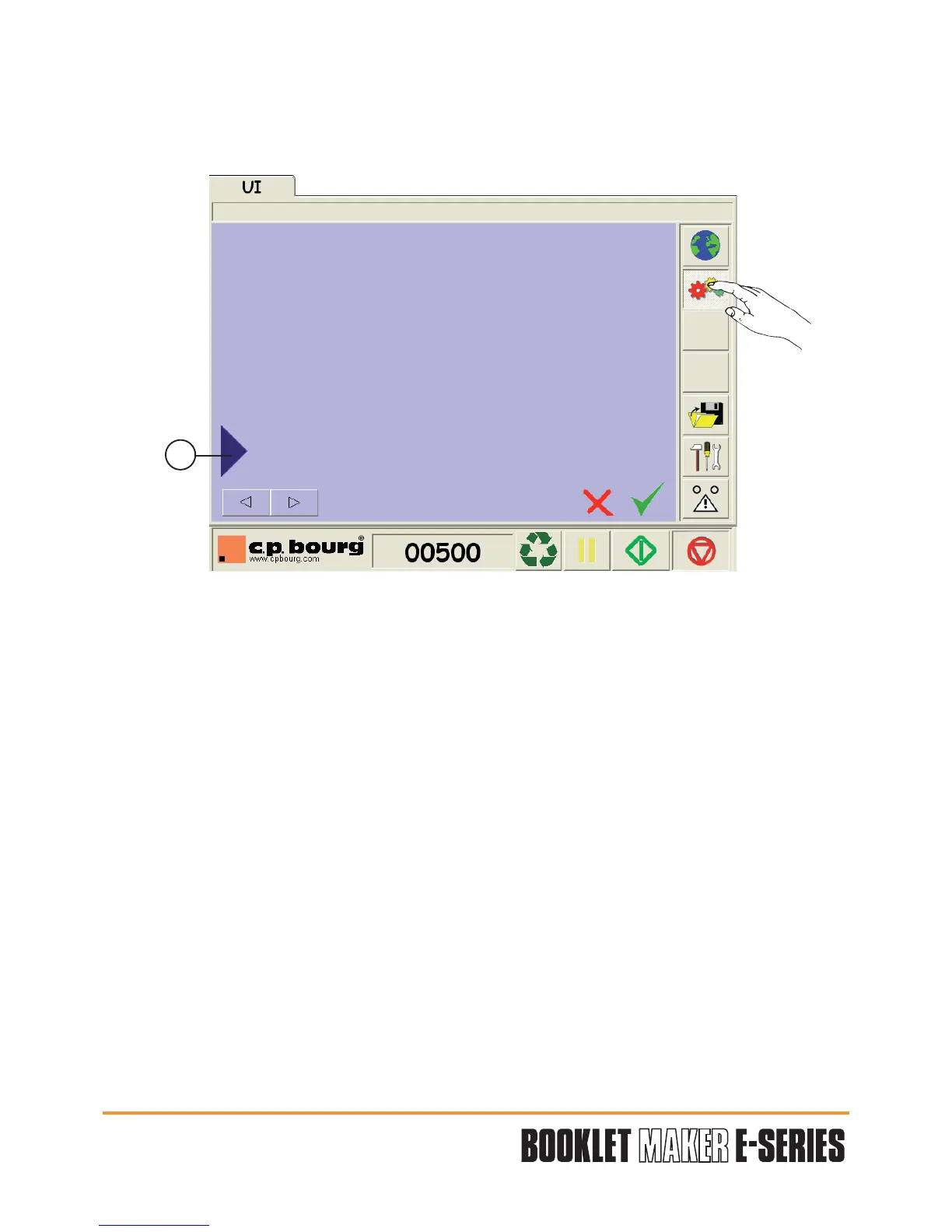
Press Machine Line Configuration button.
Press the blue arrow (1) to access to the dialogue box.
1


 To Next Page