Operator manual
Page 9 - 30
Initial version : 11/08
Lastest revision : -
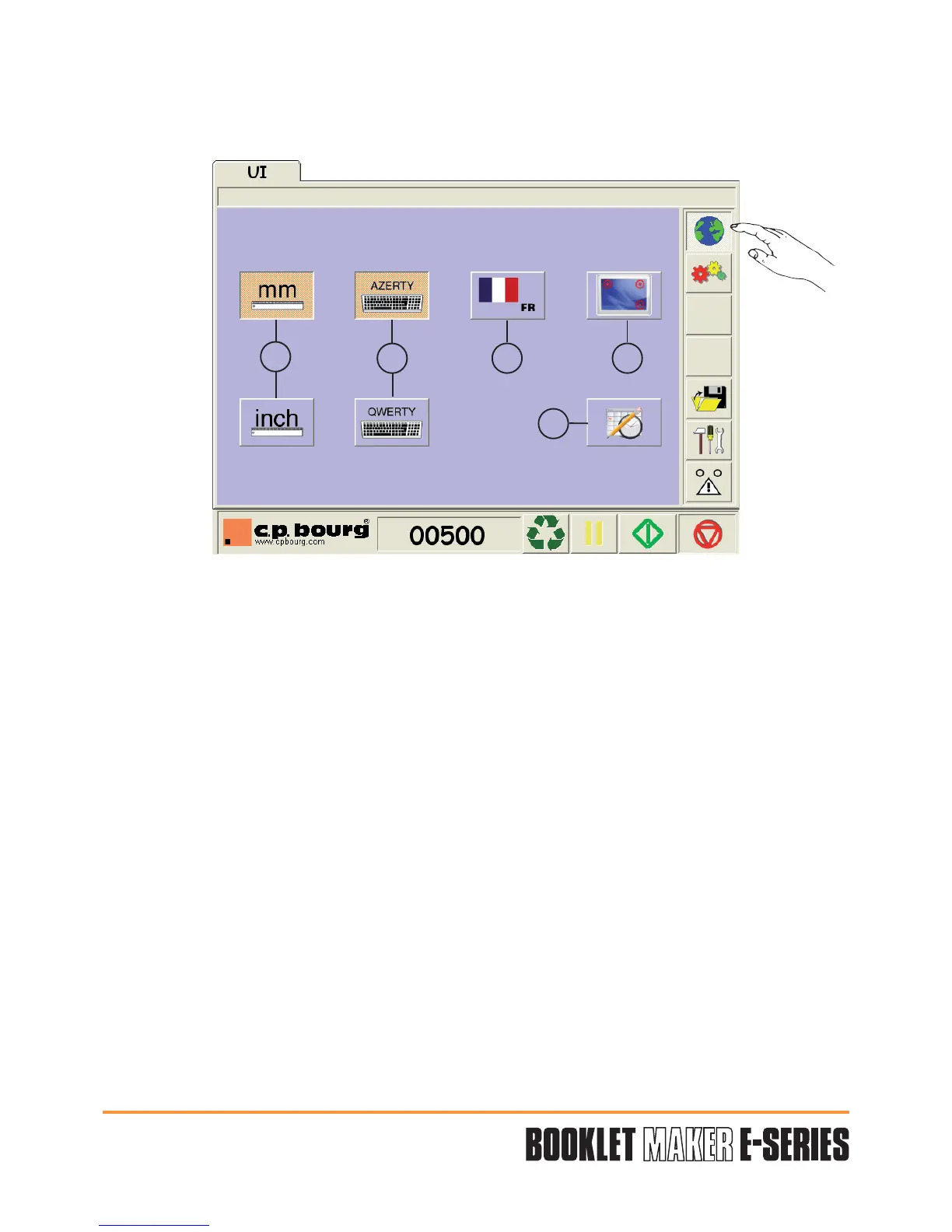
5.1.1 U.I. screen Operator's preferences
The UI screen option allows the user to configure his preferences.
1 - UNITS:
Allow you to select your choice for measures in mm or inches.
2 - KEYBOARD CHOICE:
Select the kind of keyboard AZERTY or QWERTY.
3 - LANGUAGE:
Choose your language (FR - IT - DE - ES - PO - NL - PL - NO - US - GB).
4 - SCREEN PARAMETERS:
Graphical User Interface calibration.
5 - DATE and HOUR SETTINGS.
1
34
5
2


 To Next Page