Operator manual
Page 9 - 42
Initial version : 11/08
Lastest revision : 02/10
5.3.2 Folding parameter
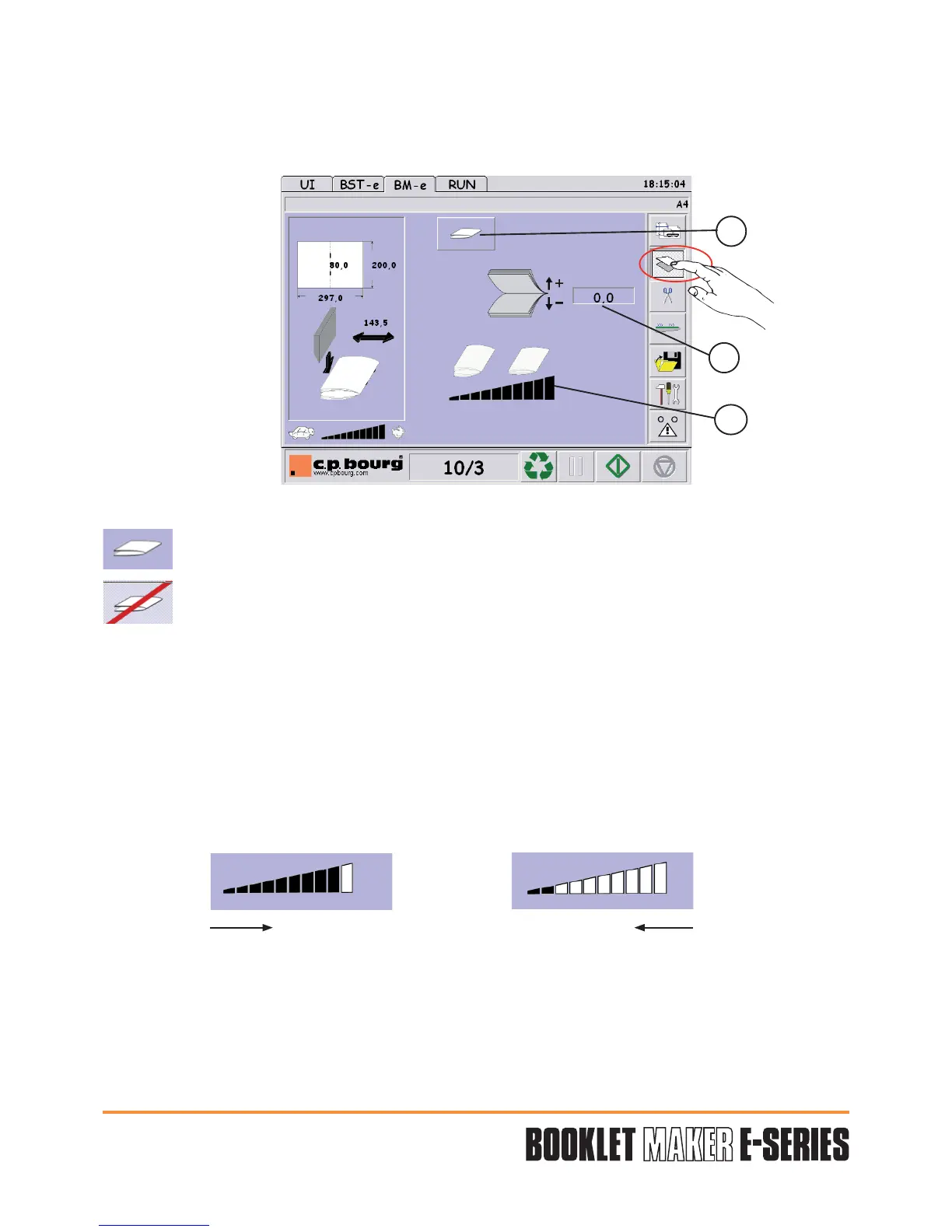
Press the button "FOLDING" to have access to the folding parameters.
Three adjustments are available:
1- Folding function selection:
Folding option activated.
Folding function not activated. Sets are sent to the upper reception tray.
2 - Fold position:
By default, the fold will always be in the middle (0,0) of the paper length. It is possible to
offset the paper fold frontward (+) or backward (-).
Press area 2 and determine the value through the numerical keypad.
Validate "V".
3 - Folding pressure selection:
By default, the pressure will always be maximum.
Decrease the pressure if there are too many cracks or marks on the cover.
"V" Validation of the adjustment parameters entered in the different screens.
"X" Cancel the last values entered in the defined job.
1
2
3
+ the pressure - the pressure


 To Next Page