Operator manual
Page 9 - 43
Initial version : 11/08
Lastest revision : -
5.3.3 Trimming parameter
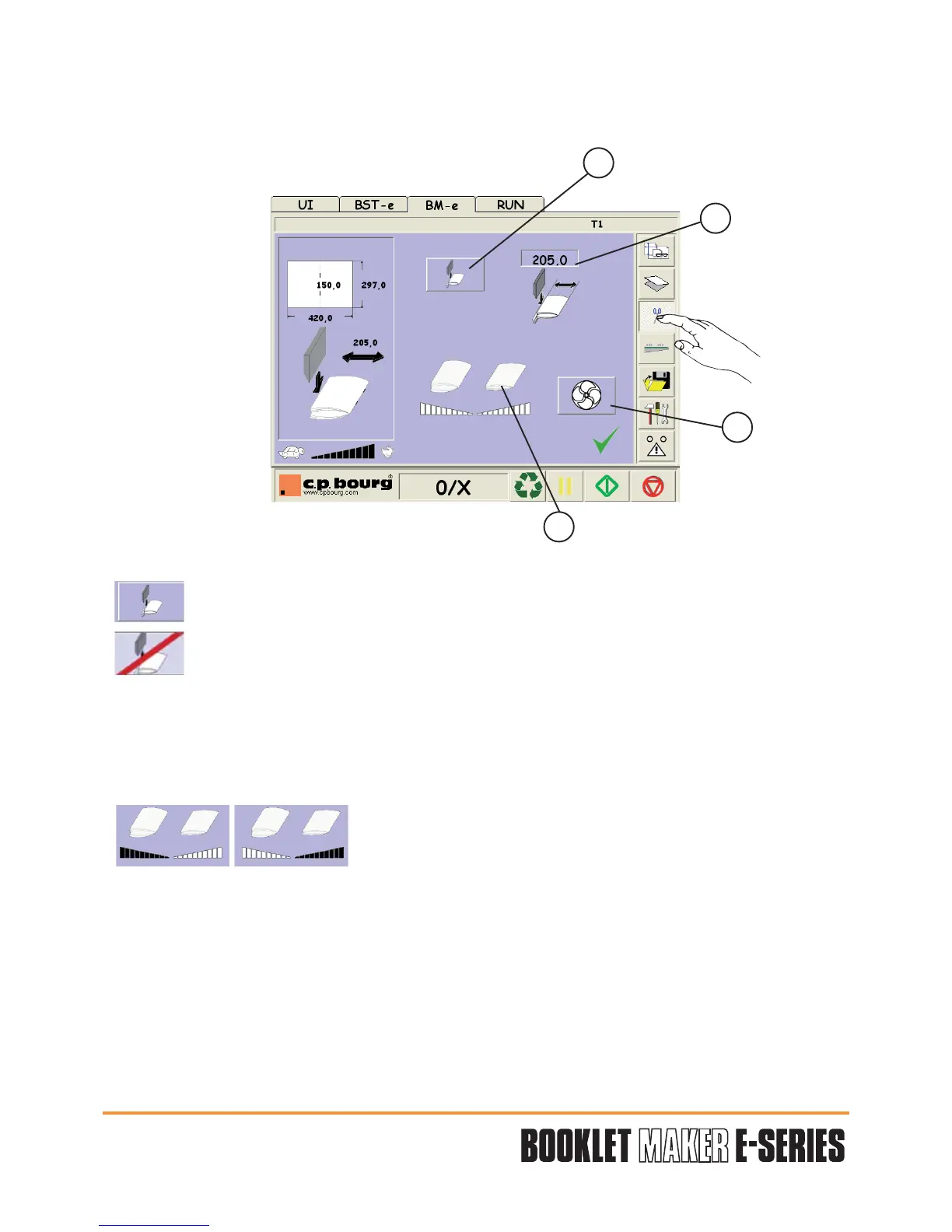
Press the button "TRIMMING" to have access to the trimming parameters.
Four adjustments are available:
1 - Trimming function selection.
Trimming option activated (go to the three additional options described below).
Trimming option not activated (go directly to output conveyor parameter).
2 - Booklet final length selection.
Determine the value through the numerical keypad, validate "V" .
3 - Trimmer conveyor height choice.
The trimmer conveyor height set itself is automatically in relation to the booklet thickness.
The operator may adjust this height.
4 - Active or deactive the blower to evacuate the chips.
"V" Validation of the adjustment parameters entered in the different screens.
"X" Cancel the last values entered in the defined job.
Maximum
height
Maximum
height
1
2
3
4


 To Next Page