Operator manual
Page 9 - 48
Initial version : 11/08
Lastest revision : -
New job loading
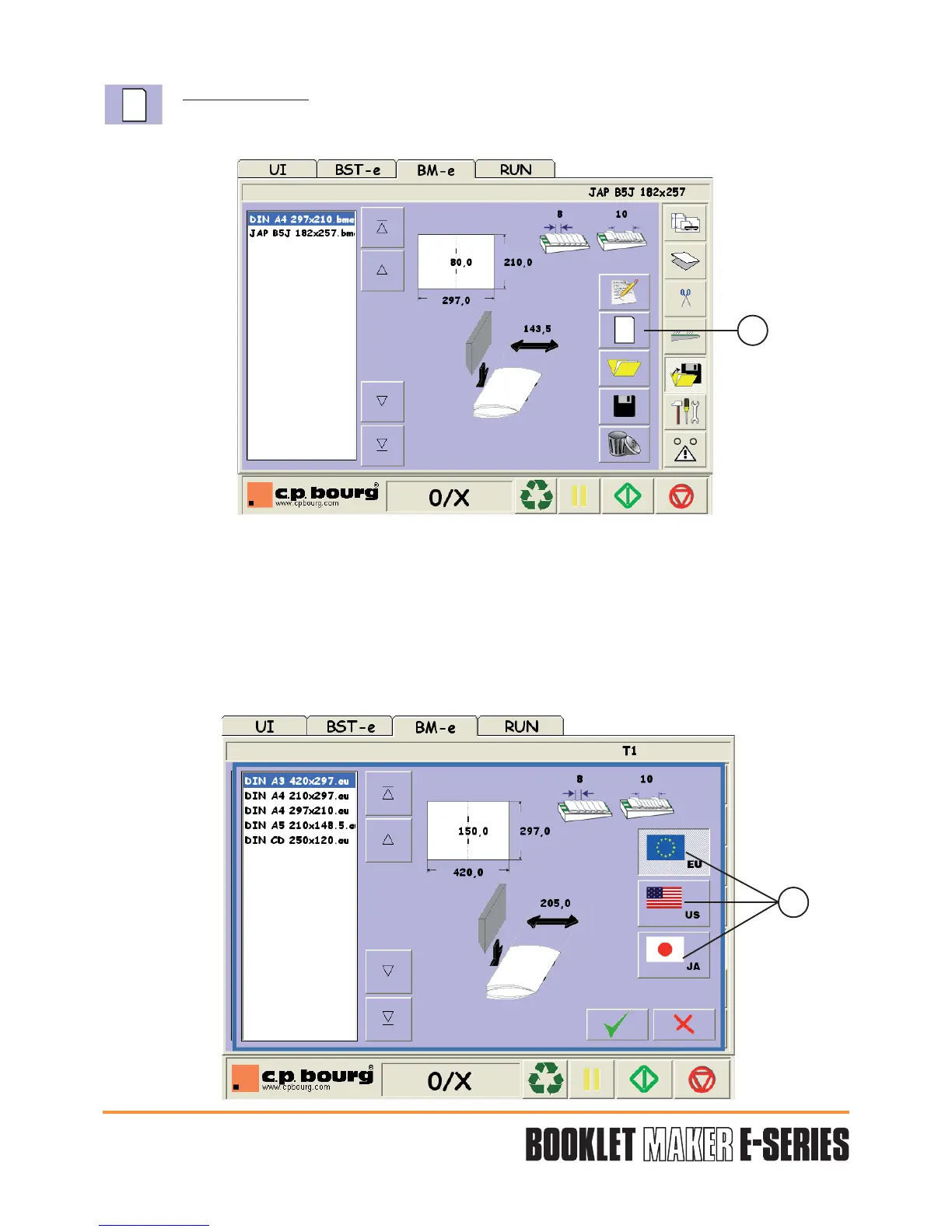
This menu allows to load models based on standardised formats
.
Press the button (2).
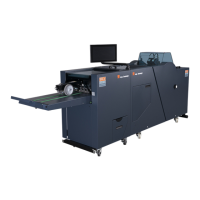
Select a or some standard(s) among the 3 suggested (EU, US or JA) using button (3).
Select a model using the arrows and validate "V".
Press OUI/YES to open the selected job or NON/NO to return to the previous screen and
select another job.
This model can be the starting point to define a new job.
2
3


 To Next Page