Operator manual
Page 9 - 65
Initial version : 11/08
Lastest revision : -
- Press (1) to have access to the numerical keypad.
-
Enter the number of sheets or blocks of sheets to compose the set (pay attention to
the limitations). Validate with .
- Validate the function by pressing button (2). The manual feeding button becomes
orange.
- Press START button from RUN menu. The button will only be activated if a job has
previously been validated.
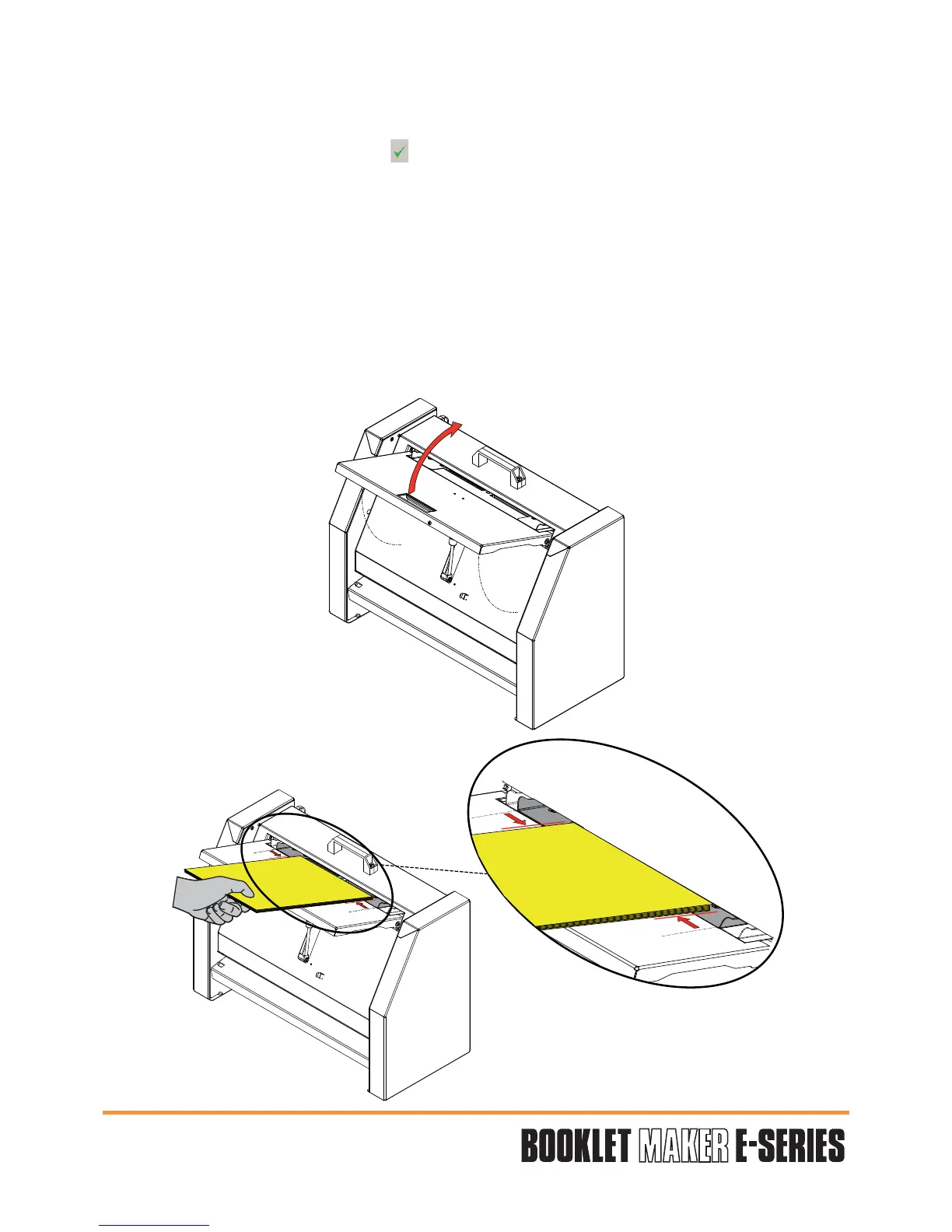
- Lift the BMe entry tray (fig 1).
- Adjust the guides to paper size (fig 2).
- Insert the sheets or the blocks of sheets.
Fig.2
Fig.1


 To Next Page